5
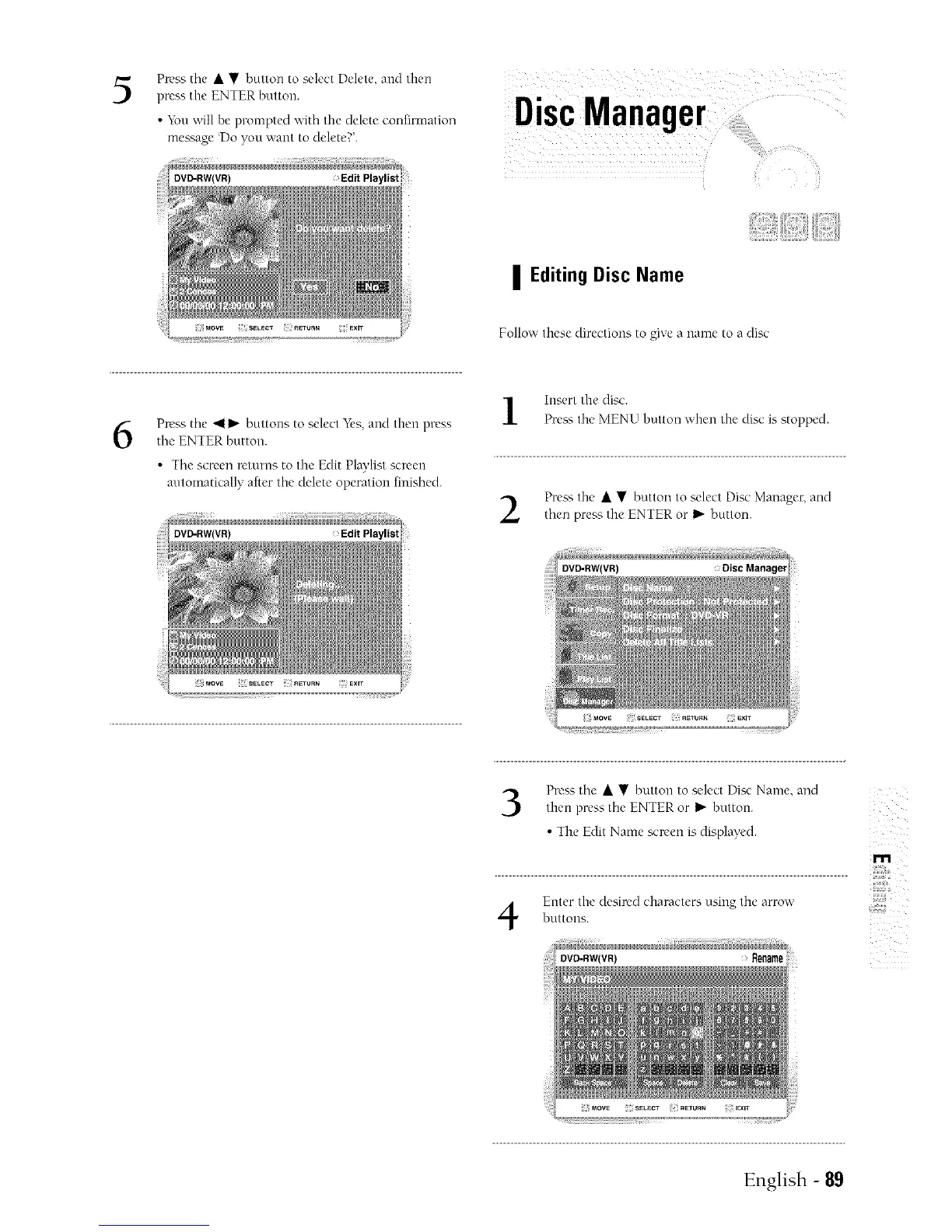
Press the • • button to select Delete, and then
press the ENTER button.
• You will he prompted with the delete confirmation
message Do you ;,,'ant to delete?'.
DVD-RW(VR) Edit Playlist
DiscManager
| Editing Disc Name
Follow these directions to give a name to a disc:
6
Press tile 411_"buttons to select "_i's,and then press
the ENTER button.
• The screen returns to the Edit Playlist screen
automatically after the delete operation finished.
Insert the disc.
Pre_; the MENU button vvfien the disc is stopped.
Prea'_ the • • button to select Disc Manager, and
then press the ENTER or I_"button.
DVD-RW(VR)
Press the • • button to select Disc Name, and
then press the ENTER or I_"button.
The Edit Name screen is displayed.
• s
Enter the desired characters using the arrowbuttons.
m
,,#,@
English - 89



 To Next Page