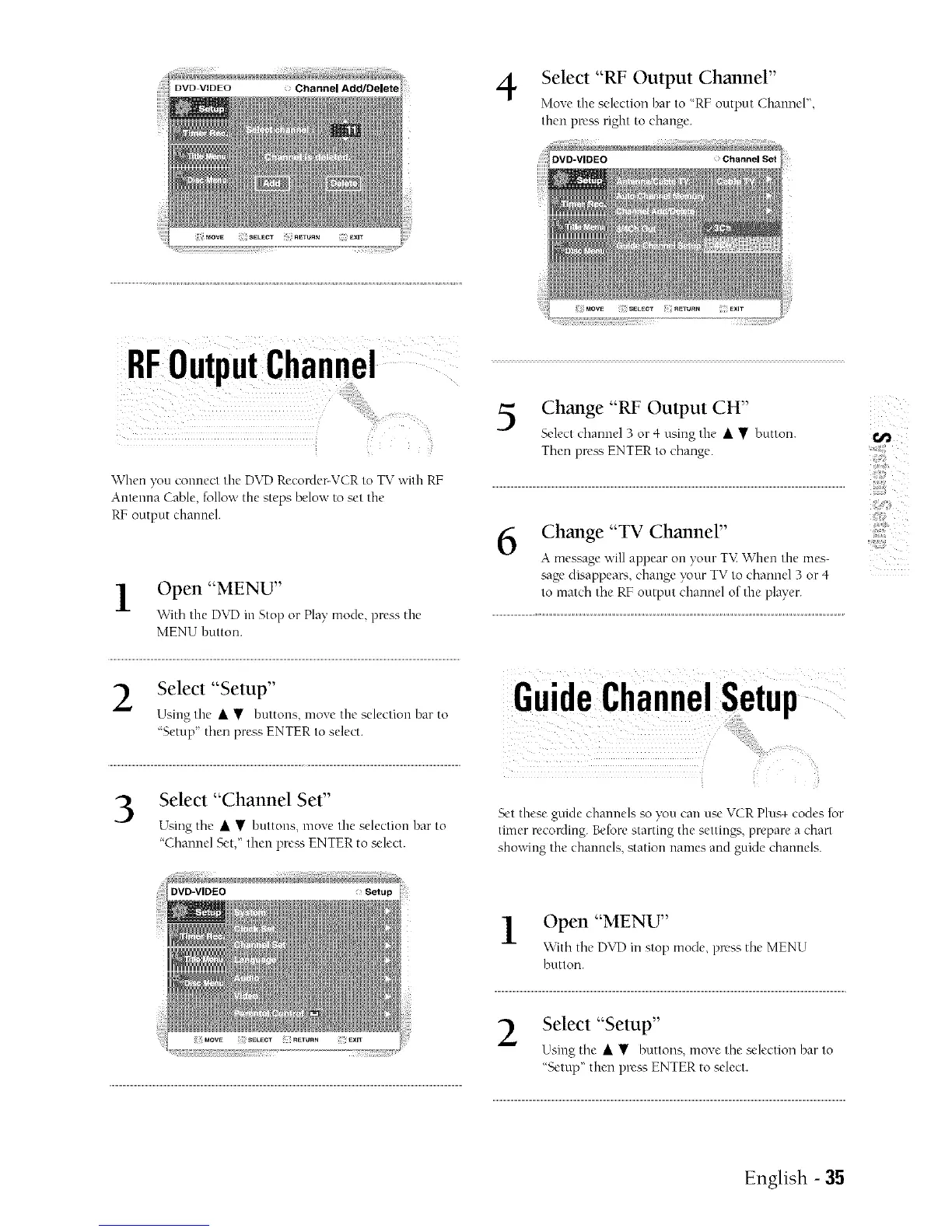
Select "RF Output Channel"
Move the selection bar to "RF output Channel",
then press right to change.
! i ¸¸ L ;;;: ?
i_i_
\Vhen you connect tire DVD Recorder-VCR to TV with RE
Antenna Cable, follow the steps below to set the
RF output channel.
Open "MENU"
'vvith tire DVD in Stop or Play mode press tire
MENU button.
Select "Setup"
Using tire • • buttons, move tire selection har to
'Setup then press ENTER to select.
Select "Channel Set"
Using the • • buttons, move the selection bar to
"Channel Set," then pre_s ENTER to select.
Change "RF Output CH"
Select elrunnel 3 or 4 using tire • • button.
Then press ENTER to change.
6
Change "TV Channel"
A message will appear on your T\_ When the mes-
sage disappears, change }_ur TV to channel 3 or 4
to match tire RF output channel of the player.
]
Set these guide channels so you can use VCR Plus+ codes for
timer recording. Beforestarting the settings, prepare a chart
showing the channels, station names and guide channels.
Open "MENU"
\\ith the DVD in stop mode, press the MENU
button.
Select "Setup"
Using the • • buttons, move the sele_.tion bar to
"Setup" then press ENTER to select.
<
5
English - 35



 To Next Page