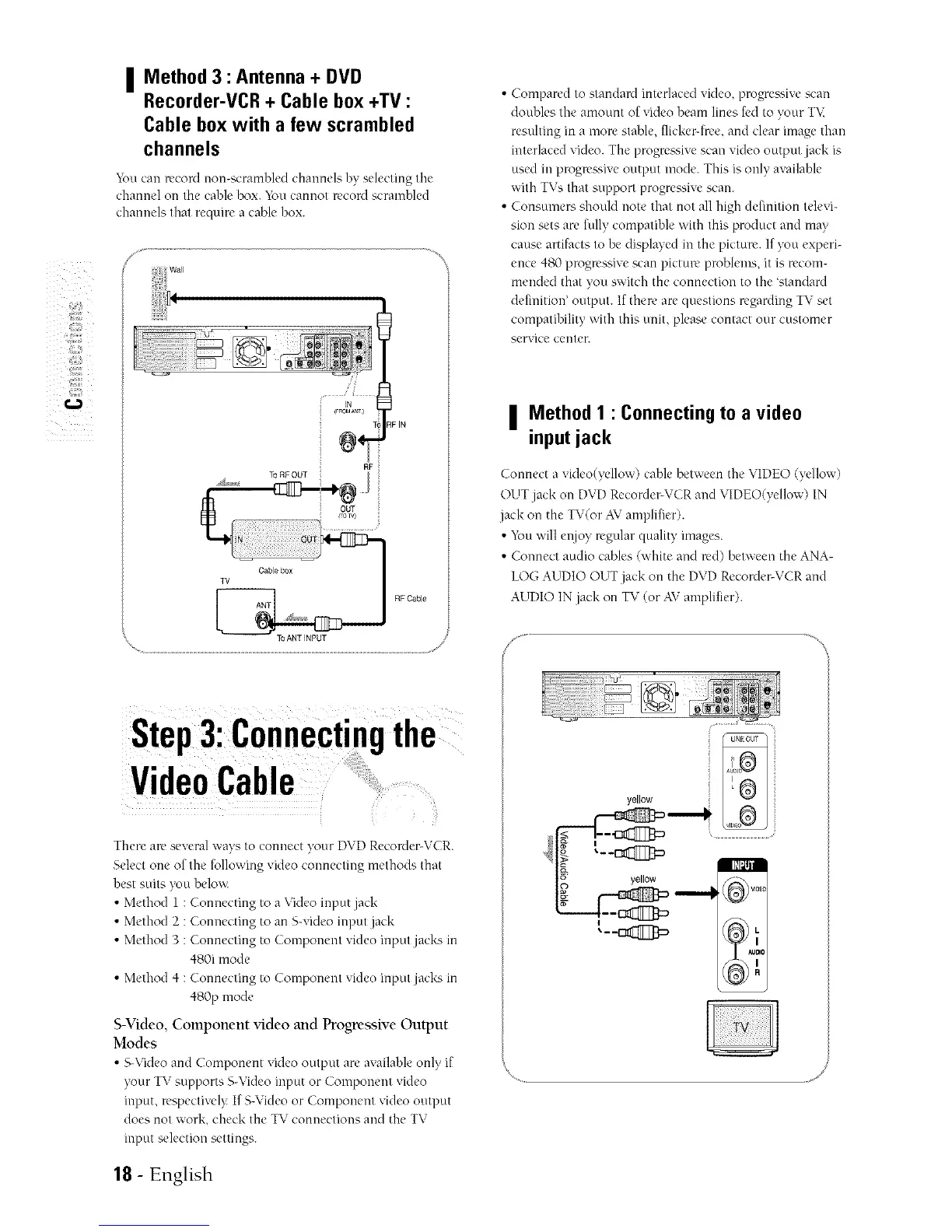
II Method 3 : Antenna + DVD
BB
Recorder-VCR + Cable box +TV :
Cable box with a few scrambled
channels
You can record non-scramfik'd channels by sdccting the'
channel on the cahle box. 3_mcannot record scramhled
channels that require a cable box.
,,J
_ii wan
Cable box
TV
RF Cable
To ANT NPUT
//s
Compared to standard interlaced video, progrea,_ivescan
doubles the amount of video beam lines fed to your TV,
resulting in a more stable, flicker-Ire,e, and clear image than
interlaced video. The progrea,_ivescan video output jack is
used in progrea,_iveoutput mode. This is only available
with T\% that support progrea,_ivescan.
Consumers should note that not all high definition televi-
sion sets arc fully compatible with this product and may
cause artifacts to be displayed in the picture. If you experi-
ence 480 progressive scan picture problems, it is recom-
mended that yon switch the connection to the standard
definition' output. If there arequestions regarding TV set
compatibility with this unit, please contact our customer
service center.
| Method 1 : Connecting to a video
input jack
Connect a video(yellow) cable between the VIDEO (yellow)
OUTjack on DVD Recorder-VCRand VIDEO(yellow) IN
jack on the TV(or AVamplifier).
• hymn;,,'illr!!joy regular quality images.
• Connect audio cables (white and red) between the ANA-
LOG AUDIO OUT jack on the DVD Recorder-VCR and
AUDIO IN jack on TV (or AVamplifier).
Step3:Connectingthe
VideoCable
There areseveral ways to connect your DVD Recorder-VCR.
Select one of the following video connecting methods that
best suits you below.
• Method 1 : Connecting to a Video input jack
• Method 2 : Connecting to an S-videoinput jack
• Method 3 : Connecting to Component video input jacks in
480i mode
• Method 4 : Connecting to Component video input jack ¢,in
480p mode
S-Video, Component video and Progressive Output
Modes
• S-Videoand Component video output arc availableonly if
your TVsupports S-Video input or Component video
input, respectively If S-Video or Component video output
does not work, check the TV connections and the TV
input selection settings.
yellow
18 - English



 To Next Page