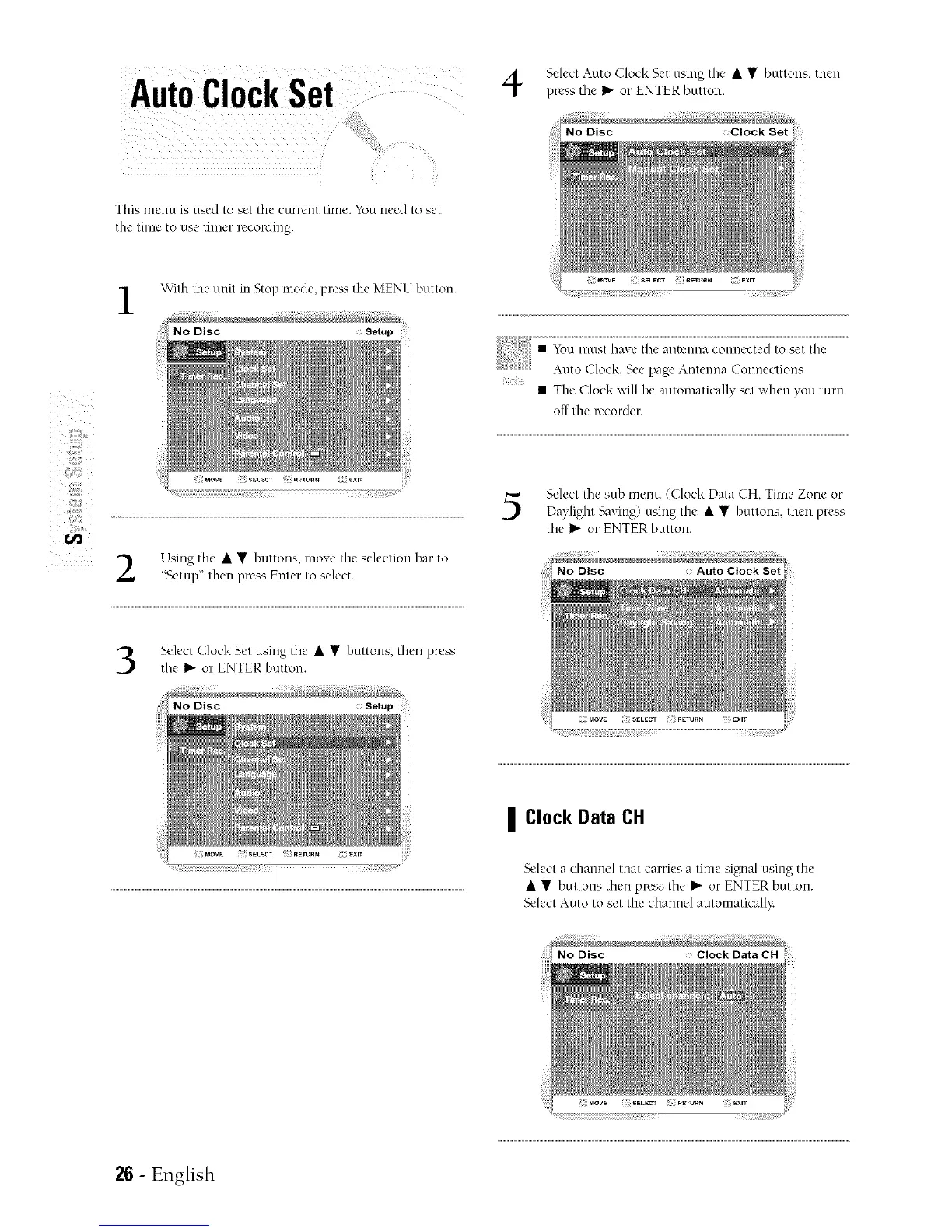
Select Amo clock Setusing the • • but/ons, then
Auto ClockSet pn- sth,,I_ or ENTERbu/ton.
This lncnu is used to set the c//rrcnt time. You nc_,d to set
Ihv lllnc 1o use tilncr wcording.
With the unit in Stop mode, preK_ the MENU button.
:iiilf_ii_i¸
Using the • • huttons, move the selection bar to
"Setup" then press Enter to select.
ii
• The (]lock ;','ill he automatically set when you turn
off the recorder.
Select the suh menu ((]lock Data CH, Time Zone or
Da?light '-k3ving) using the • • btmons, then press
the !1_or ENTER button.
Select Clock Set using the • • hottons, then press
the !_ or ENTER button.
: Setup
| Clock Data CH
Select a channel that carries a time signal using the
• • buttons then press the I_"or ENTER button.
Select Auto to set the channel automatically
26- English



 To Next Page