4.PRINT FUNCTIONS (Mac OS X)
Setting up Print Options 117
4 PRINT FUNCTIONS (Mac OS X)
4) Scale
Change an image size to print on a page. Enter a scale to enlarge or reduce an image. You can set any
integer from 1% to 999%.
Custom page sizes
You can define custom page sizes other than standard ones.
When you print on paper longer than standard sizes, print one sheet at a time.
Paper size cannot be smaller than 100 x 148 mm or larger than 297 x 432 mm.
Creating a custom page size
1
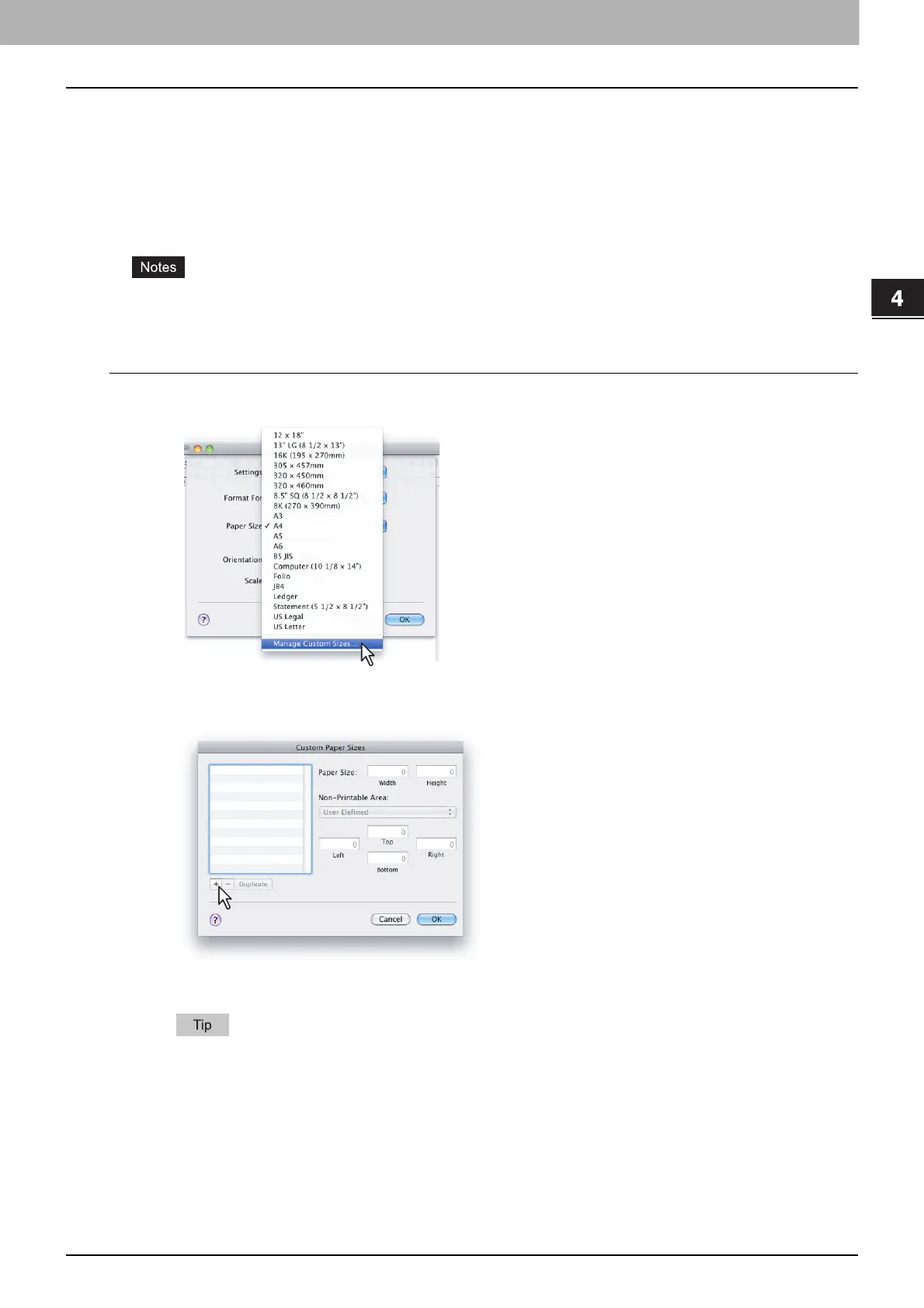
Select [Manage Custom Sizes] from the [Paper Size] menu.
2
Click [+].
A new custom page size name is added to the list.
If you want to create a new custom page size by duplicating an existing custom page size, select a
custom page size name on the list and click [Duplicate].



 To Next Page
 Loading...





