4 PRINT FUNCTIONS (Mac OS X)
124 Setting up Print Options
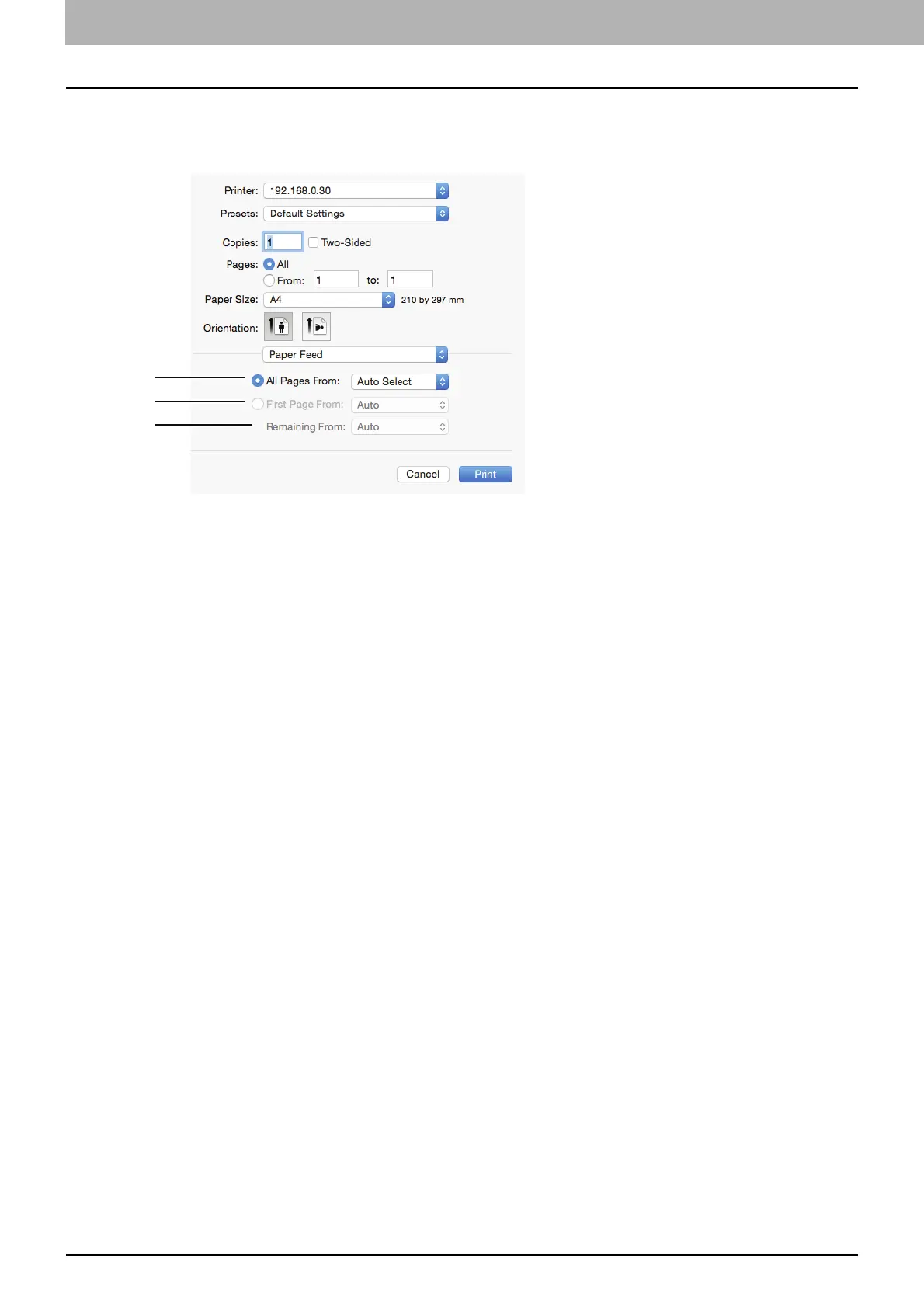
Paper Feed
In the Paper Feed menu, you can set the paper source.
1) All pages from
Select this when you want to use the same paper source for all pages. When this is selected, select the
paper source to be used at the box.
2) First Page From
Select this when you want to specify different paper sources for the first page and remaining pages. When
this is selected, specify the paper source to be used for the first page at the box.
3) Remaining From
Select the paper source to be used for remaining pages in the box. This can be selected only when you
choose the [First Page From] option button.



 To Next Page
 Loading...





