6 VARIOUS FUNCTIONS
192 Department Management
Department Management
You can identify the number of output pages by copying, transmitting and receiving faxes, printing, and
scanning by user groups (departments) using the department management function.
When the department management function is enabled the department code entry screen is displayed before
using this equipment. This can also prevent improper use of this equipment.
P.18 “Preparation 1 - Turning Power ON”
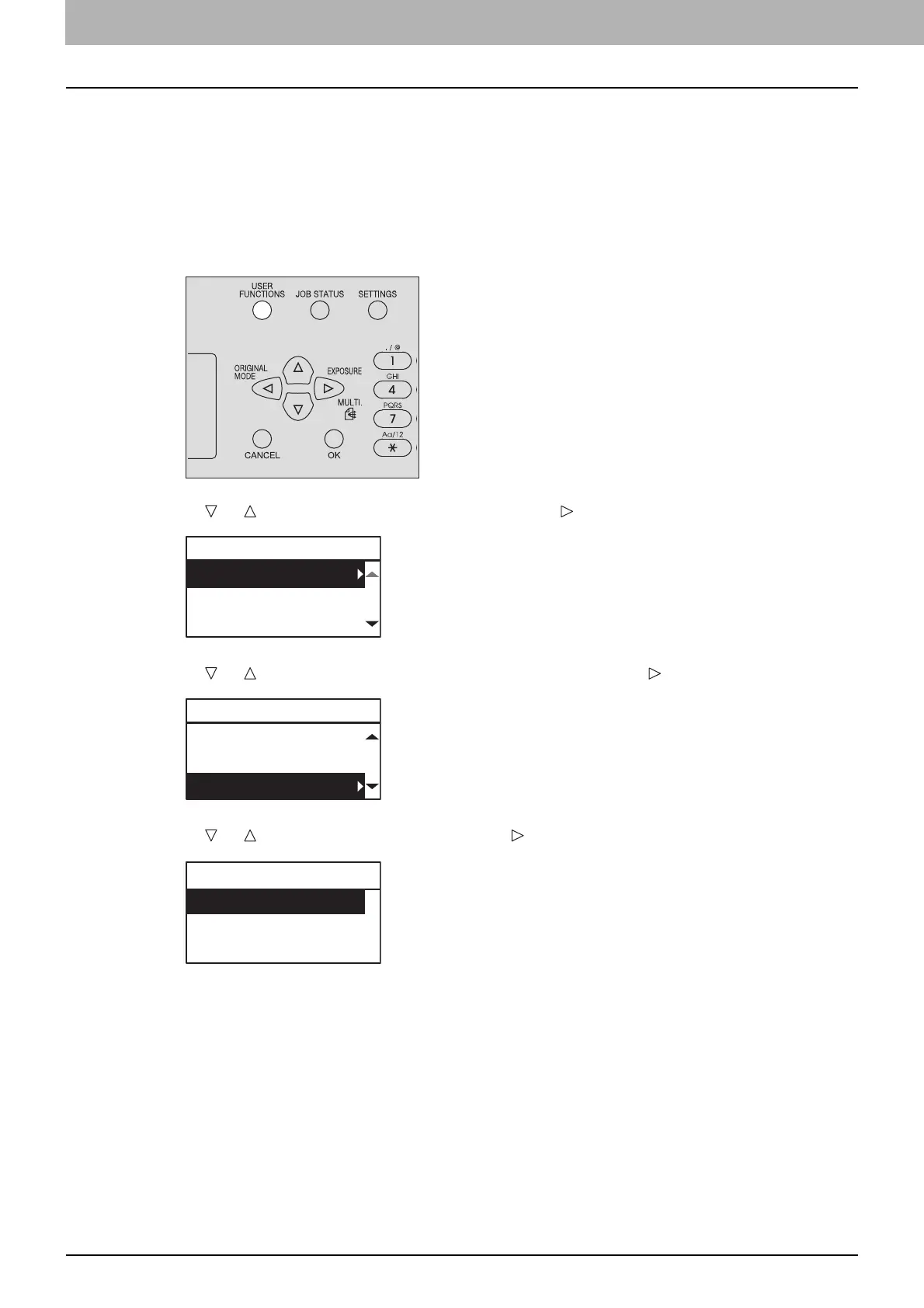
You can register the department name and code from the [USER FUNCTIONS] menu.
1
Press [USER FUNCTIONS].
2
Press or to select [GENERAL] and then press .
3
Press or to select [DEPARTMENT CODE] and then press .
4
Press or to select [YES] and then press .
USER FUNCTIONS
GENERAL
COPY
SCAN
GENERAL
WALKUP SCREEN
TIMERS
DEPARTMENT CODE
DEPARTMENT CODE
YES
NO



 To Next Page
 Loading...





