4.PRINT FUNCTIONS (Mac OS X)
Setting up Print Options 125
4 PRINT FUNCTIONS (Mac OS X)
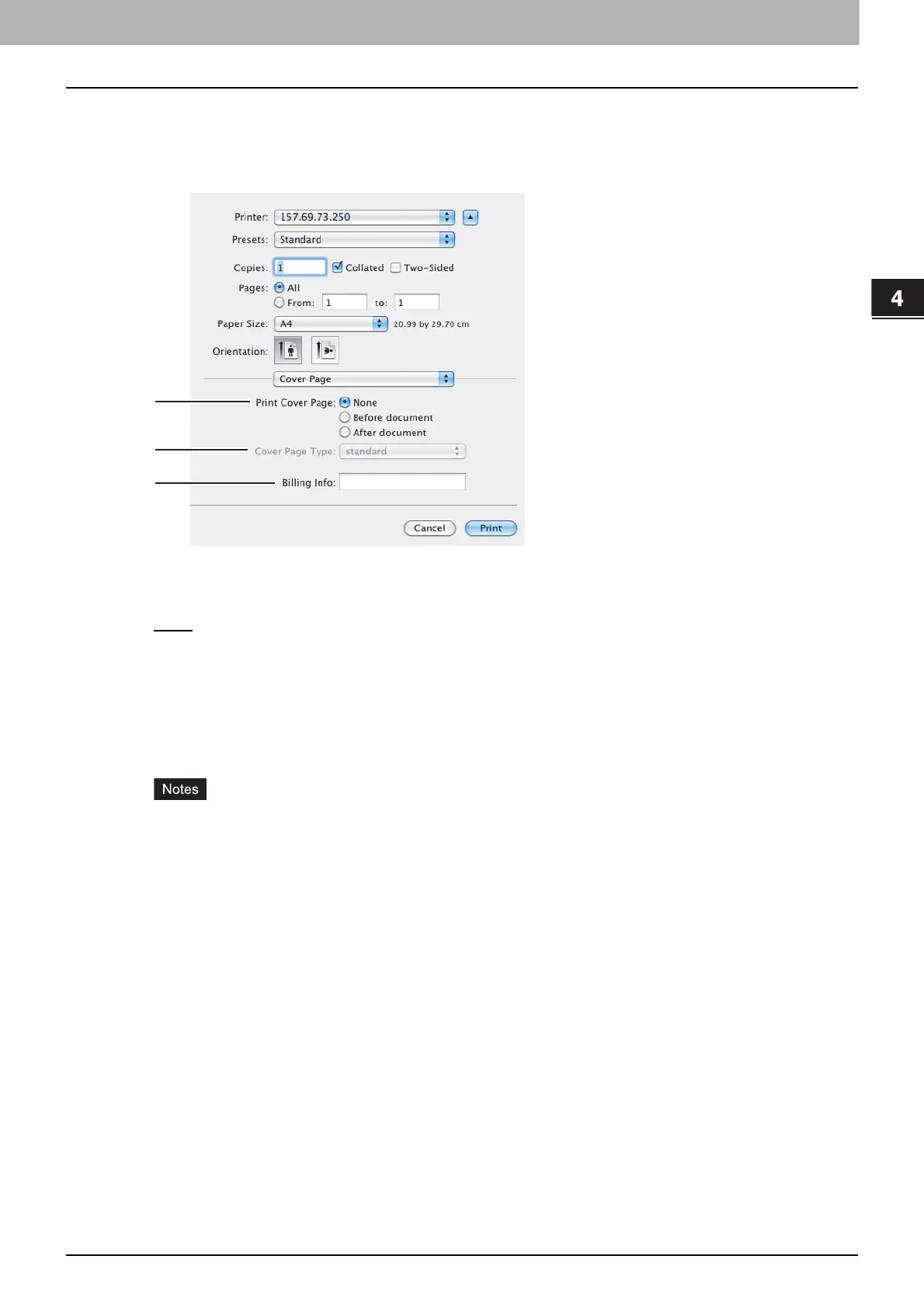
Cover Page
In the [Cover Page] menu, you can set the options to print a cover page. The cover page includes information
such as job ID, title, print owner, print source, and billing information.
1) Print Cover Page
Select a position to print a cover page.
- None
— Select this option to print the document without a cover page.
- Before document — Select this option to print a cover page before the document.
- After document — Select this to print a cover page after the document.
2) Cover Page Type
Select a title for a cover page.
3) Billing Info
Enter the billing information to have it appear on a cover page.
The [Billing Info] option is not available, depending on Mac OS X version.
Due to Mac OS X limitations, the information that you type exceeding the maximum text length in the
[Billing Info] box does not appear on a cover page.



 To Next Page
 Loading...





