4.PRINT FUNCTIONS (Mac OS X)
Setting up Print Options 129
4 PRINT FUNCTIONS (Mac OS X)
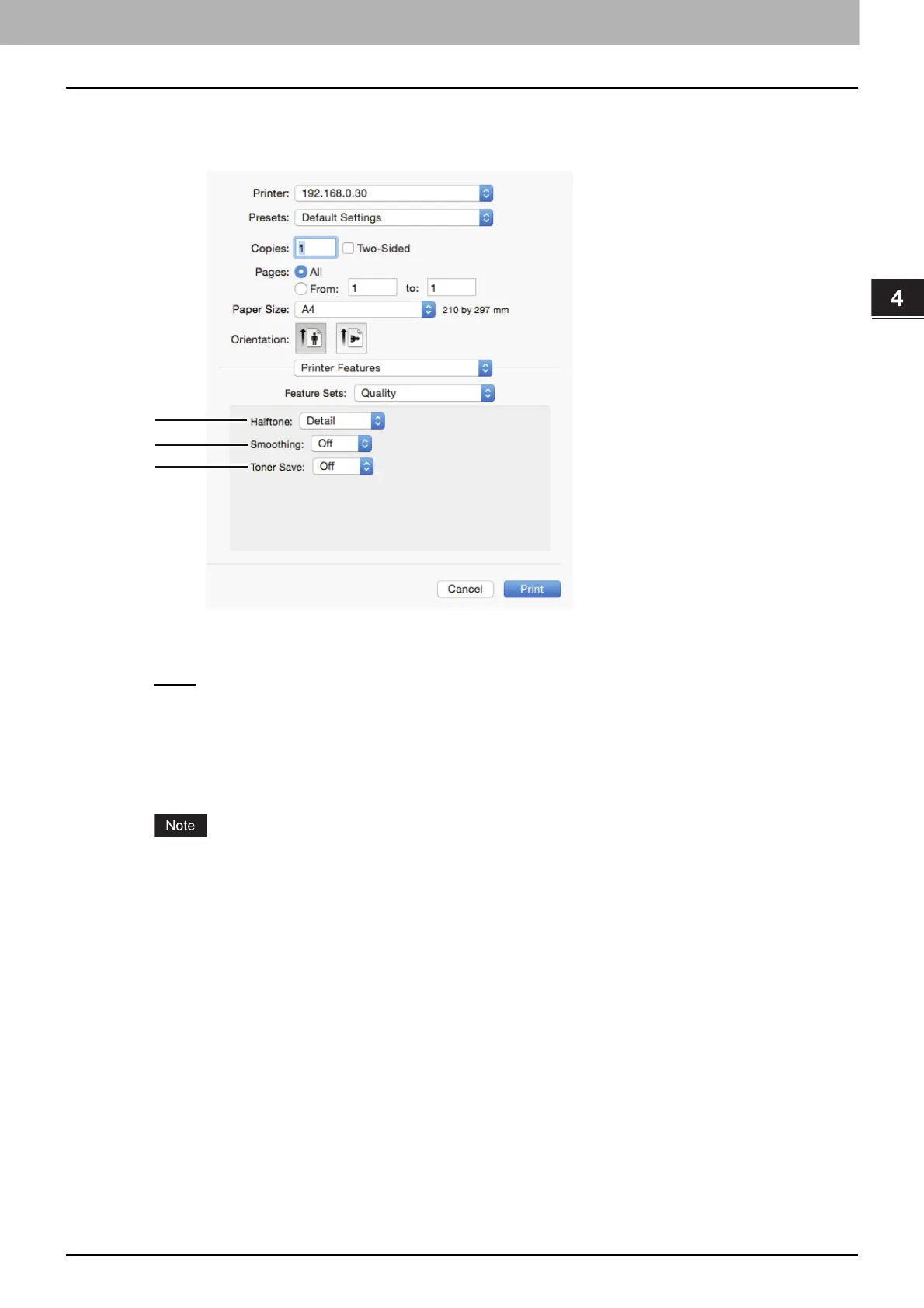
Quality
You can set print quality.
1) Halftone
This sets how halftones are printed.
- Detail
— Select this to print halftone in detail.
- Smooth — Select this to print halftone smoothly.
2) Smoothing
Select [On] to print text and graphics smoothly.
3) Toner Save
Select [On] to save toner for printing.
The toner save option might make printed images pale.



 To Next Page
 Loading...





