1.PREPARATION
Preparation 2 - Loading Paper 25
1 PREPARATION
4
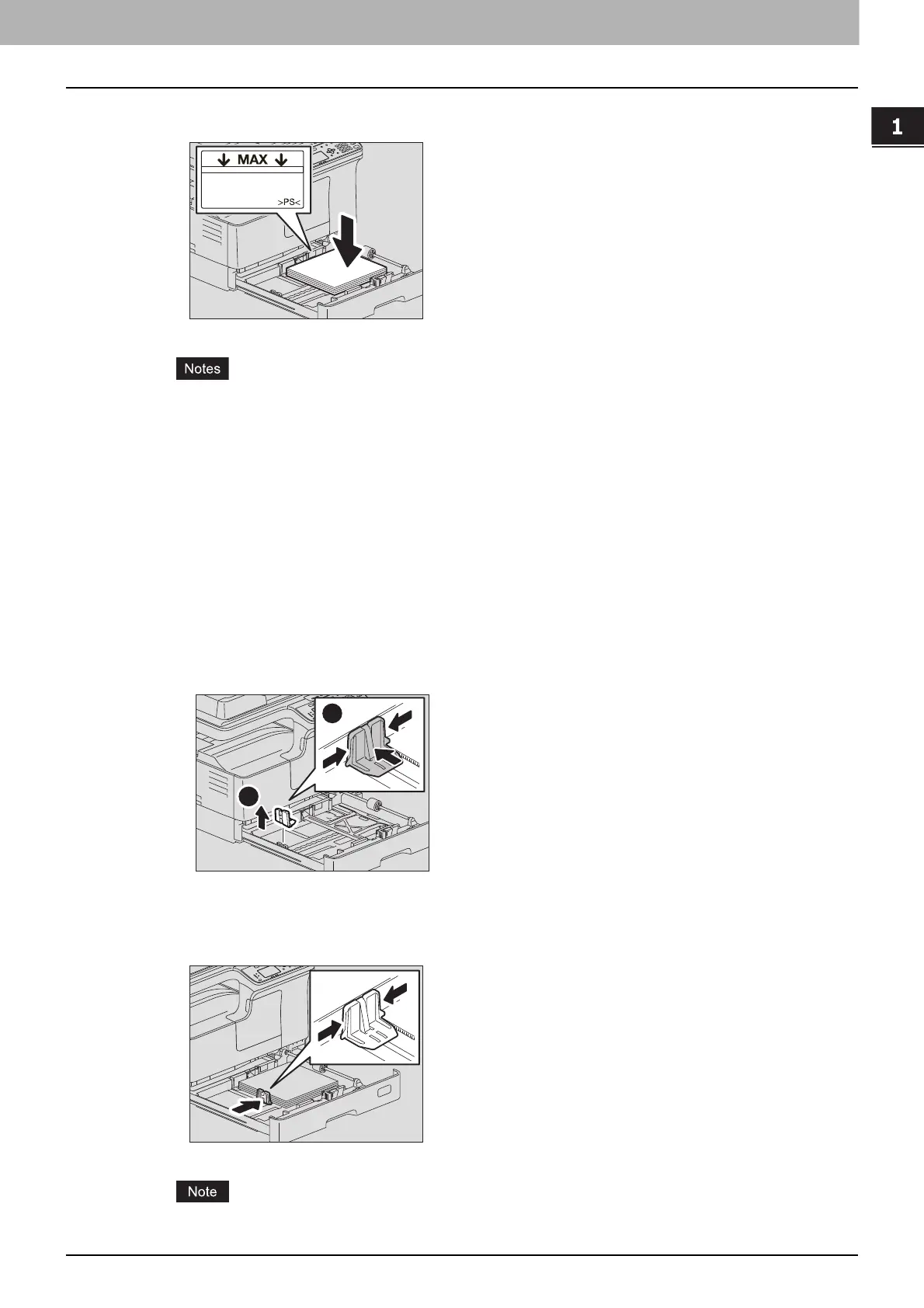
Load paper face up in the drawer.
Up to 250 sheets (80 g/m
2
or 20 lb. Bond) can be loaded. Be sure that the height of the stacked
paper does not exceed the line indicated inside of the side guides.
P.20 “Acceptable paper types”
Fan the paper well before loading it in the drawer, otherwise multiple feeding could occur. Be
careful not to cut your fingers.
The printable side may be noted on its packaging.
Never put anything in a vacant space in the drawer after the paper has been loaded. Otherwise,
it may cause paper misfeeds or an equipment malfunction.
If paper cannot be fed, printing takes a long time after feeding or the quality is poor, turn over the
paper and place it again.
5
Move the end guide to the trailing edge of the paper while pushing its lower part in the
direction of the arrows.
Do not allow any gap between the paper and the end guide in the drawer.
When placing LD size paper
To place LD size paper in the drawer, the end guide needs to be removed. Move it to the left
end while pushing its lower part from both sides, and then pull it upward. Keep it in the pocket
on the front side of the drawer.



 To Next Page
 Loading...





