2 COPY FUNCTIONS
44 Basic Copy Procedure
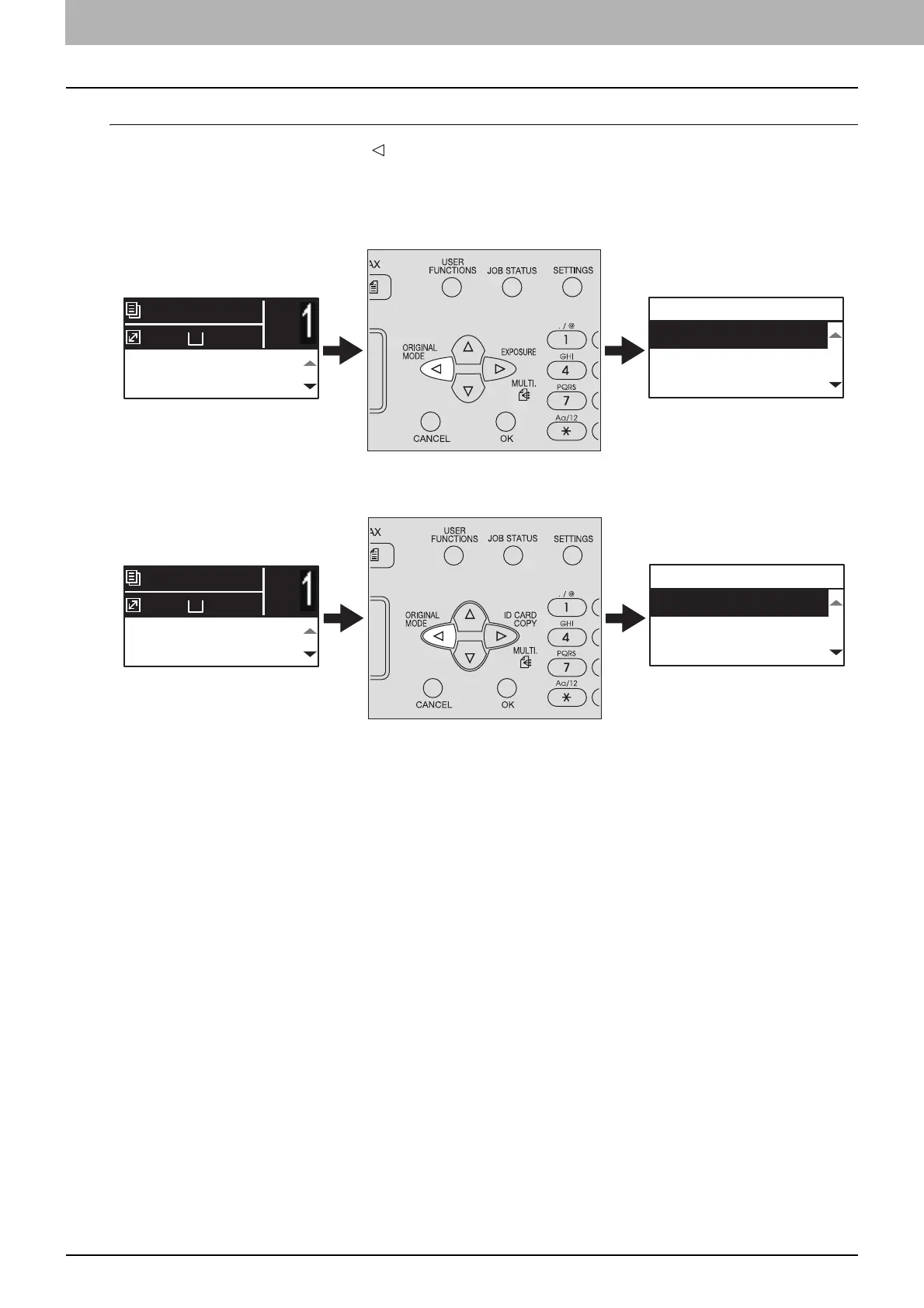
Selecting “ORIGINAL MODE” quickly
On the first screen of Copy mode, the button can work as the [ORIGINAL MODE] button. Just press the
button to access the “ORIGINAL MODE” function so that you can change the original mode.
P.46 “Selecting the original mode”
For Europe and the Americas
For regions other than Europe and the Americas
AUTO EXPOSURE
TEXT/PHOTO
A4
1
READY
100%
ORIGINAL MODE
TEXT/PHOTO
TEXT
PHOTO
AUTO EXPOSURE
TEXT/PHOTO
A4
1
READY
100%
ORIGINAL MODE
TEXT/PHOTO
TEXT
PHOTO



 To Next Page
 Loading...





