E6581528
C-6
3
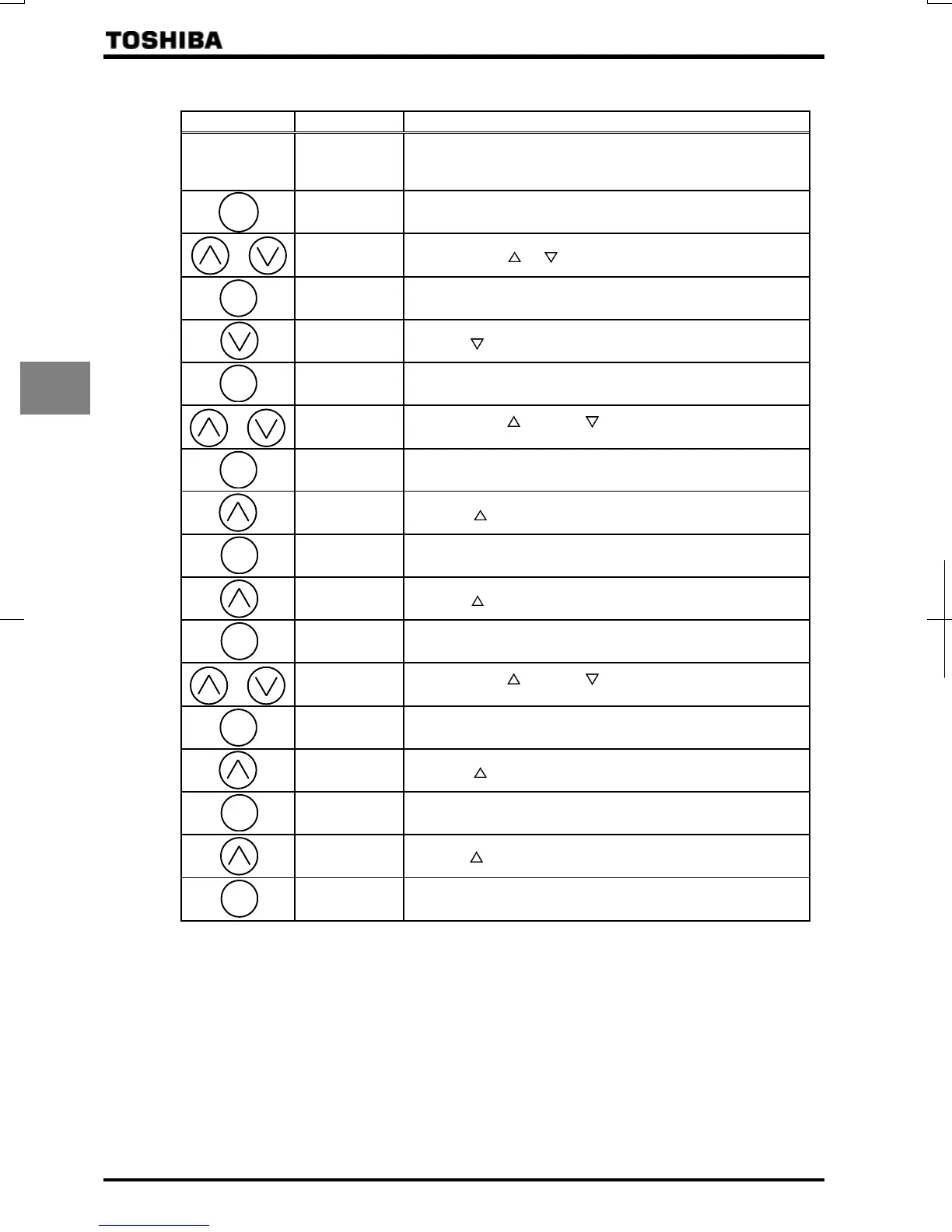
[Example of setting: To set the frequency by applying a current of 4(0)-20mAdc via the VI/II terminal.]
Key operated LED display Operation
Displays the operation frequency. (Perform during operation stopped.)
(When standard monitor display selection =[Output
frequency])
Displays the first basic parameter “History function ().”
Press either the or key to select “.”
Press the ENTER key to display the parameter setting (Default
setting:).
Press the key to change the parameter to .
⇔
Press the ENTER key to save the changed parameter. and the
parameter are displayed alternately.
Press either the key or the key to change to the parameter
group .
Press the ENTER key to display the first extended parameter .
Press the key to change to .
Pressing the ENTER key allows the reading of parameter setting.
(Default setting:)
Press the key to change the parameter to .
⇔
Press the ENTER key to save the changed parameter. and
the parameter are displayed alternately.
Press either the key or the key to change to the parameter
group .
Press the ENTER key to display the first extended parameter .
Press the key to change to .
Pressing the ENTER key allows the reading of parameter setting.
(Default setting:)
Press the key to change the parameter to .
⇔
Press the ENTER key to save the changed parameter. and
the parameter are displayed alternately.
MODE
ENT
ENT
ENT
ENT
ENT
ENT
ENT
ENT



 To Next Page
 Loading...











