E6581386
C-6
3
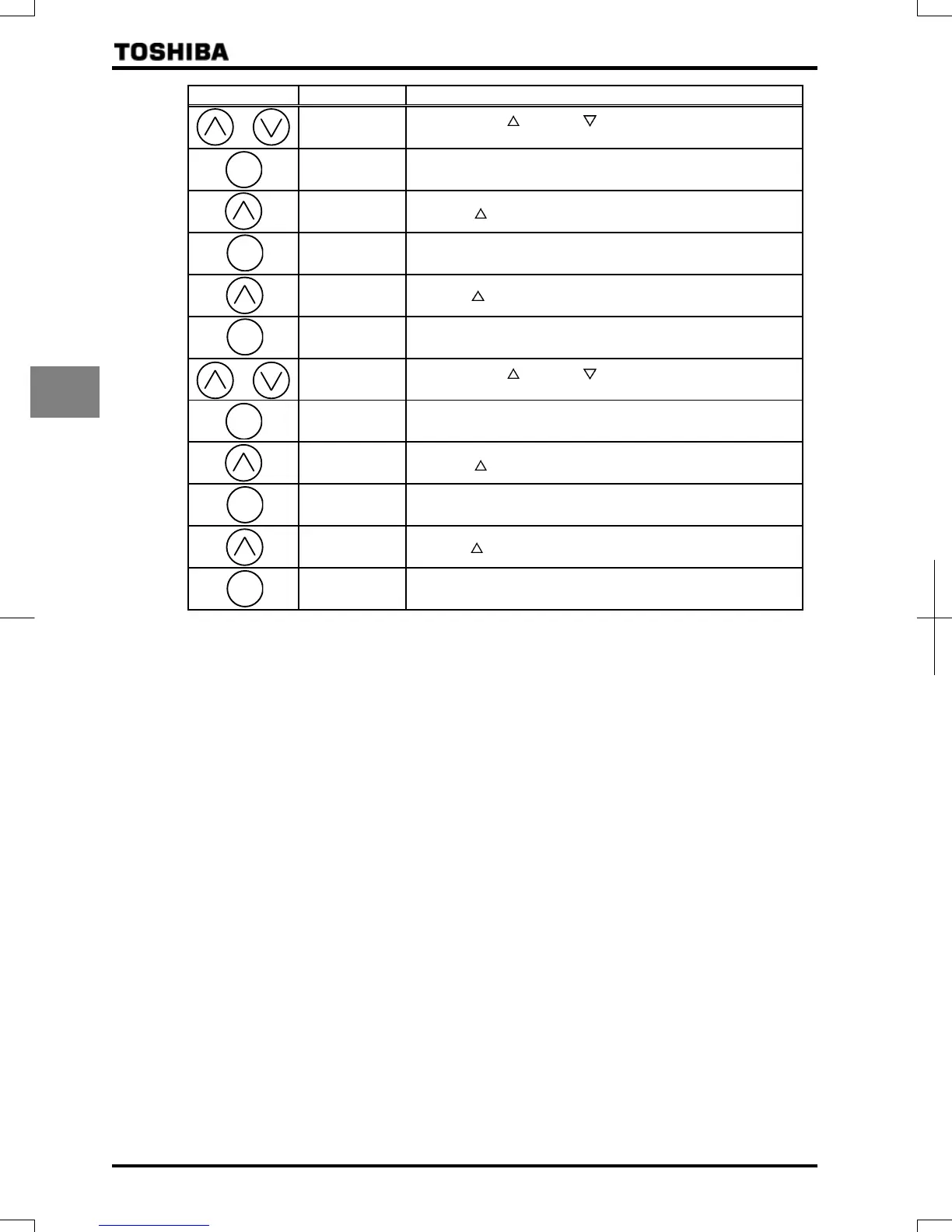
Key operated LED display Operation
Press either the key or the key to change to the parameter
group .
Press the ENTER key to display the first extended parameter .
Press the key to change to .
Pressing the ENTER key allows the reading of parameter setting.
(Default setting:)
Press the key to change the parameter to .
Press the ENTER key to save the changed parameter. and
the parameter are displayed alternately.
Press either the key or the key to change to the parameter
group .
Press the ENTER key to display the first extended parameter .
Press the key to change to .
Pressing the ENTER key allows the reading of parameter setting.
(Default setting:)
Press the key to change the parameter to .
Press the ENTER key to save the changed parameter. and
the parameter are displayed alternately.
ENT
ENT
ENT
ENT
ENT
ENT


 To Next Page
 Loading...