
 Need help?
Do you have a question about the Trail Tech Vector and is the answer not in the manual?
Explains how to use Normal, Data Setting, Adjustable Trip Distance, Rally, and Lap Timer modes.
Lists essential safety precautions for operating the Vector computer.
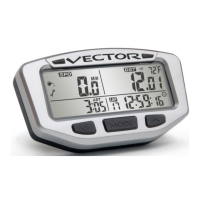
Details on device functions, display metrics, and operational ranges.
Specifies units of measure, accuracy, battery type, and power input requirements.
Instructions for mounting the device on handlebars.
Explains how to connect the device to a 12V system via battery or system tap.
Instructions for installing the speed sensor and magnet on ATVs.
Instructions for installing the speed sensor and magnet on motorcycles.
Details on how to measure wheel size using ruler or rolling methods.
Explains the distance measurement method for accurate wheel size setting.
Answers to common questions regarding device functionality and setup.
Addresses problems like hazy screens, backlight issues, dead battery, and sensor connection.
 General
| Display Type | LCD |
|---|---|
| Backlight | Yes |
| Speedometer | Yes |
| Tachometer | Yes |
| Temperature Gauge | Yes |
| Odometer | Yes |
| Trip Meter | Yes |
| Voltage Meter | Yes |
| Water Temperature | Yes |
| Clock | Yes |
| Stopwatch | Yes |
| Thermometer | Yes |
| Water Resistance | Yes |
| Mounting | Handlebar |

 To Next Page