Project Details
Keep track of your projects by entering detailed information into Project Details.
The default Projects stored in a new SDG 200 will have generic Project names (i.e. Project1, Project2, etc)
along with generic Project details (i.e. My Street, My Road, Contact). Project Detail screens will resemble the
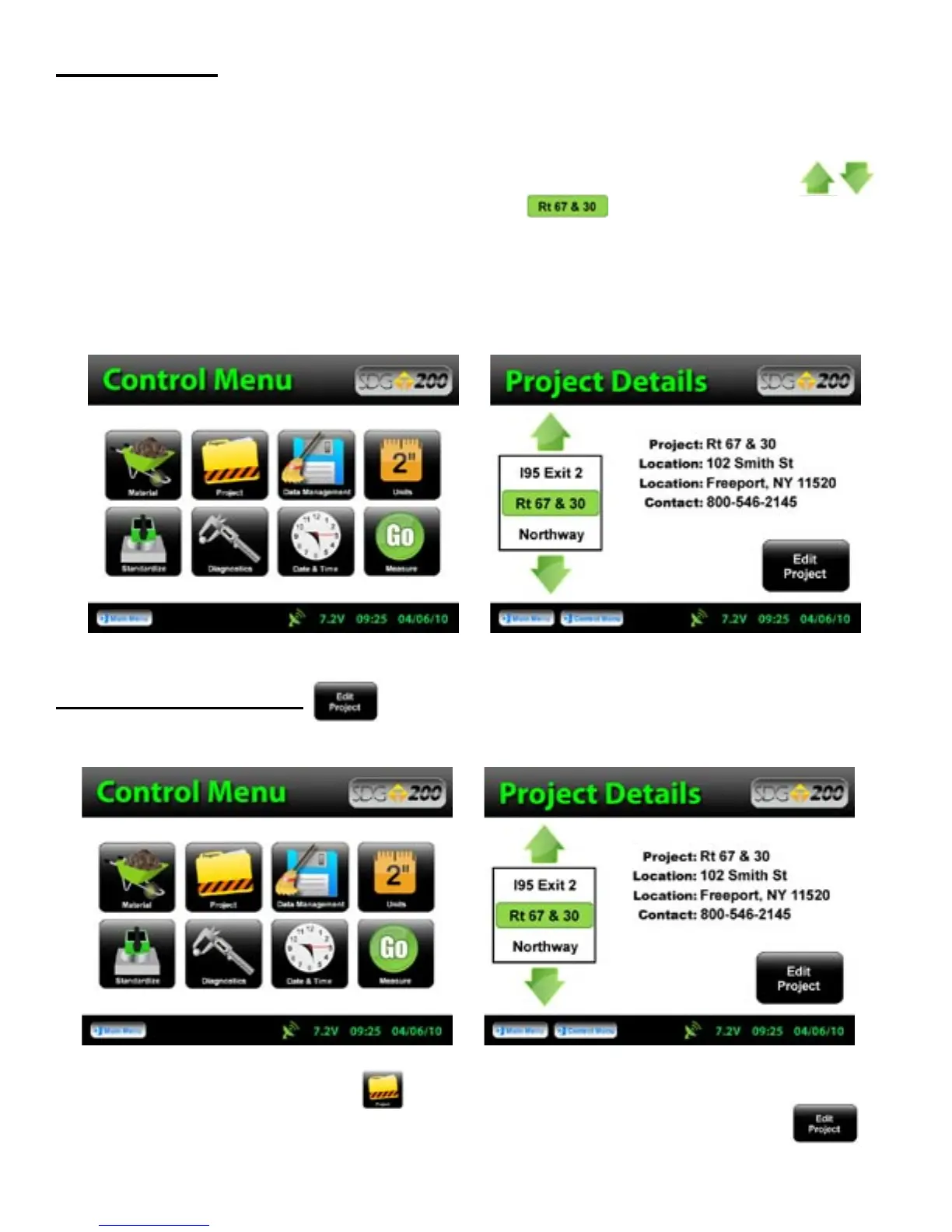
Material Detail screen such that you are able to select your Project using the up and down arrows.
The green highlighted project is the CURRENT PROJECT. Readings taken will store in a data
file using the CURRENT PROJECT NAME. If the gauge is shutdown, the current project prior to shutdown
will remain the current project when started back up.
Editing Project Details
From the Control Menu, Press Project for the Project Details screen. The project highlighted in green
on the left is displayed in detail on the right. To edit the details of this project, Press Edit Project.
16



 To Next Page