Part 4: Maintenance and Troubleshooting
In the event that the SDG 200 were to malfunction internal information about the gauge can be obtained and
relayed to the factory. In the event that a repair is required, it is strongly recommended that authorized factory
service be obtained. Unauthorized repair or maintenance by the user will void the unit’s warranty
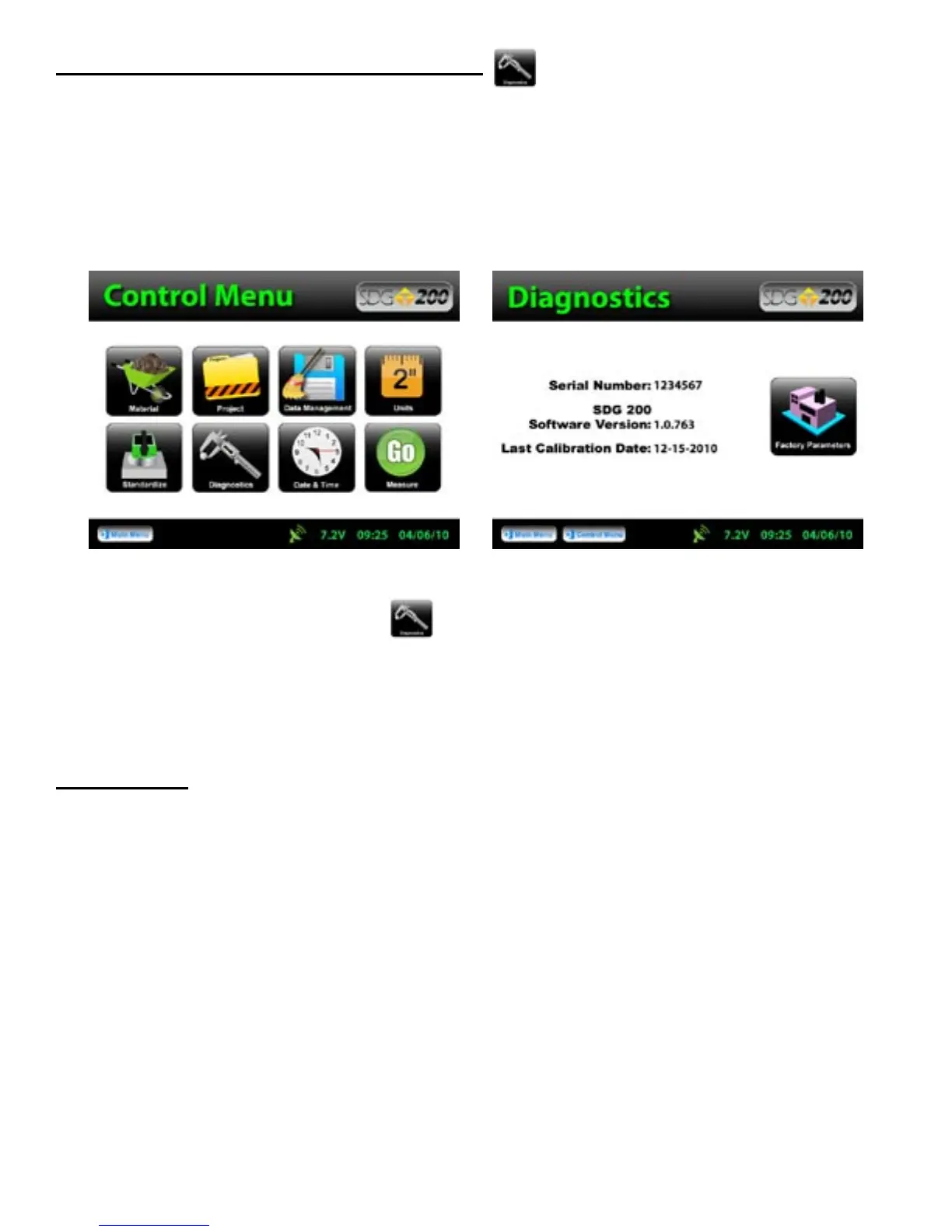
From the Control Menu, Press Diagnostics and the internal information needed for the factory to track
your gauge will display. This information consists of the Serial Number, Software Version and the date the
gauge was last calibrated.
Maintenance
The SDG 200 has been designed to require a minimum of maintenance or service. Normal care in use should
insure long and trouble free operation.
Keep SDG bottom surface clean:
For accurate readings, the SDG 200 should have a smooth interface with the surface. Try not to place the SDG
200 on top of large rocks that would cause the gauge not to sit properly. Also, do not try to “dig” the gauge into
the material.
Touchscreen:
Do not clean the touchscreen with abrasive products, solvents or other harsh cleaners. Apply window cleaner to
a clean soft rag and wipe the surface clean.
Factory Calibration:
Yearly recalibration of the gauge is recommended to maintain consistency and accuracy for the electronic
components.
31



 To Next Page