25
Measure Density
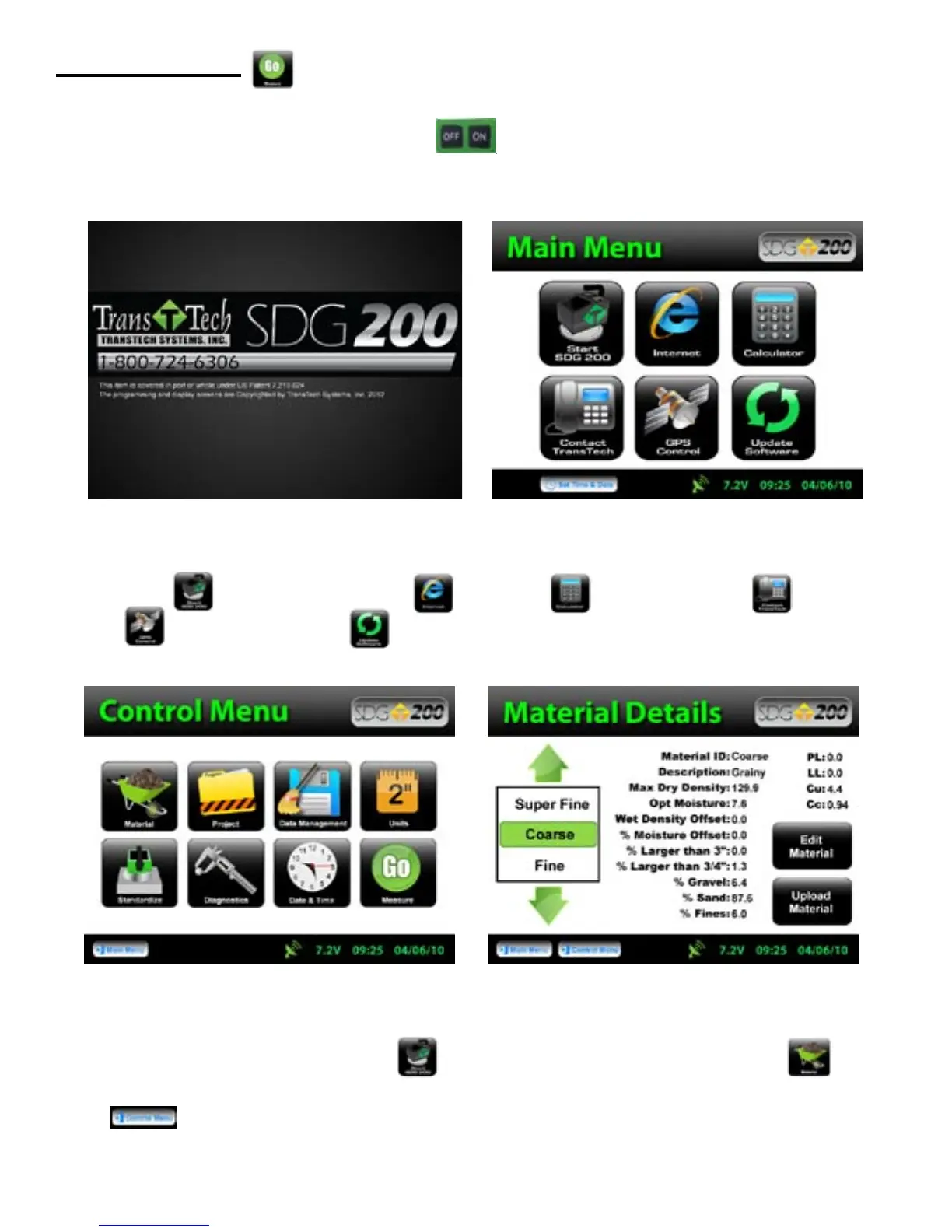
Turn the SDG 200 on by pressing the ON button. After a few seconds the TransTech splash screen
will appear followed by the Main Menu screen.
The Main Menu screen will display six options.
Start SDG200 Internet (Coming Soon) Calculator Contact TransTech GPS
Control and Update Software.
From the Main Menu, Press Start SDG 200 to get to the Control Menu. Press Material to
display and verify the details of the current material that will be used for this test. Once verified, Press Control
Menu from the status bar.



 To Next Page