35
Part 6: Standardization of the SDG
To assure that the SDG 200’s ability to make consistent measurements has not been compromised, a daily
measurement should be taken on a reference material and tracked day to day for any unacceptable variations. A
metallic plate has been installed in the bottom of the SDG 200 carrying case that is suitable for this purpose.
Although this verification is referred to as a standardization of the gauge, the results of the
standardization in no way influence the measurement of the gauge, they only serve to alert the user to a
change in the way that the gauge is operating. Unexpected changes in the standardization values should
be noted and discussed with Product Service at TransTech.
Standardizations are performed inside the carry case. Located at the bottom of the case is a steel plate.
Position the gauge on top of the plate inside the case. Be sure the gauge screen is facing you, if it is placed
in the case backwards the handle will prevent proper seating you will get a false reading. The case should
not be on top of or around (10ft.) any large metal objects. Turn the gauge ON and proceed to the Control
Menu.
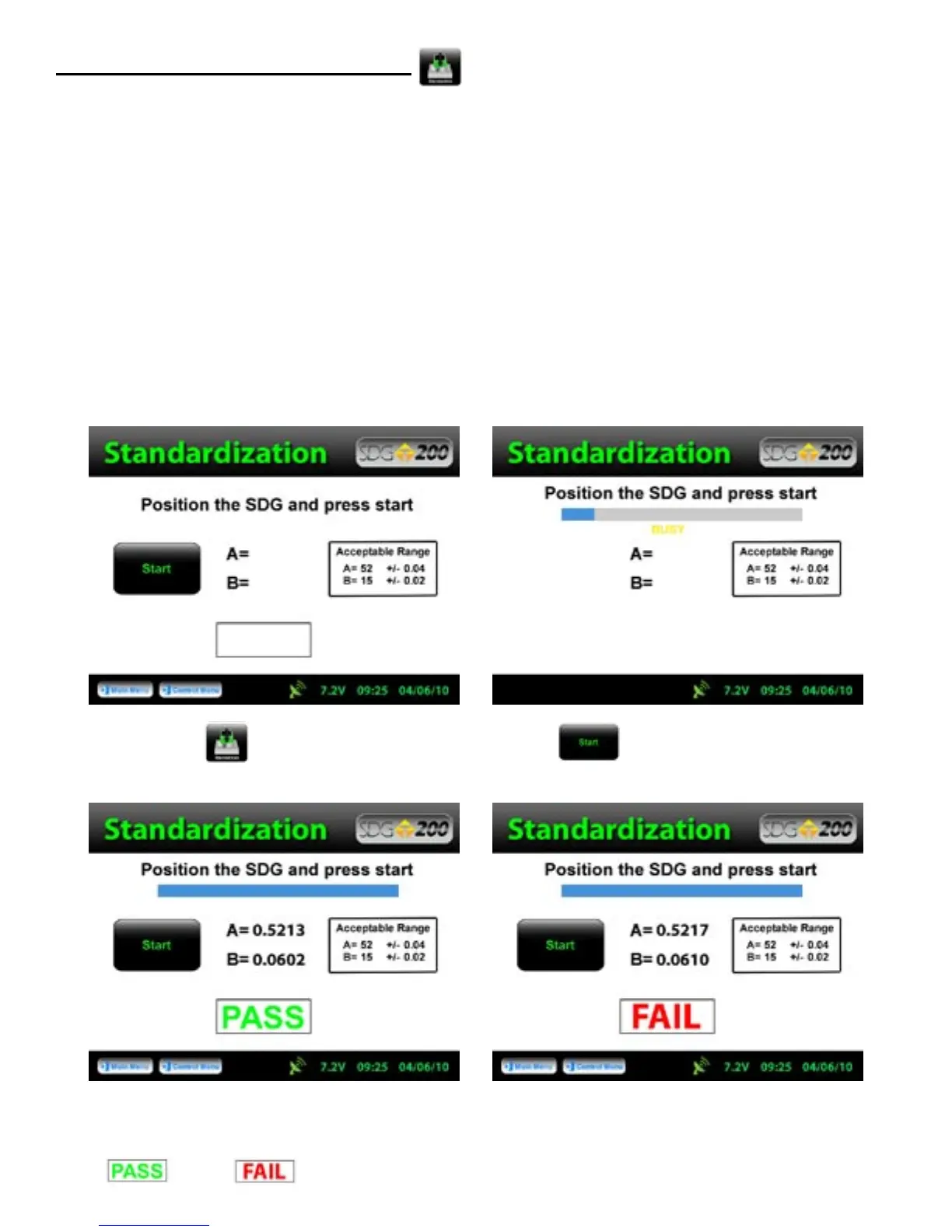
Press Standardize, to obtain the above screen. Press Start, and do not touch the gauge while it
is busy.
The acceptable range for the A and B values are displayed on the screen, however, the gauge will respond with a
PASS or Fail based on these ranges automatically.



 To Next Page