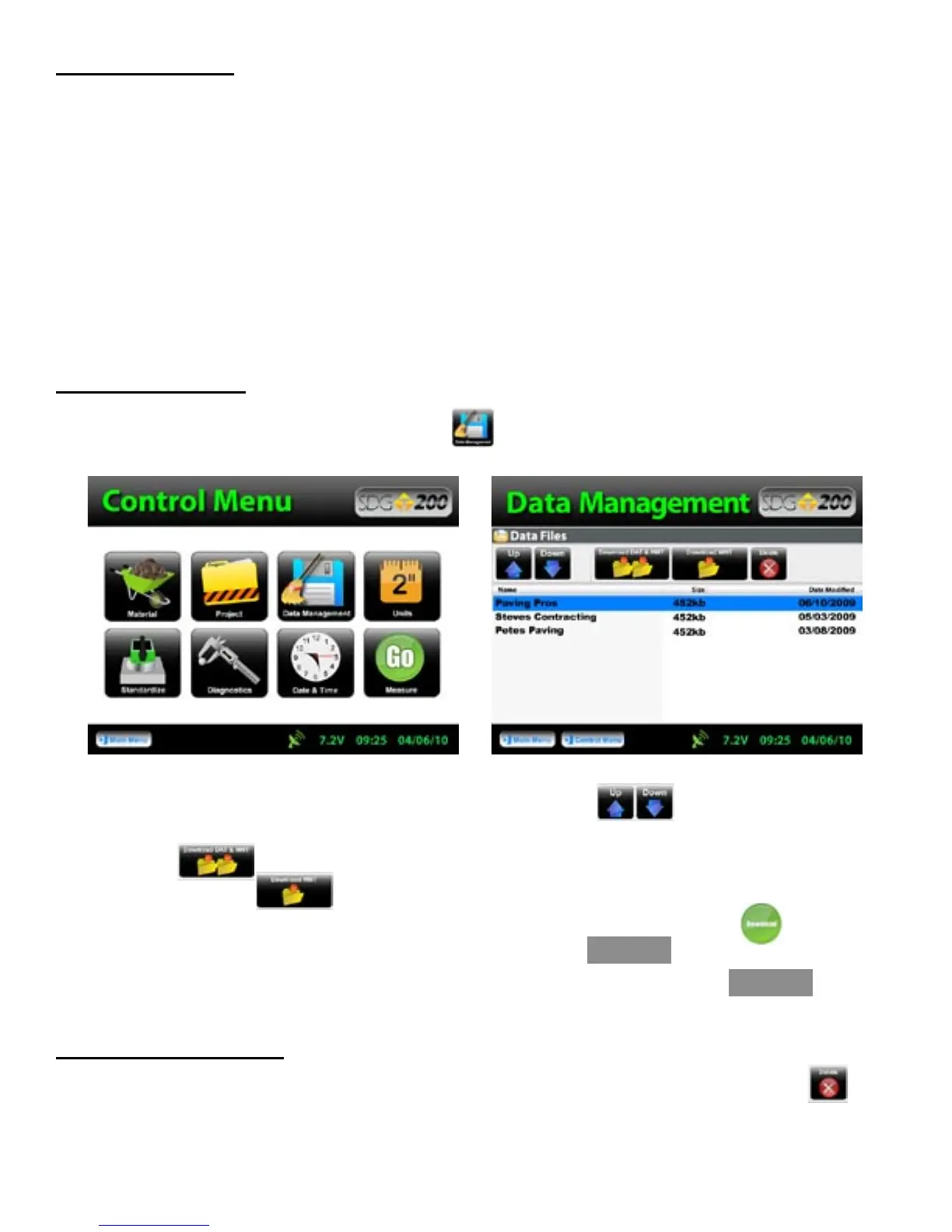
Scroll down to the Project you would like to download using the arrows located at the top left corner
of the screen. Insert the USB flash drive into the USB port located on the back of the gauge. Press “Download
DAT & MNT” if you wish to download the measurement data as well as the diagnostic data.
Press “Download MNT” if you wish to download the measurement data only. You will be
prompted to insert the USB flash drive if you haven’t already and then to press Download. The gauge
will return to the Data Management screen which now displays BUSY
in the top right hand corner. Downloading is complete when the gauge displays READY.
Deleting a Project File
When and if you wish to delete a Project, be sure to highlight the correct project and Press “Delete”.
A warning will display to be sure you wish to delete the file. Once deleted, you will no longer be able to
retrieve the measurement nor the diagnostics data.
Storage Capacity
The SDG 200 has the capability to store up to twenty detailed projects and twenty detailed materials with an
overall storage capacity of over 1000 MB for all data files. Upon completion of a set of five measurements, the
complete details of the test will be written to a file and saved on the instrument ONLY AFTER THE ACCEPT
BUTTON HAS BEEN PRESSED. This feature is new to the SDG 200 where the older 100 series saved
automatically. With the 200 series, the gauge gives the operator the option to accept or decline.
On occasions that operators do not complete the series of five readings that make up a complete measurement
series and either exits out of the reading routine or turns off the instrument, that incomplete record will not be
stored. If the operator tries to exit out of the reading as it is being taken a warning will display: “Attention!
Measurement currently running; please stop measurement.” Simply wait for the measurement to complete.
If the operator decides to decline the completed set of readings, the gauge will not store that set.
Downloading Data
From the Control Menu, Press Data Management. Project files will be stored and downloaded here.
BUSY
READY
30



 To Next Page