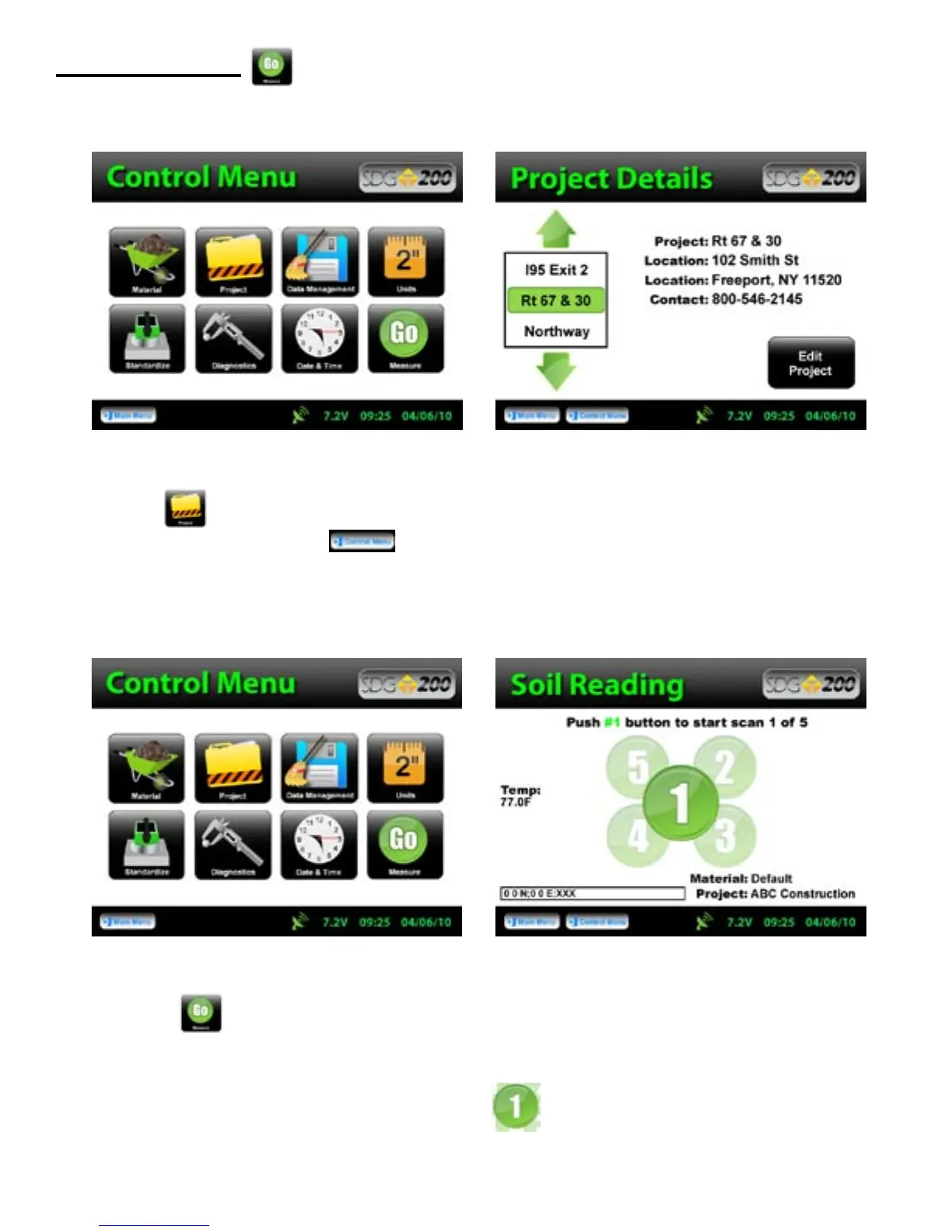
Press Project to verify the Project Name that the data will store under as well as the Project Details.
Once verified, Press Control Menu from the status bar.
Press Measure, to enter into the Soil Reading screen. In the bottom left corner, the name of the material
to be tested and project are displayed for verification as well as the temperature of the soil. In the bottom right
corner, the GPS information is displayed. The cloverleaf pattern is also displayed for your convenience with the
highlighted position being the current position to measure.
Measure Density
26



 To Next Page