27
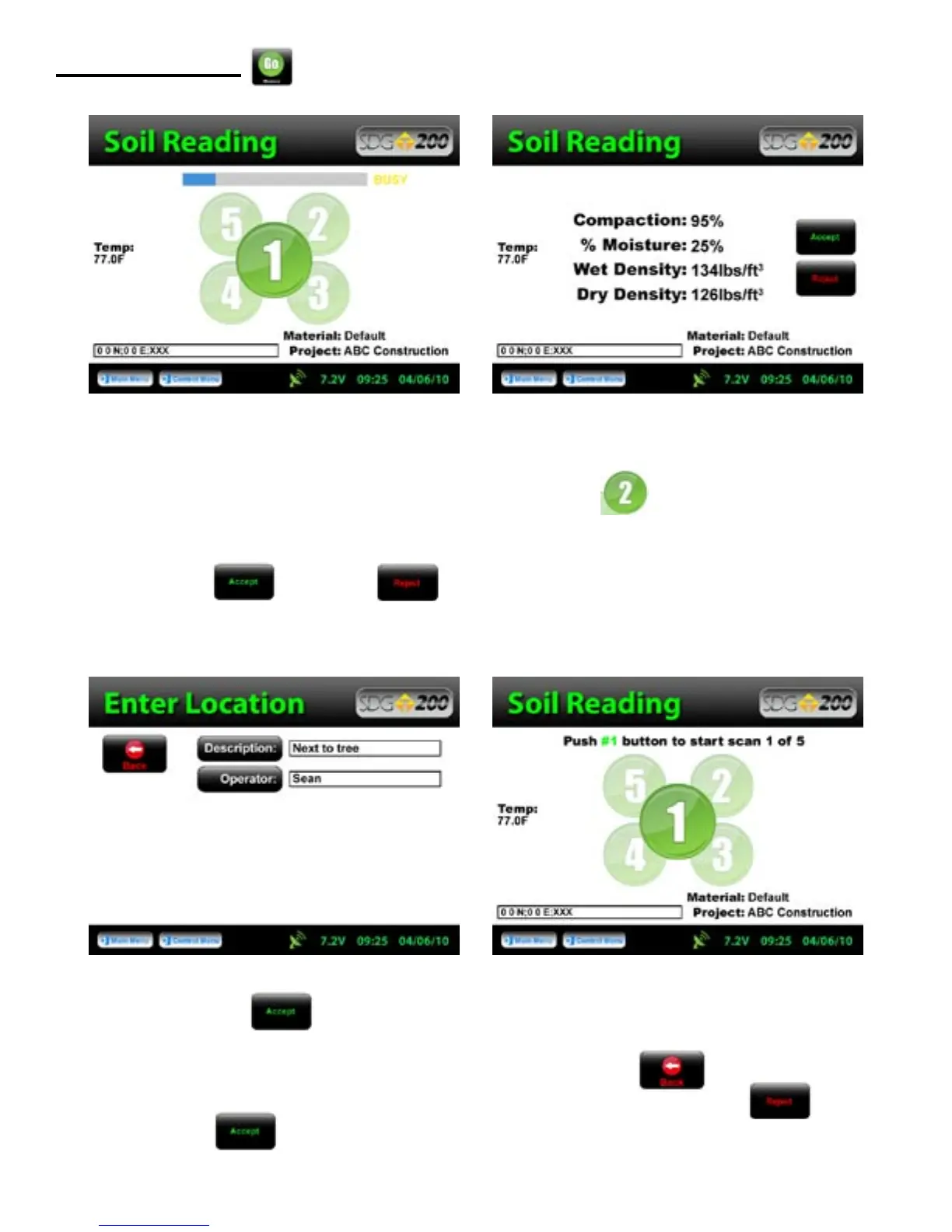
Position the gauge on the material in position 1 as it appears on the screen. Do not touch the gauge while it is
busy taking a measurement. When reading 1 is complete, the green 2 will be illuminated. Move the
gauge to position two and press 2. Repeat this for the five measurements. After the fifth measurement has been
taken, the in place density and moisture content will be calculated and displayed on the screen. Here you can
choose to “Accept” or “Reject” the recording of the averages into the data file.
After pressing “Accept”, the Enter Location screen will appear allowing for a Description of the
location to be entered as well as the Operator name. This information will be stored in the data file and will
remain for future readings until edited. Once editing is complete, Press Back to return to position one
of the Soil Reading screen to continue taking measurements. If you chose to press “Reject”
instead of “Accept”, the reading will not be stored and the gauge will return to position one of the Soil
Reading screen.
Measure Density



 To Next Page