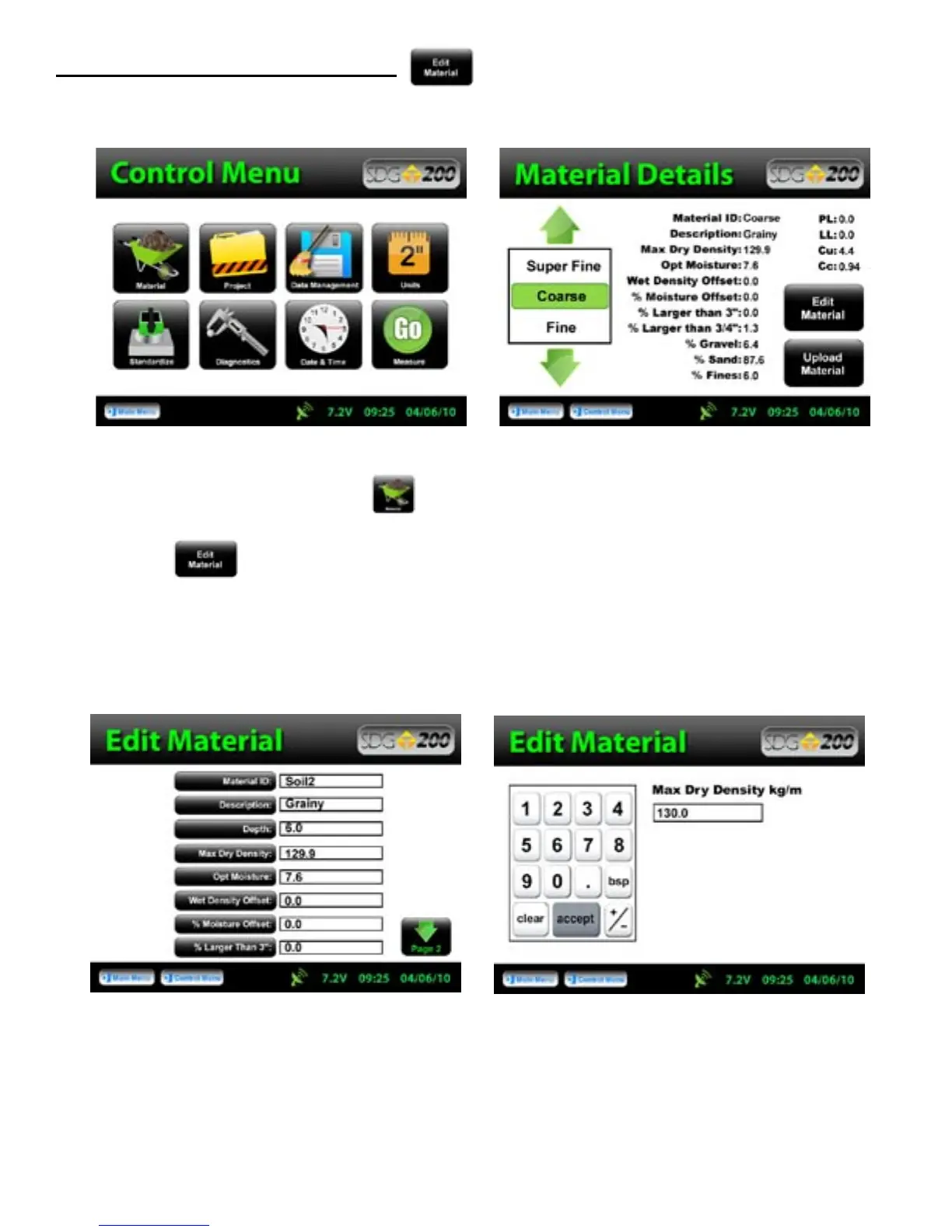
From the Control Menu, Press Material for the Material Details screen. The material highlighted in
green on the left is displayed in detail on the right. To edit the details of this material, Press
Edit Material.
Defining and Editing a Material
There are fifteen material properties for each material. Eight of these material properties are listed on Page one
of the Edit Material Page and the remaining seven are listed on Page 2. Each can be edited individually by
pressing its corresponding label which prompts a numeric or alpha numeric keypad.
19



 To Next Page