4.5 Rear rack battery packs
• Battery pack size
Dependingonthemodel,yourbikewillbeequippedwitheithera“RIDE+R250batterypack”ora
“RIDE+ R320 battery pack”. Removal, putting back and charging are much the same for all packs.
•‘RIDE+R250batterypack’,containing30Li-Mn(Lithium-Ion)cells,4.8Ah,250Wh.
•‘RIDE+R320batterypack’containing39Li-Mn(Lithium-Ion)cells,6.6Ah,320Wh.
• RIDE+ compatibility
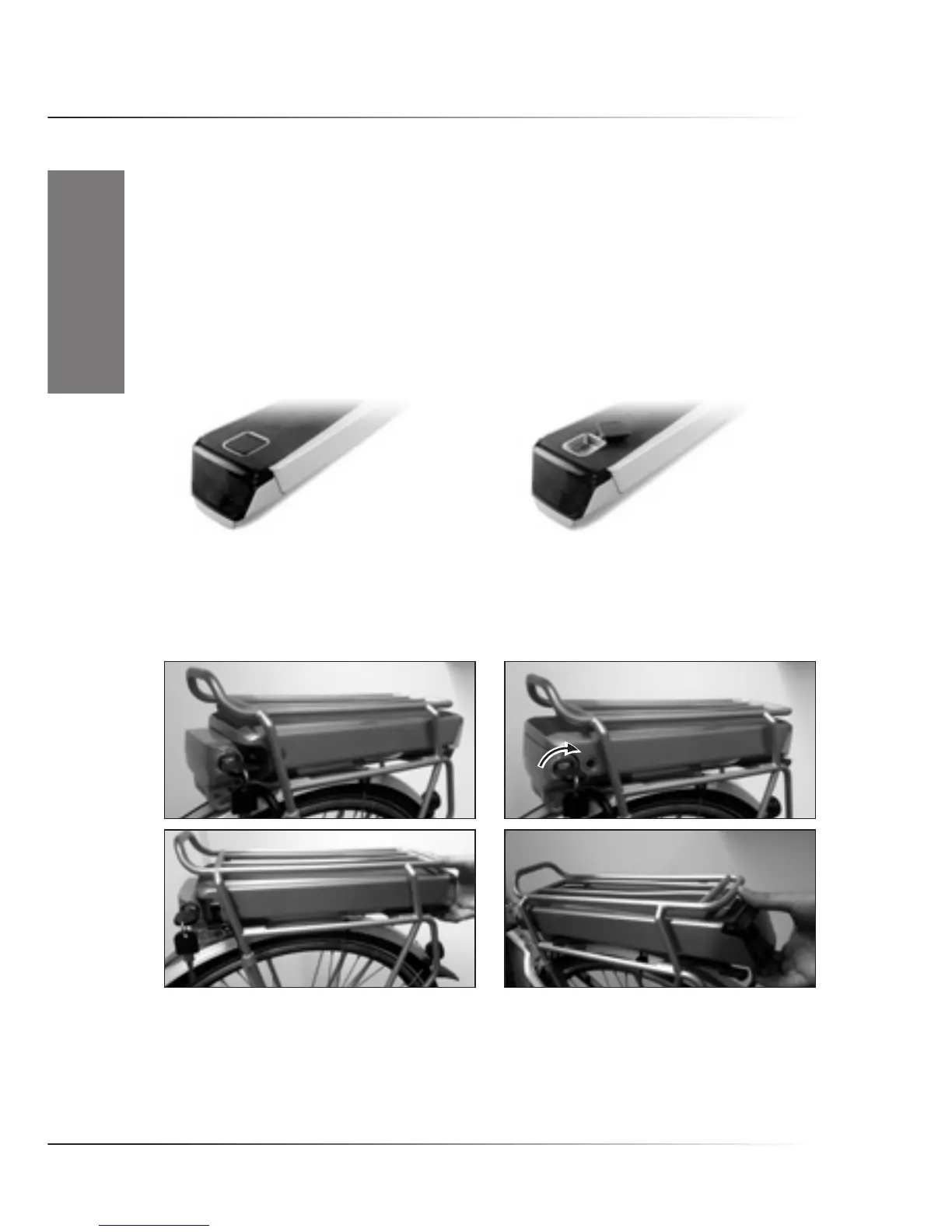
TheRIDE+R250andRIDE+R320batterypacksarecompatiblewiththeBontragerInterchange
System. This means you can mount a Bontrager basket or pannier on the rear rack of the bike by
removing the plug from the battery pack.
• Removing the battery pack from the bike
Insert the key into the lock on the battery docking and turn it clockwise (1,2). The battery pack can
now be taken off the bike. Slide the battery pack out by pulling it to the rear (3,4). Don’t forget to
take the keys out of the lock after removal.
• Putting the battery pack onto the bike
Slide the battery pack into the rear rack, connector side first (1). Make sure the pack engages the
rail (2). Slide all the way forward, pushing through a slightly higher resistance at the end as the
connector engages (3). Now turn the key of the lock until the battery pack is locked and take the
key out (4). Do not ride the bike with the lock open.











 To Next Page