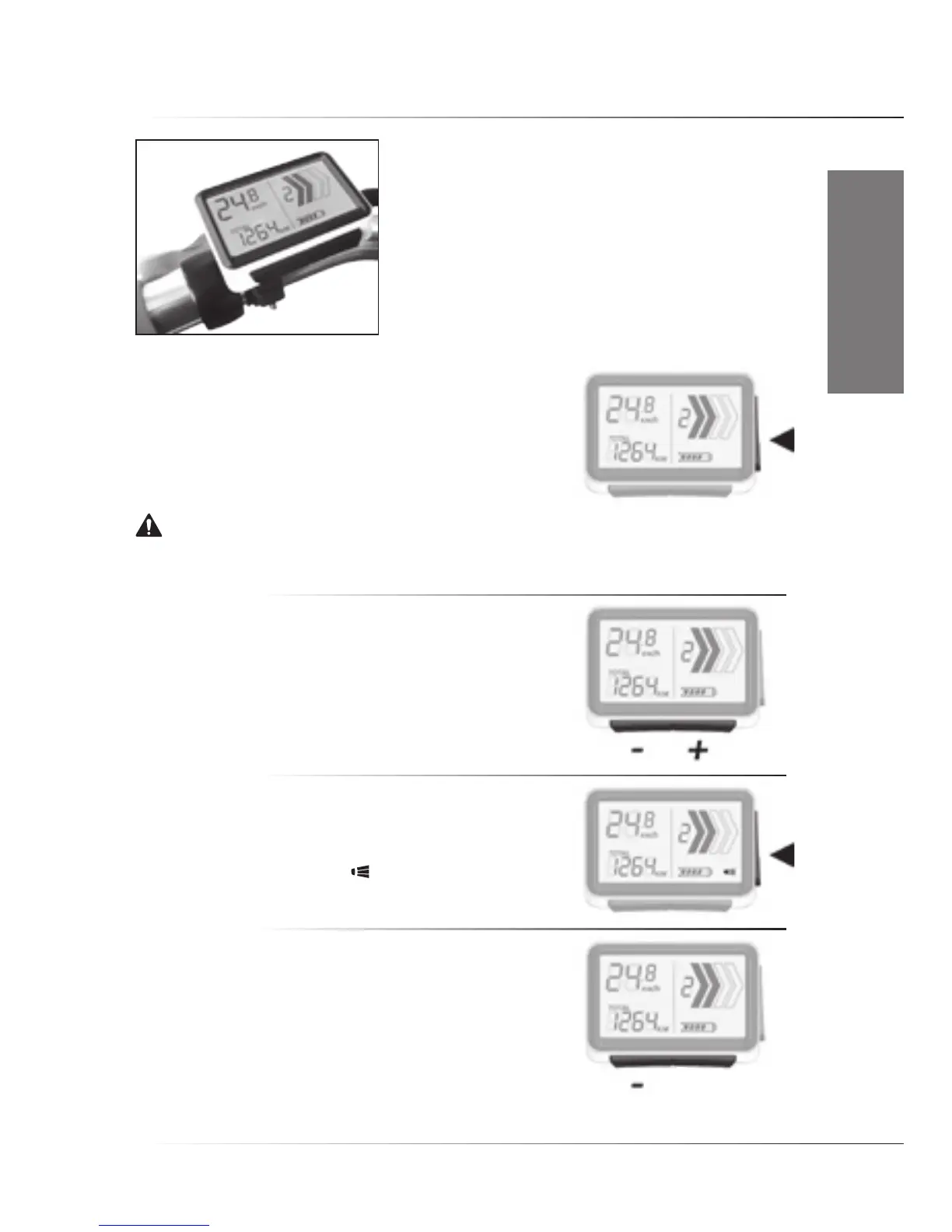
1.4 RIDE+ Easy II Controller
• Switching system On/Off
To switch the system On, push the ‘Side’ button once shortly.
To switch it off, push the ‘Side’ button again. After switching on,
the bike is always in cycle mode (zero assist). To prevent loss of
riding information, please make sure that the system is switched
off before the controller is removed from the bike.
Notice. It is strongly advised to ride away in a straight line when an assistance level is selected.
Never select assistance level 3 or 4 during maneuvering or riding away in a tight corner. The powerful
reaction of motor might take you unawares.
• Assistance/(Regeneration) Level
Push the ‘+’ button once for assistance level 1, again for higher
levels. Push the ‘-’ button to go to a lower level. Regeneration levels
are not installed as standard on the controller.
• Switching lights On /Off
Pressthe‘Side’buttonfor2secondstoswitchOn/Offthe
Controller display light, and if present, the front and rear lights.
Once activated, the light symbol will appear on the screen.
• See total distance/trip distance
Push the ‘-’buttonfor5secondstoswitchbetweentotaldistance
and trip distance.






 To Next Page