INTRODUCTION / ACCESS DATA Page 13 / 77
ACCESS DATA
The LiveLink system provide different types of access for setup and
utilisation. The access data should be changed upon initial setup and
should be made available only to correspondingly authorised users.
Description Changing the data Access data
upon delivery
WLAN name (SSID) Name of the LiveLink WLAN that is
selected in case of a direct connection
from the iOS and/or Android device.
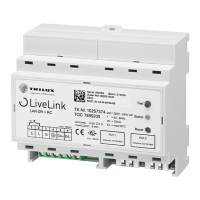
See chapter “Room setup: room name” LIVELINK_...
(see print on LiveLink control
device)
WLAN password
Password for the direct WLAN connection.
- livelink
Administrator password
Password for using the administra-
tor menu of the “Install” app. Each
LiveLink room can be equipped with a
separate administrator password.
Upon initial setup, the user is offered
the option to change the administrator
password.
Subsequently, the password can be
changed in the administrator menu
under “Settings”.
livelink
User password Password for using the light control
with the iOS and/or Android apps. Each
LiveLink room can be equipped with a
separate user password.
The user password is specified upon
completion of the room setup.
Subsequently, the password can be
changed in the administrator menu
under “Settings”.
-


 To Next Page