“LIVELINK INSTALL” APP / ROOM ADMINISTRATION / ROOM SETUP Page 32 / 77
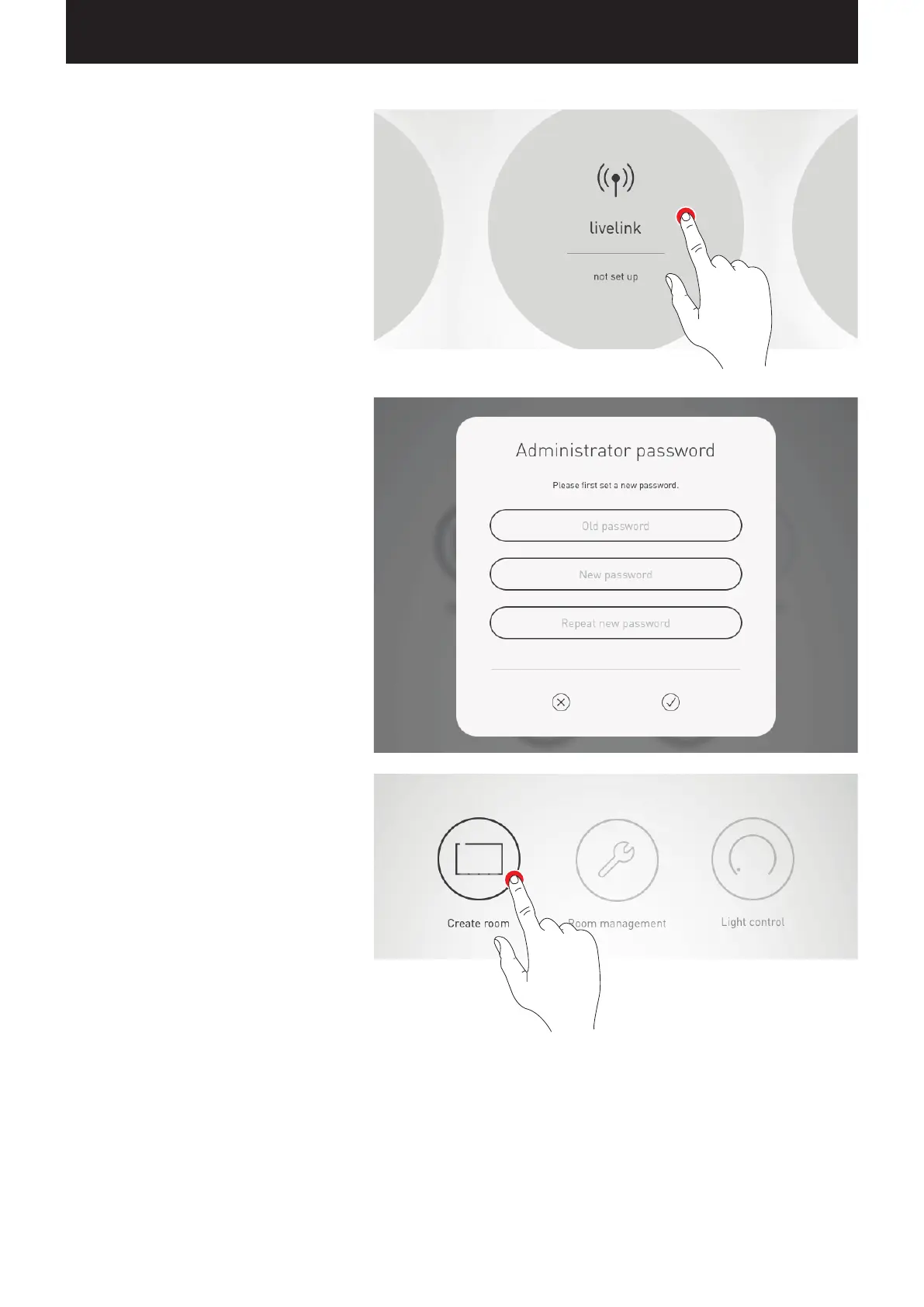
Select room
The app starts in the administrator menu and
searches for existing LiveLink rooms.
Here, the not-yet set up room can be selected.
Initially, the room designation is a factory setting
which can later be changed in the “Room name” menu.
In delivery condition, the administrator password is:
livelink
Change administrator password
On the next screen, a new administrator password
is specified.
Start room configuration
A tap on “Create room” starts the creation of a room
and leads to the first step “Select Use Case”.


 To Next Page