“LIVELINK INSTALL” APP / ROOM ADMINISTRATION / ROOM SETUP: USE CASE Page 34 / 77
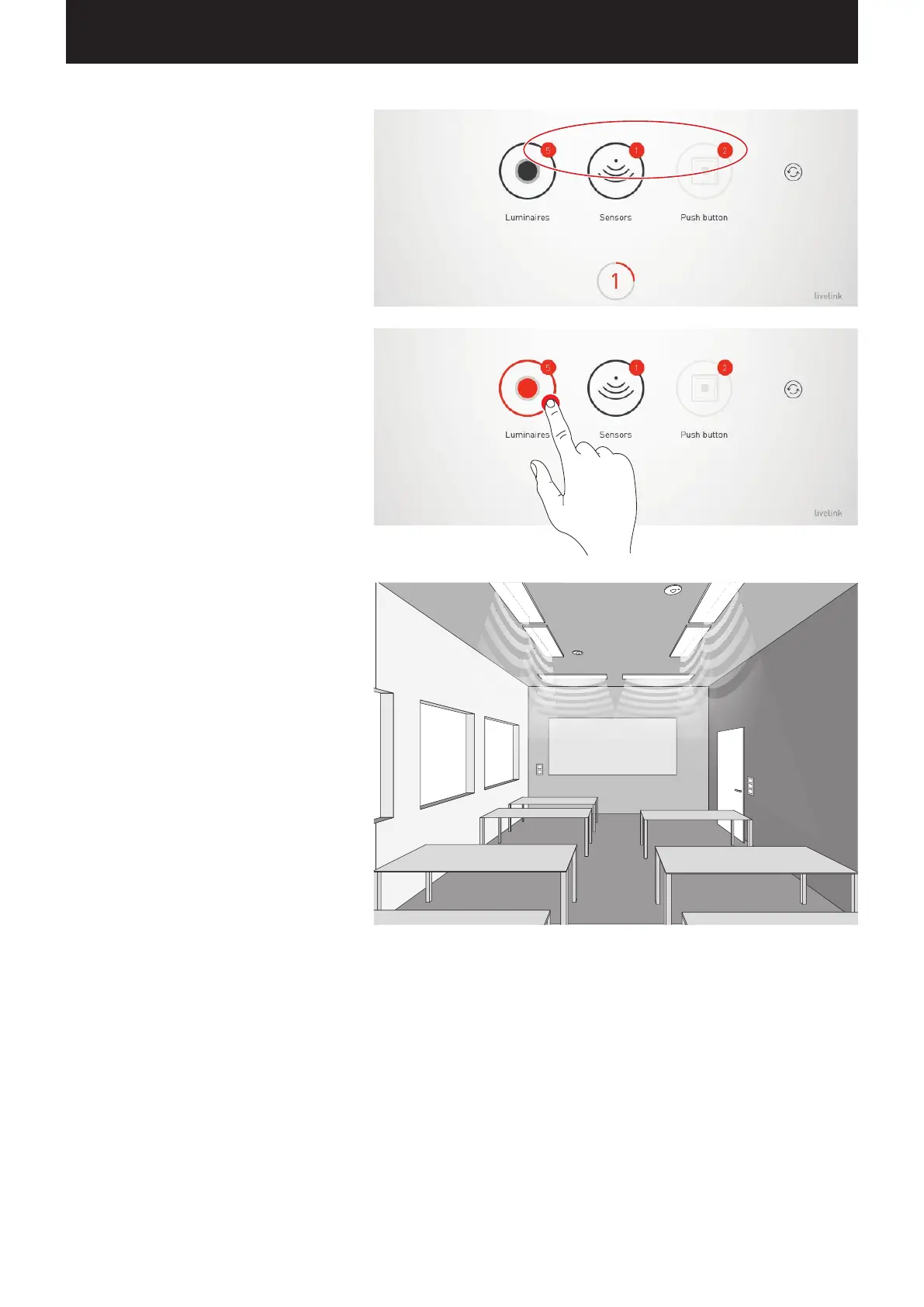
Listing connected devices
Numbers on the icons of the device groups “Lumi-
naires”, “Sensors”, and “Push-buttons” indicate
the respective number of devices connected. A
push-button coupler is counted only once in this,
even though multiple push-buttons may be
connected there.
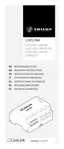
Identifying luminaires/sensors
When selecting the drive group “Luminaires” or
“Sensors”, the identification is started: The respective
icon is shown in red; the registered luminaires and/
or the status lights of the sensors start to blink.
Tapping the icon again ends the identification.


 To Next Page