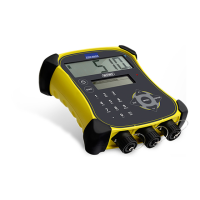
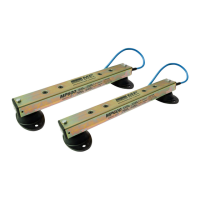
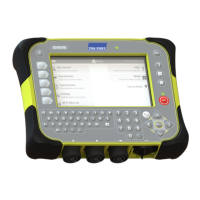
EziWeigh5i, EziWeigh6i, EziWeigh7i, WOW2, DAS WOW2
Issue 2, 7/2017 17
EziWeigh5i
EziWeigh6i, EziWeigh7i,
WOW2,
DAS WOW2
rload!
A load equal to the capacity
would cause an output signal
from the load bars that would
be greater than the input signal
range of the indicator
(assuming the scale is zeroed
at the maximum platform
allowance i.e. with a heavy
Check the entered test weight was
correct. Reduce the capacity.
A load equal to the capacity
would cause an output signal
from the load bars that would
be greater than the input signal
range of the indicator
(assuming the scale is zeroed
at the no load point used
during the span calibration).
Check the entered test weight was
correct. Reduce the capacity.
The number of divisions
cannot exceed 65535.
Use a larger resolution during span
calibration.
Perform span calibration again.
Can’t record Wts >
32767 d!
Caution! Weights of more than
32767 divisions cannot be
Turn "Fine Resol valid" off during Span
Cal. Use a larger resolution during
Can’t record Wts >
8192 d!
Caution! Weights of more than
8192 divisions cannot be
Use a larger resolution during span
calibration.
Caution! The number of
divisions is greater than 5000.
Use a larger resolution during span
calibration.
The 'no load' measurement
needs to be done before the
Do the previous menu item: "Ensure
no load on platform. Press ENTER"
first.
Possible load cell fault
(reading full scale
signal)
The signal from the load bars
is outside the indicator's ADC
Check for faulty load bars, wiring or
moisture.
Possible load cell fault
(reading
negative
(reading zero voltage)
Check for faulty load bars, wiring or
moisture.
Zero was unstable or
drifting
continuously moving so the
scale can't zero.
If the indicator is normally used with
load bars with cell code 99, this can be
normal when the load bars are
unplugged. Otherwise clear the span
cal or sensitivity cal from cell code 99.
If load bars are connected, check for
moisture. See load bars service
Note: Filename & line
appears on
other LCD
.
Record the details of the internal error.
If possible, clone the indicator for
analysis or send a {PE} command via
a terminal emulator and capture the
response. Contact Tru-Test Limited for
assistance with performing these


 To Next Page
 Loading...