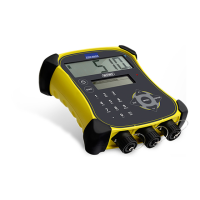
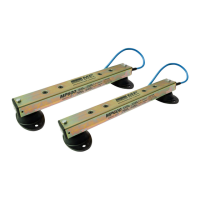
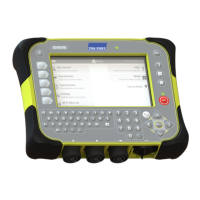
EziWeigh5i, EziWeigh6i, EziWeigh7i, WOW2, DAS WOW2
Issue 2, 7/2017 12
Troubleshooting
Indicator does not
switch on.
Battery fault. Check battery voltage – if < 2.7 V, try recharging for at least
ten hours. If the battery voltage has not risen above 3.3 V
then replace battery.
Faulty power
adaptor.
Check using a known good power adaptor. Replace if faulty.
power/communic
ation connector
and FPC
Check that the power/communication FPC is correctly
inserted into the PCA.
Plug a known good power/communication connector and
FPC into the PCA and check if the indicator switches on.
Poor keypad
connections.
Check if keypad FPCs are inserted correctly and locked into
place.
Unplug existing keypad FPCs and try plugging in a known
good keypad to verify any fault. Replace keypad if faulty.
See page
28.
Replace PCA. See page 31.
on but does not
stay on.
If possible, update the firmware. Refer to the Technical
Bulletin Updating the firmware.
Low battery. Check battery voltage – if < 2.7 V, try recharging for at least
ten hours. If the battery voltage has not risen above 3.3 V
then replace battery.
charging.
Check battery voltage – if < 2.7 V, try recharging for at least
ten hours. If the battery voltage has not risen above 3.3 V
then replace battery.
power/communic
ation connector
and FPC
Check that the power/communication FPC is correctly
inserted into the PCA.
Plug a known good power/communication connector and
FPC into the PCA and check if the indicator charges.
Faulty power
adaptor.
Check using a known good power adaptor. Replace if faulty.
Replace PCA. See page 31.
Short battery run
time.
Battery not fully
charged.
Try recharging for at least ten hours. Check that the
charging indicator on the 7 segment LCD is cycling.
Measure open circuit voltage on battery. Replace if < 2.5 V.
Replace PCA. See page 31.
Sections or all of
LCD not working
OR
Very dark or very
light LCD screen.
LCD FPCs not
connected
properly.
Try reconnecting the two LCD FPCs. See page 22.
Faulty LCD Replace LCD. See page 33.
Faulty PCA. Replace PCA. See page 31.
Black / Blue / Grey
area on LCD.
Cracked or
damaged LCD.
Replace LCD. See page 33.


 To Next Page
 Loading...