Revision C – January 2023
CDS2000 Page | 13
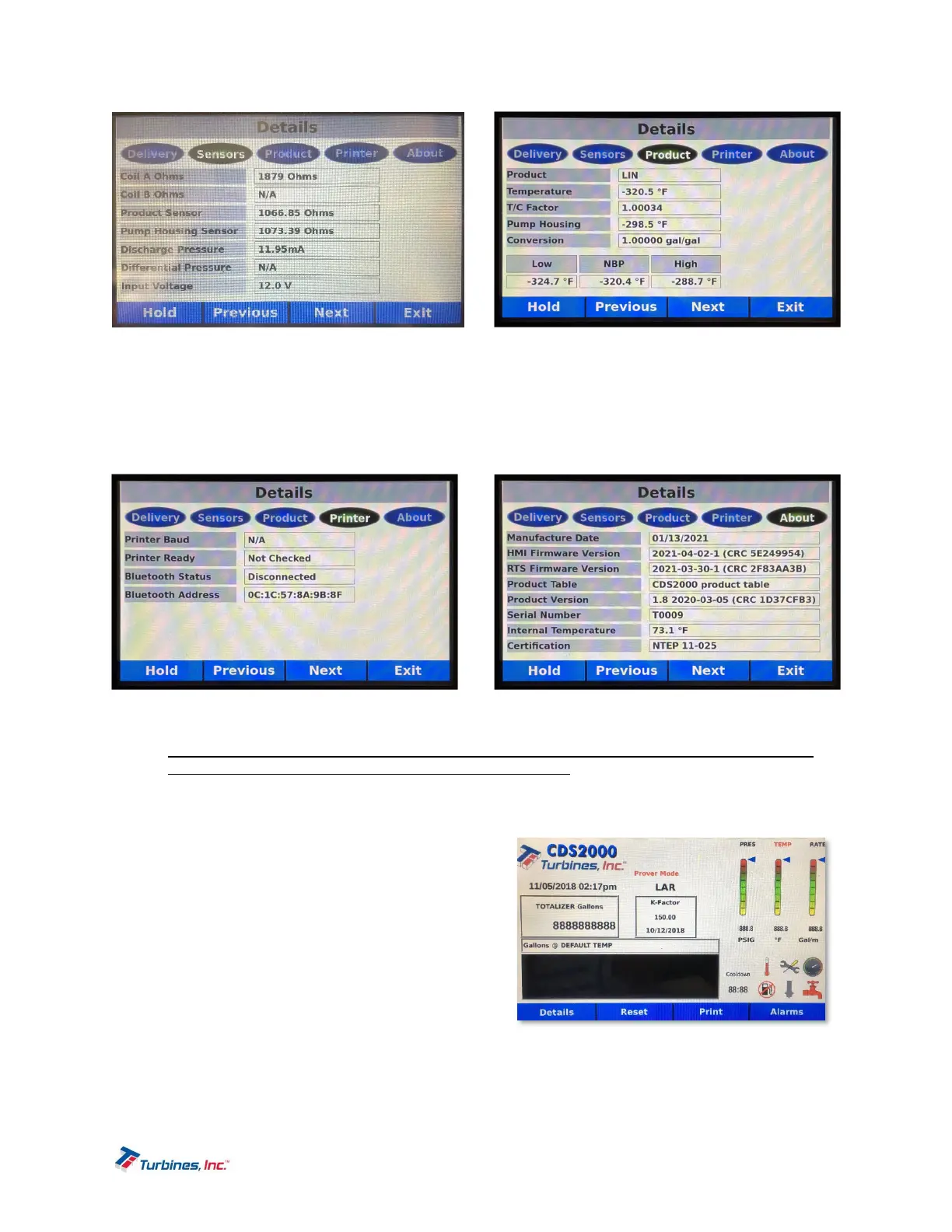
The following parameters are available for review within the Details Display: Turbine Rate, Pump Rate, K-
Factor, Liquid Density, Product, Uncompensated Total, Adjustment Mode, Coil A Ohms, Coil B Ohms,
Product Temperature, Pump Housing Temperature, Discharge Pressure, Differential Pressure, Input
Voltage, Temperature, T/C Factor, Conversion, Low Temperature, NBP, High Temperature, Printer Baud,
Printer Ready, Bluetooth Status, Bluetooth Address, Manufacture Date, HMI Firmware Version, RTS
Firmware Version, Product Table, Product Version, Serial Number, Internal Temperature and NTEP
Certification.
ProveDisplay
The Prove Display must be accessed via the following steps:
1) Please Note: When the Program Enable Module (PEM) is secured to the CDS2000, the Setup
Menu is disabled and access to the Prove Mode is denied.
2) While in the Operating Display, hold down both the Details and Alarms softkeys for approximately
3 seconds. This will allow the user to enter the Setup Menu.
3) Once in the Setup Menu, select the Prove Mode option by touching the Prove Mode button.
4) When prompted, using the touchscreen keypad,
enter the user password or privileged
password.
5) Upon entering a correct password, a screen will
appear for approximately three seconds
displaying, “Prove Mode Active” and then will
immediately return to the Setup Menu.
6) Now having activated the Prove Mode, once in
the Setup Menu, click either the “EXIT” softkey
or the touchscreen “EXIT” button, which will
return you to the Operating Display while in
Prove Mode.
7) When Prove Mode is enabled, a “PROVE MODE mm:ss” message will be displayed above the
product name. The prove message will also have a count-down timer displayed that indicates the
amount of time (minutes and seconds) remaining before the Prove Mode is disabled.


 To Next Page