Revision C – January 2023
CDS2000 Page | 8
calculated into the final summation for the displayed total to be exact. A temperature compensation
algorithm accomplishes this by computing the fluid density for the measured temperature and adjusts the
volumetric or mass delivery total.
Simply stated, temperature compensation adds pulses to the pulse total when the detected temperature
is colder than the products reference temperature and subtracts pulses when the product temperature is
warmer than the reference temperature. The rate at which the pulses are added or subtracted is
determined by the measured temperature departure from the products reference temperature.
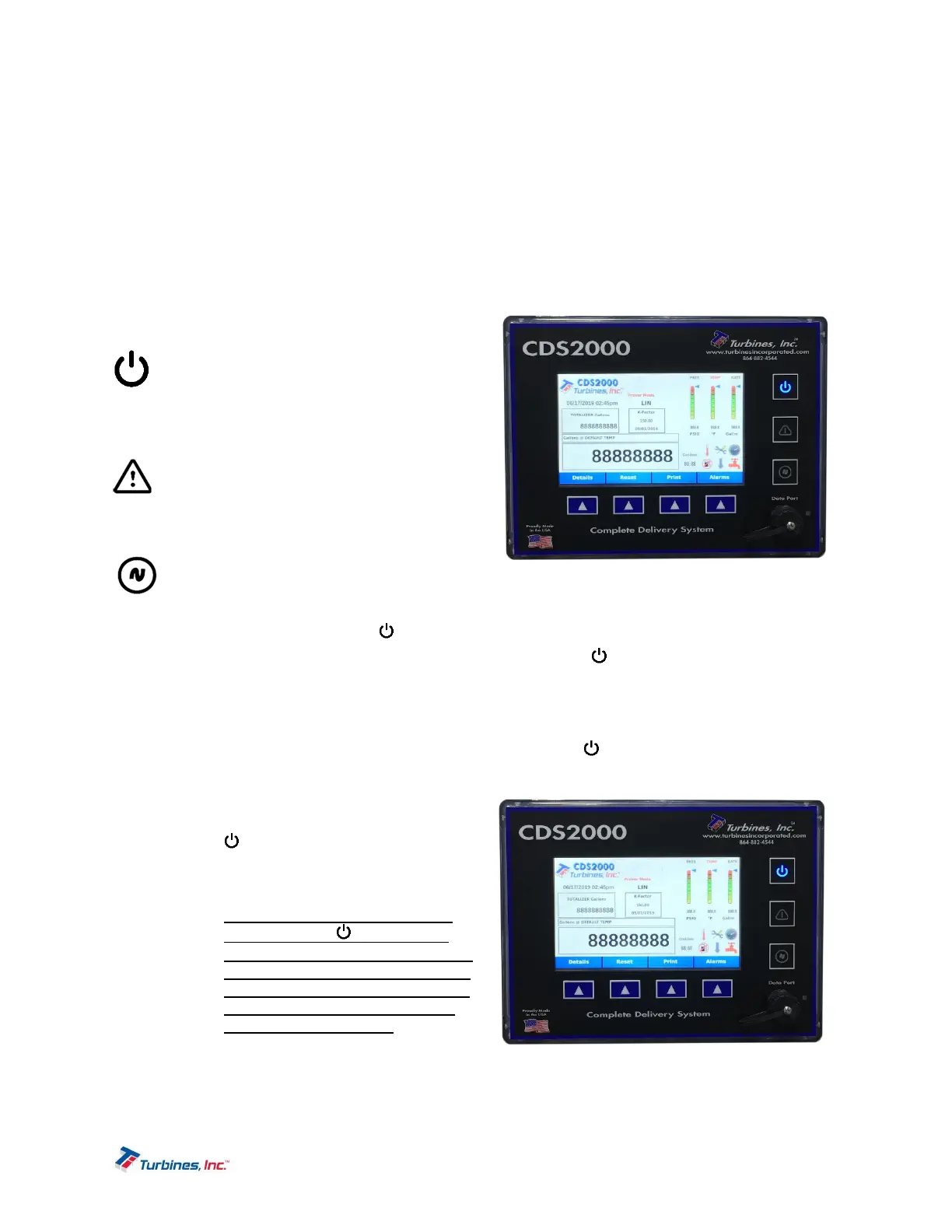
ControlPanelIndicators
Power Indicator: A BLUE LED illuminates
when the CDS2000 is “ON” and is
extinguished when the CDS2000 is “OFF.”
Flashing blue indicates the power is about to
turn off. Additional details are listed below.
System Alarm Indicator: A RED LED flash
indicates the presence of an Alarm or
Maintenance condition. Pressing this
indicator initiates the same function as
pressing the ALARM softkey (see below).
Signal/Flow Indicator: A GREEN LED
flashes when an input signal is present.
Pressing this indicator initiates the same
function as pressing the DETAIL softkey (see below).
PowerIndicator/PowerSymbol
Pushbutton
To power the CDS2000 on, momentarily depress the Power Symbol pushbutton. The CDS2000
Power Symbol pushbutton will illuminate blue. The system will resume operation exactly as it was just
before the power was turned off. Note that a system setting (Always On) is available that enables the
CDS2000 to power on when system power is applied and without pressing the power button.
Once the CDS2000 is on it can be turned off via the Power Symbol pushbutton, but two conditions
must first be met. The CDS2000 will not allow itself to be turned off if it affects metrology. If there is a
delivery underway, the system will not allow itself to
turn off. Assuming there is no flow and system
configuration allows power off, press and hold the
Power Symbol pushbutton for 3 seconds. A
message indicating the 3 second countdown timer
will appear on the screen.
o Please Note: As a safeguard, the
Power Symbol pushbutton is
disabled if turning the unit off affects
metrology. This allows the operator
to complete system setting tasks so
that changes will be saved before
the system powers “Off”.


 To Next Page