Revision C – January 2023
CDS2000 Page | 22
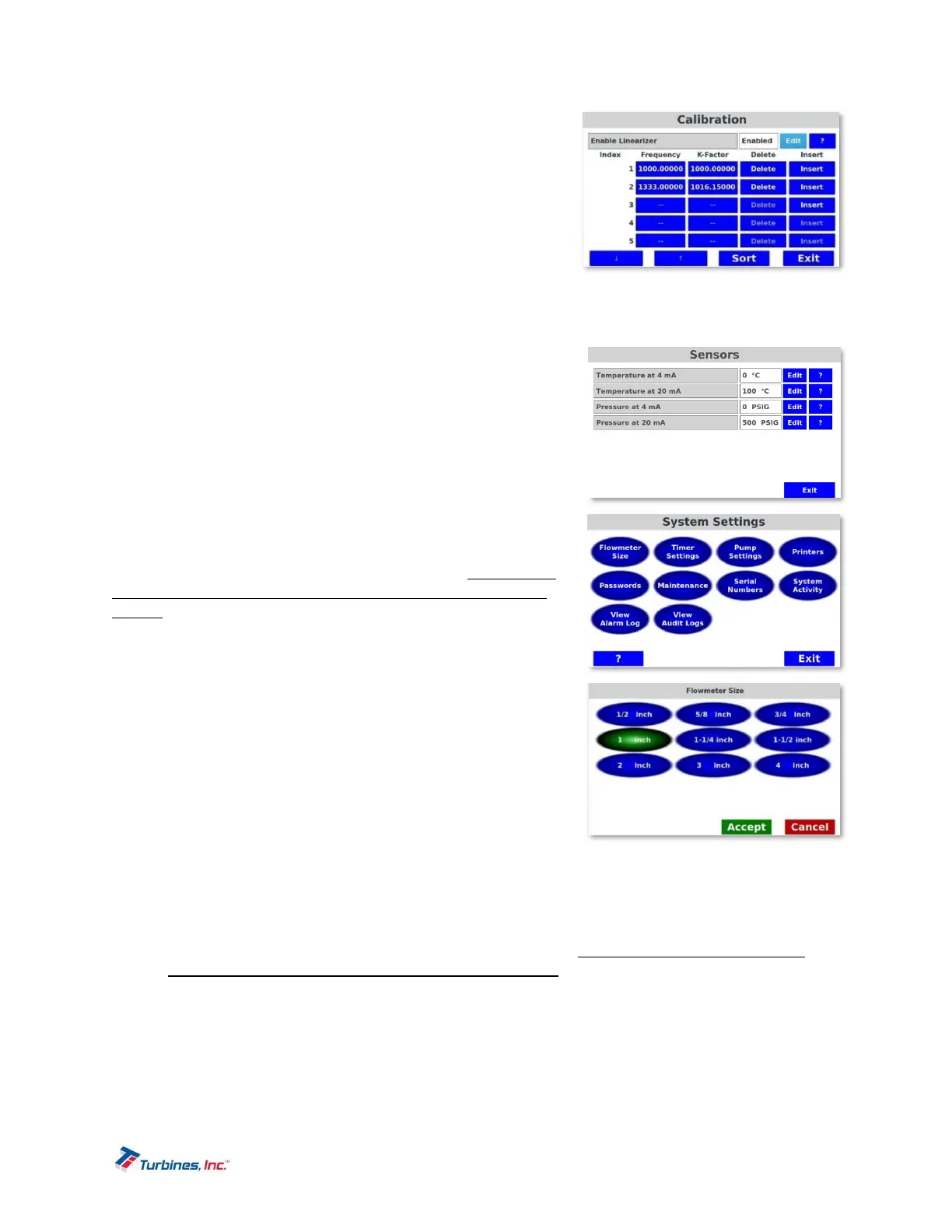
Frequency and K-Factor data entry points are
used for linearizer calibration. The data for these
points is obtained from the flowmeter calibration
sheet.
Delete will erase the current line.
Insert will add a new line above the current line.
New lines start with a frequency of 1000 by
default and they must be changed.
Sort will resort the table in order of increasing
frequency. Sorting also happens automatically when exiting the linearizer table editor.
o Average K-Factor is used to enter the Average K-Factor which is in effect when the linearizer is
not being used.
MetrologyConfiguration–Sensors
MetrologyConfiguration–Sensors allowstheusertoutilize4‐
20mAforeithertemperatureorpressuresensorinput.When
utilizingeithertemperatureorpressuresensorinput,boththe
4mAand20mAmustbeidentified,respectively,foreachsensor.
SystemSettings(UserPasswordProtected)
The System Settings menu allows setting various parameters in
the following components: flowmeter size, timer settings, pump
settings, printers, passwords, maintenance, serial numbers,
system activity, view alarm log and view audit trail. Please Note:
some parameters will be greyed out depending upon if they are
sealed. System Activity, View Alarm Log and View Audit Trail
generate reports that access no changeable parameters.
FlowmeterSize
Flowmeter Sizes are available in the following options: ½”,
5
/
8
”,
¾”, 1”, 1 ¼”, 1 ½”, 2”, 3”, 4.”
TimerSettings
o Max Time Between Deliveries is a programmable time
limit between deliveries that permits multiple deliveries
while maintaining a single, accumulated total for printing.
Once the time limit is exceeded a new delivery will start at
the last displayed total unless the unit is reset.
o Nanny Mode is a programmable timer (manual or random)
designed to ensure the delivery is consistently supervised. When flow is present, Nanny Mode
can be enabled to flash a red screen that must be recognized within an established timeframe or
power to the pump will be disabled. The Nanny Mode red screen can be programmed to flash
randomly during the delivery, or within a manually entered time. The amount of time allotted to
recognize the Nanny Mode red screen is also configurable. Please Note: the PCO cable is a
required component for Nanny Mode to function properly.
PumpSettings
The Pump Settings menu allows configuring various delivery options surrounding the pump:
Temperature, Pressure and Leak Detect.



 To Next Page