Revision C – January 2023
CDS2000 Page | 28
Pressure Calibration leads the technician through a
calibration procedure that sets calibration points at 4mA
and 20mA.
DiagnosticsReport
Diagnostics Report menu is a powerful diagnostic tool used by the
technician to verify the raw sensor and voltage data used by the
CDS2000.
Initialization
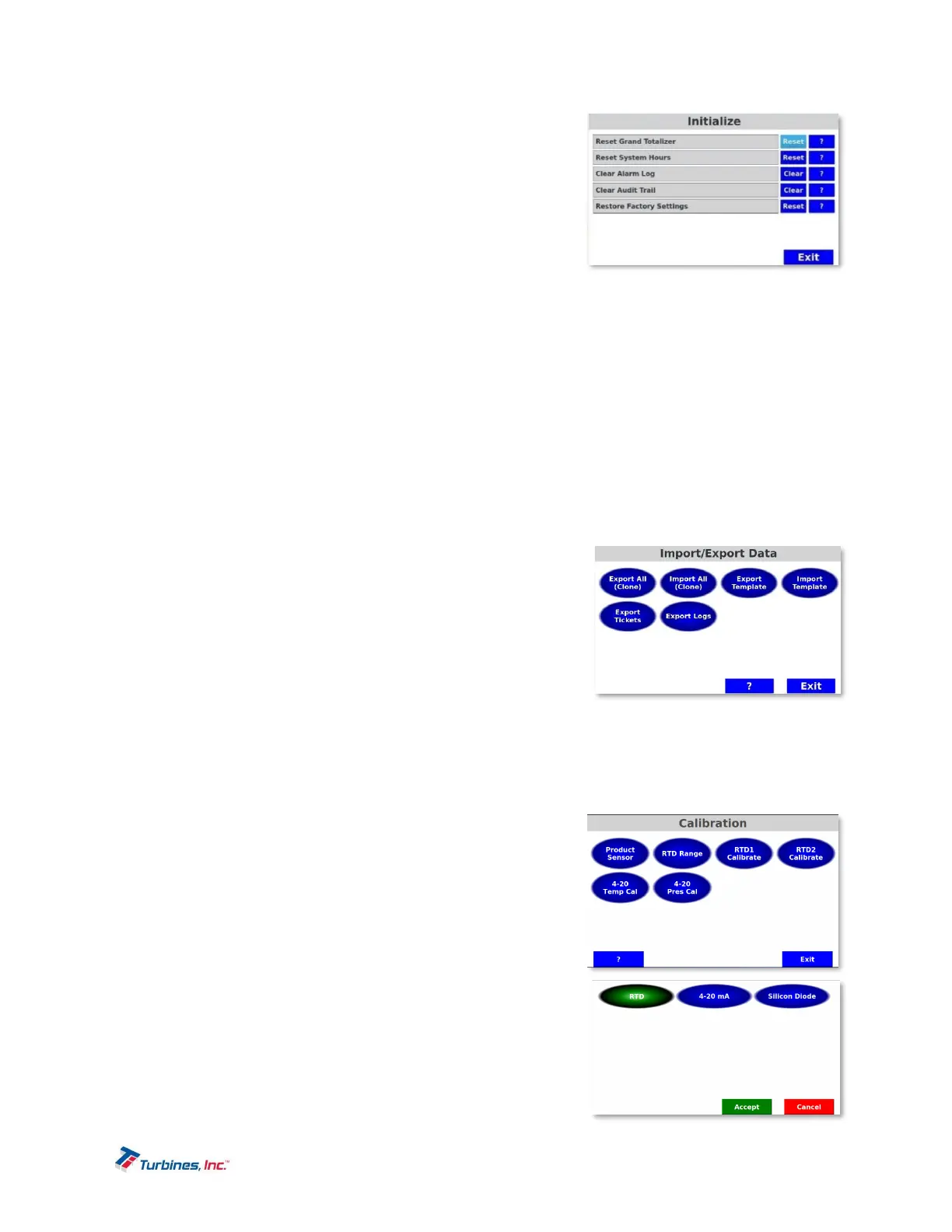
Initialization is used whenever it is necessary to reset a continuously accumulating parameter or when the
system is deployed at another location. Once any of these parameters are reset, the original value
cannot be recovered.
Reset Grand Totalizer resets the grand total.
Reset System Hours resets the total number of hours the CDS2000 has been powered on.
Clear Alarm Log clears the log of alarms.
Clear Audit Trail clears the audit trail of changes that affect metrology.
Restore Factory Settings resets all settings to factory defaults; typically, this function is only used when the
unit is returned to the factory for refurbishment.
DeviceSetup
DevicesetupisusedduringmanufacturetosetuptheCDS2000serial
numberandthemanufacturedate.
Import/ExportData
These functions are used to transfer data from unit to unit. The
buttons will remain greyed out until a USB stick is inserted. The
following individual functions are available:
Export All (Clone) is used to export to the USB memory stick all
data except for the unit serial number, date of manufacturer and
stored tickets. This function is useful when a unit is down and it’s desirable to move all information to a new
CDS2000.
Import All (Clone) is used to import from the USB memory stick all data except for unit serial number, date of
manufacturer and stored tickets. This function is useful when a unit is down and it’s desirable to move all
information to a new CDS2000.
Export Template is used to duplicate common settings such as
when a facility has a number of units that are configured the
same.A template has all user configuration values except
Maintenance due date, Loaner information, Unit activation,
Serial numbers, Date of manufacture and Printer Bluetooth
address. A template has no calibration values.
Import Template is used to duplicate common settings such as
when a facility has a number of units that are configured the
same. (see export template)
Export Tickets is used to send all stored ticket information to the
USB memory stick.
Export Logs is used to send the alarm and audit trail logs to the
USB memory stick.
ProveMode(UserPasswordProtected)
The Prove Mode permits convenient calibration of the trailers
delivery system. This mode temporarily aborts certain safeguard


 To Next Page