Revision C – January 2023
CDS2000 Page | 26
configured. Once Use Bluetooth is enabled, then the Bluetooth Mode and Bluetooth Password
options are populated.
Bluetooth Mode allows selection between Bluetooth Master or Bluetooth Slave modes. In many
cases, the CDS2000 is connected as a master when interfacing to a Bluetooth printer. When the
CDS2000 is connecting to a cellphone running a Bluetooth App, Bluetooth Slave mode is typical.
Please Note: the Bluetooth Printer option is only populated once the Bluetooth Mode is set to
“Master.”
Bluetooth Password is used to enter the Bluetooth password used when the Bluetooth printer is
paired to the system. The CDS2000 default Bluetooth Password is intended to be blank, no
password programmed.
Bluetooth Printer is used to detect the Bluetooth printers currently available.
Preview Printer Setup Options provides a preview of what he printed receipt would look like.
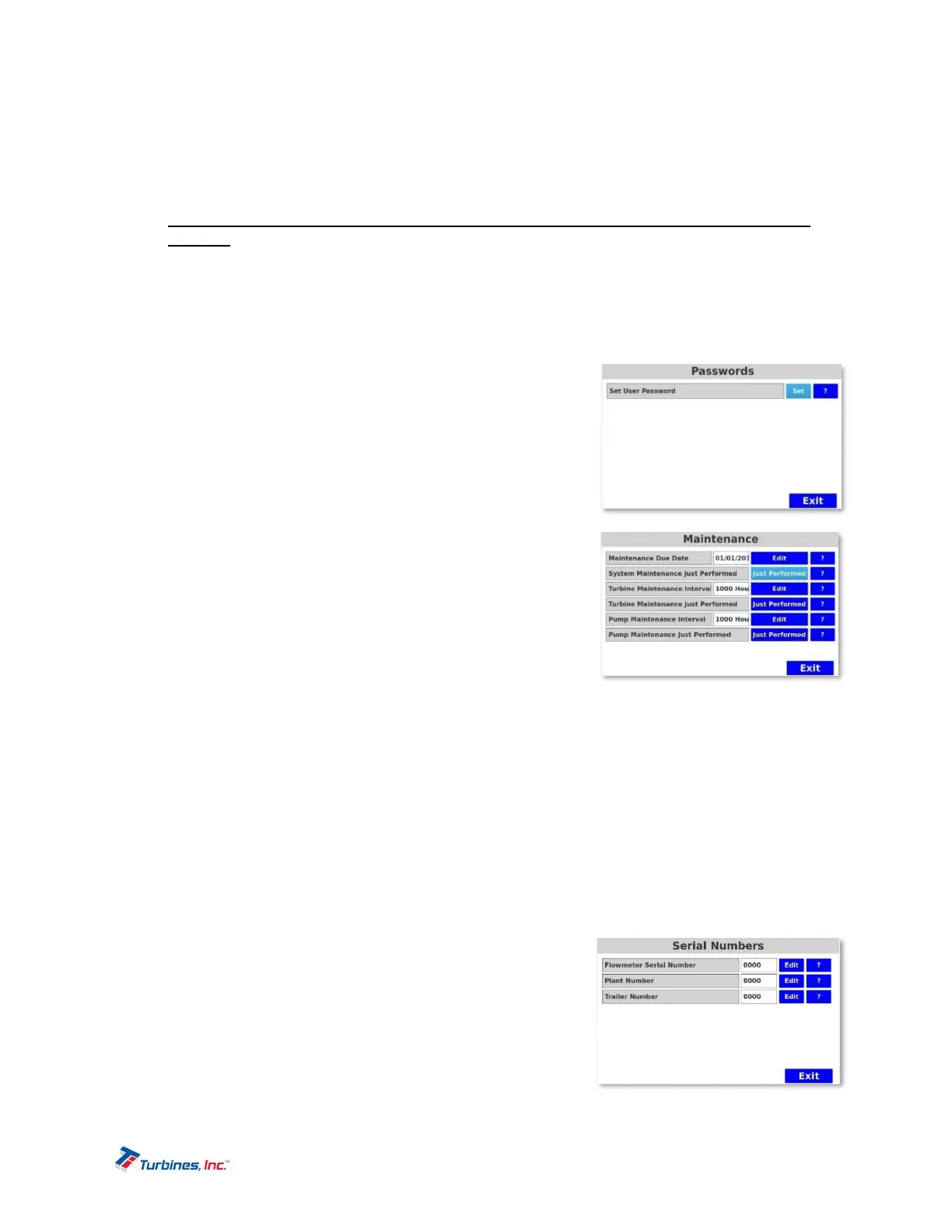
Passwords
Set User Password: The USER PASSWORD is protected and can
only be reset by entering the current password then entering a new
password. The Privileged Password is maintained and exclusively
for Factory use and allows access to ALL menu options.
Maintenance
All maintenance alarms are considered system alarms and are non-
fatal “reminders.”
Maintenance Due Date specifies the system maintenance
due date. When the current date exceeds the maintenance
due date, the system reports a maintenance reminder.
System Maintenance Just Performed is used to make a
system maintenance entry into the system activity log.
When the Just Performed button is pressed, today’s date is
entered into the System Activity Log.
Turbine Maintenance Interval specifies the turbine maintenance interval. When the accumulated
number of turbine hours exceeds the turbine interval, the system will report a maintenance
reminder.
Turbine Maintenance Just Performed is used to record when turbine maintenance has been
performed. When the Just Performed button is pressed, the accumulated number of turbine
hours is reset to zero.
Pump Maintenance Interval specifies the pump maintenance interval. When the accumulated
number of turbine hours exceeds the turbine interval, the system will report a maintenance
reminder.
Pump Maintenance Just Performed is used to record when pump maintenance has been
performed. When the Just Performed button is pressed, the accumulated number of pump hours
is reset to zero.
SerialNumbers
Use this menu to record various serial numbers. These numbers
are used during printing and other system functions. The serial
number can be alphanumeric and up to 16 characters long. The
following numbers are recorded: FLOWMETER, PLANT, TRAILER,
UNIT and NUMBER.



 To Next Page