Revision C – January 2023
CDS2000 Page | 25
Coordinates for Product, Temperature, Temp UOM, Date,
Time indicates the print location of various parameters.
The row determines the vertical print position where the
top row is row 1. The column determines the horizontal
print position where the leftmost character is column 1.
Clicking on the DISABLED button will inhibit printing the
corresponding parameter. Clicking on the PREVIEW
button will show a sample of what the printed ticket will
look like.
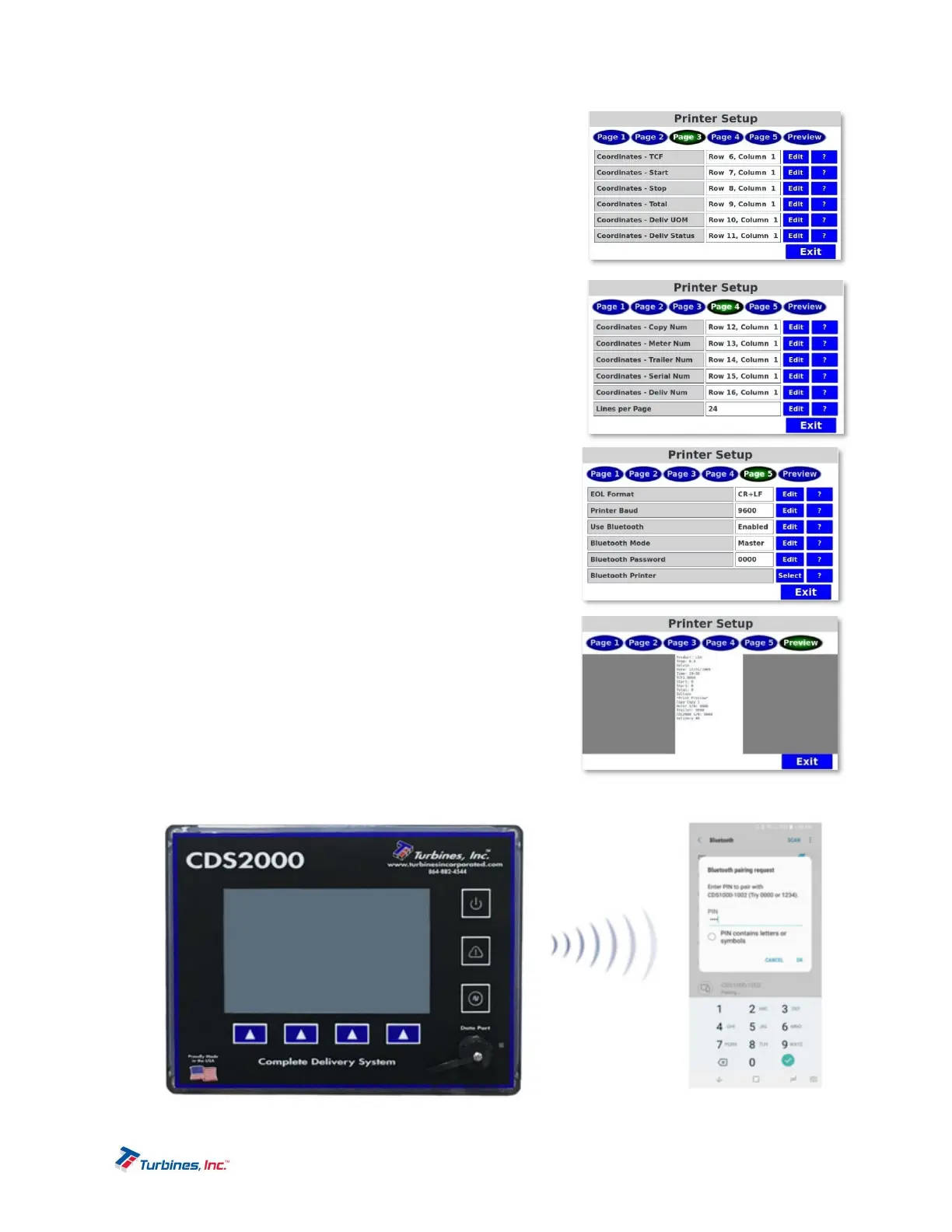
Coordinates for TCF (Temperature Correction Factor),
Start, Stop, Total, Delivery UOM, Delivery Status
indicates the print location of various parameters. Please
review printer setup, page 2 (above) for more details.
Coordinates for Copy Number, Meter Number,
Trailer Number, Serial Number, Delivery Number
indicates the print location of various parameters. Please
review printer setup, page 2 (above) for more details.
EOL (End of Line) Format configures the EOL character
that is sent at the end of each line sent during printing.
The current choices are:
o CR carriage return
o LF line feed
o CR+LF carriage return followed by a line feed.
Lines per Page determines the length of the
printed ticket and properly ejects the ticket and
aligns the paper for the next ticket.
Printer Baud configures the RS-232 communication baud
rate when printing. This parameter has no effect when
using a Bluetooth printer. The available settings are
1200, 2400, 4800, 9600, 19200, 38400, 57600, 115200,
230400 baud.
Use Bluetooth activates or deactivates Bluetooth
communications. If Use Bluetooth is disabled, printer
communication is via the built-in RS-232 port. If using
RS-232, the communication parameters (above) must be


 To Next Page