75
75
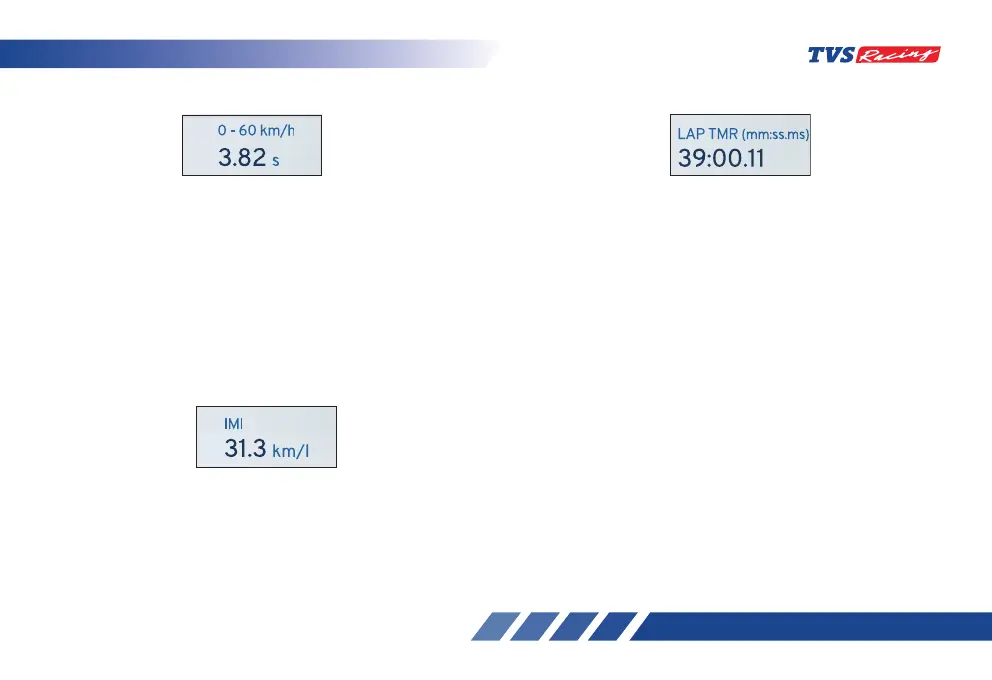
• 0-60 km/h
This function lets you to measure the time to
reach 0 to 60 km/h speed from rest and to view
the best time taken so far.
- If the current time is lesser than the stored
value, the new value will get updated automatically.
- Toggle the display navigate to ‘performance
record’ in menu to reset the value (ref. page 58).
• IMI
Indicates the instantaneous mileage (fuel
economy) of the vehicle at that particular driving
condition.
- The value will not be shown if the vehicle speed
is less than 10 km/h.
• Lap Timer
• Press the pass-by switch for about 2 seconds
to trigger lap counter. The lap timer widget will
show the current lap time.
• To end the current lap and start new lap, press
the pass-by switch again.
• To stop the lap counter, long press the pass-by
switch for more than 2.5 seconds. The lap timer
widget then shows the last lap time.
• This widget displays the current lap time and
once the current lap is stopped then the last
recorded time will be displayed.
• Each lap must have a minimum duration of 10
seconds.
• The connected TFT instrument cluster can store a
maximum of 10 laps along with the date and time
when the lap was triggered.












 To Next Page