http://www.tyan.com
41
2.1 Installing Motherboard Components
This section describes how to install components on to the motherboard, including
CPUs, memory modules and Add-on cards.
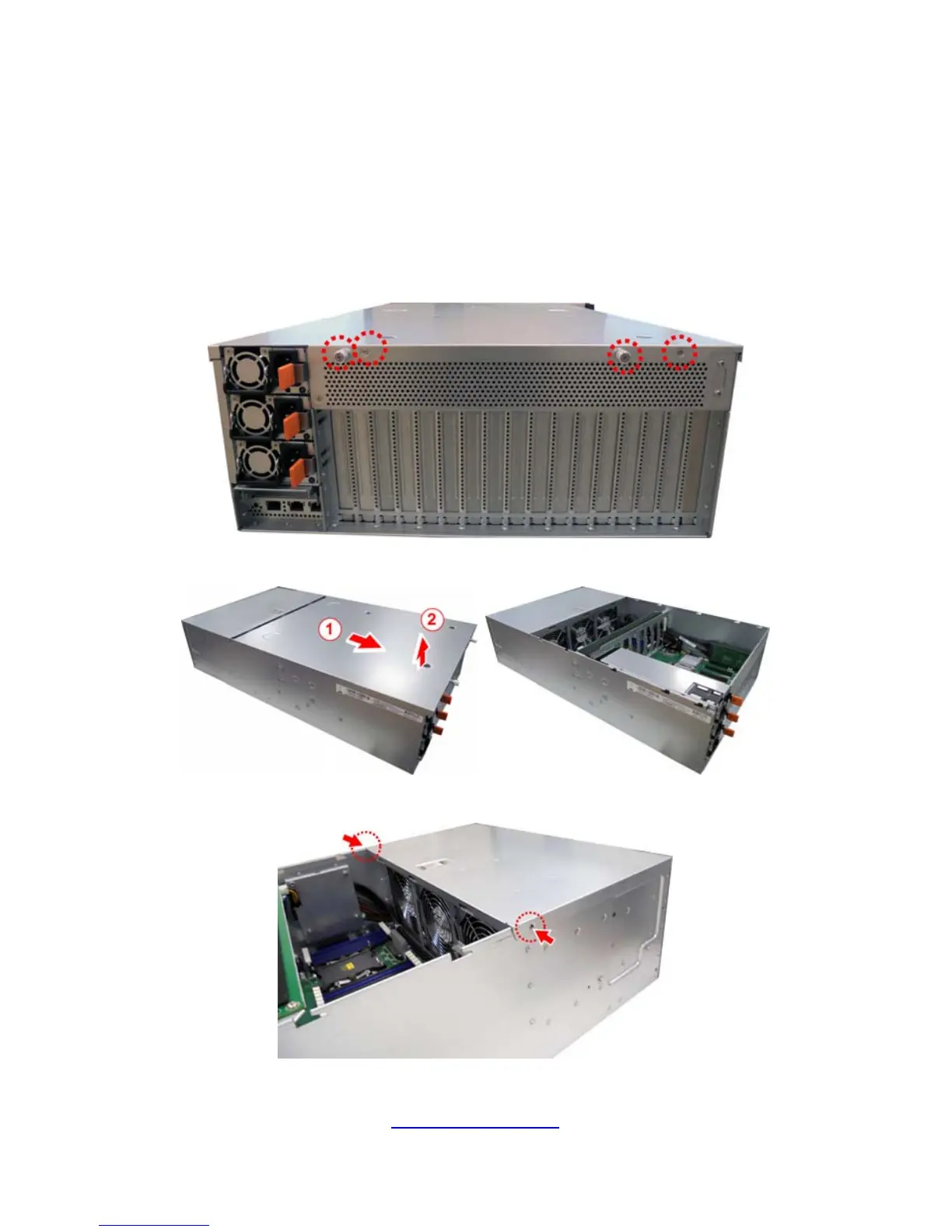
2.1.1 Removing the Chassis Cover
Follow these instructions to remove FT77D-B7109 chassis cover.
1. Loosen 2 thumb screws and 2 screws on the rear top cover.
2. Slide to lift up the rear top cover.
3. Unscrew the front top cover.


 To Next Page