http://www.tyan.com
64
3.3 Removing the Cover
Follow Chapter 2.1.1 to remove the cover of FT77D-B7109.
3.4 Replacing the Power Supply
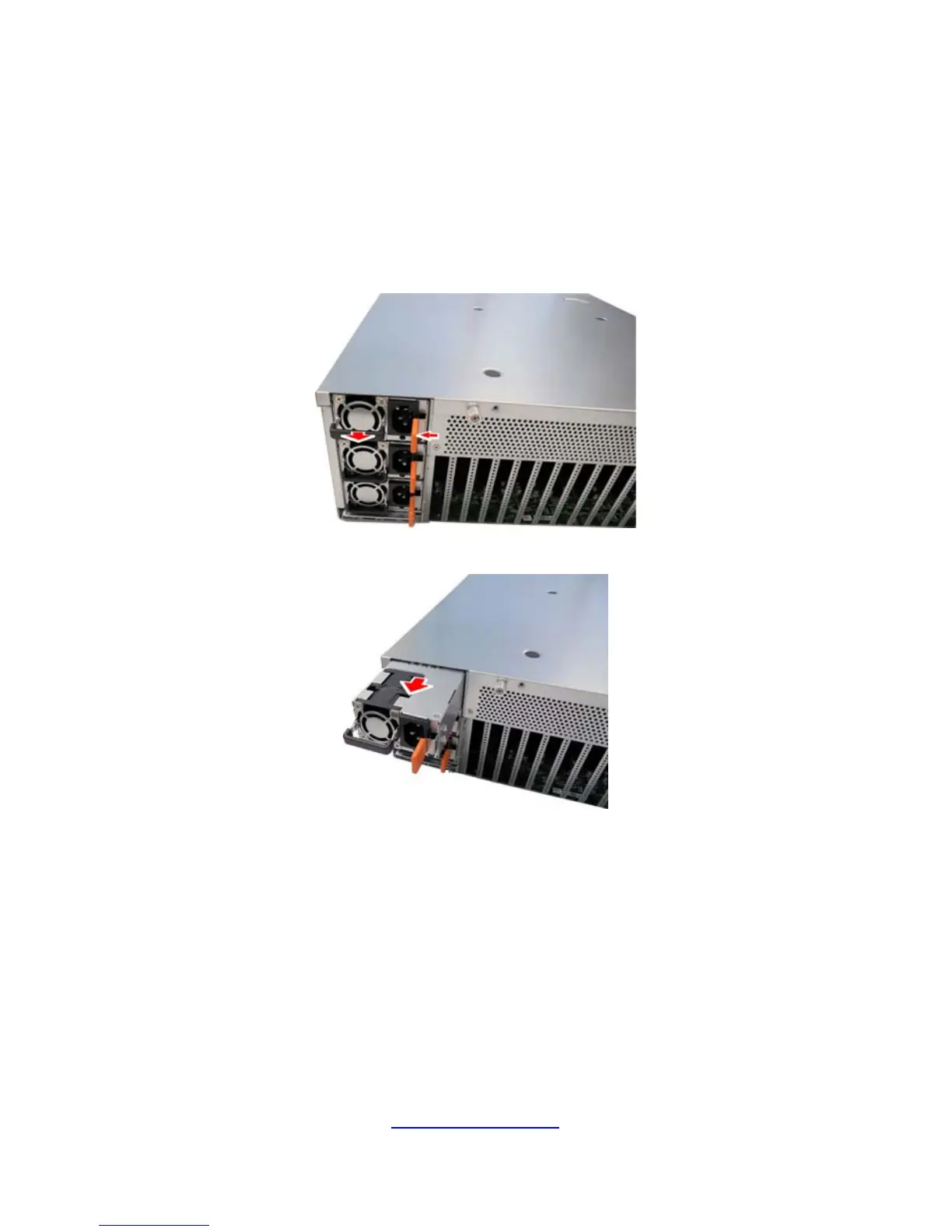
To replace the power supply follow these instructions.
1. Press the tab as shown to pull out the power.
2. Free the power from the power cage.
3. Replace a new single power and reinsert it into the power cage following
the above steps in reverse.


 To Next Page