UES AG · Breuershofstr. 48 · 47807 Krefeld · Germany
Tel.: 0049-2151-72950 · Fax: 0049-2151-729578 · info@ues-ag.net · www.ues-ag.net
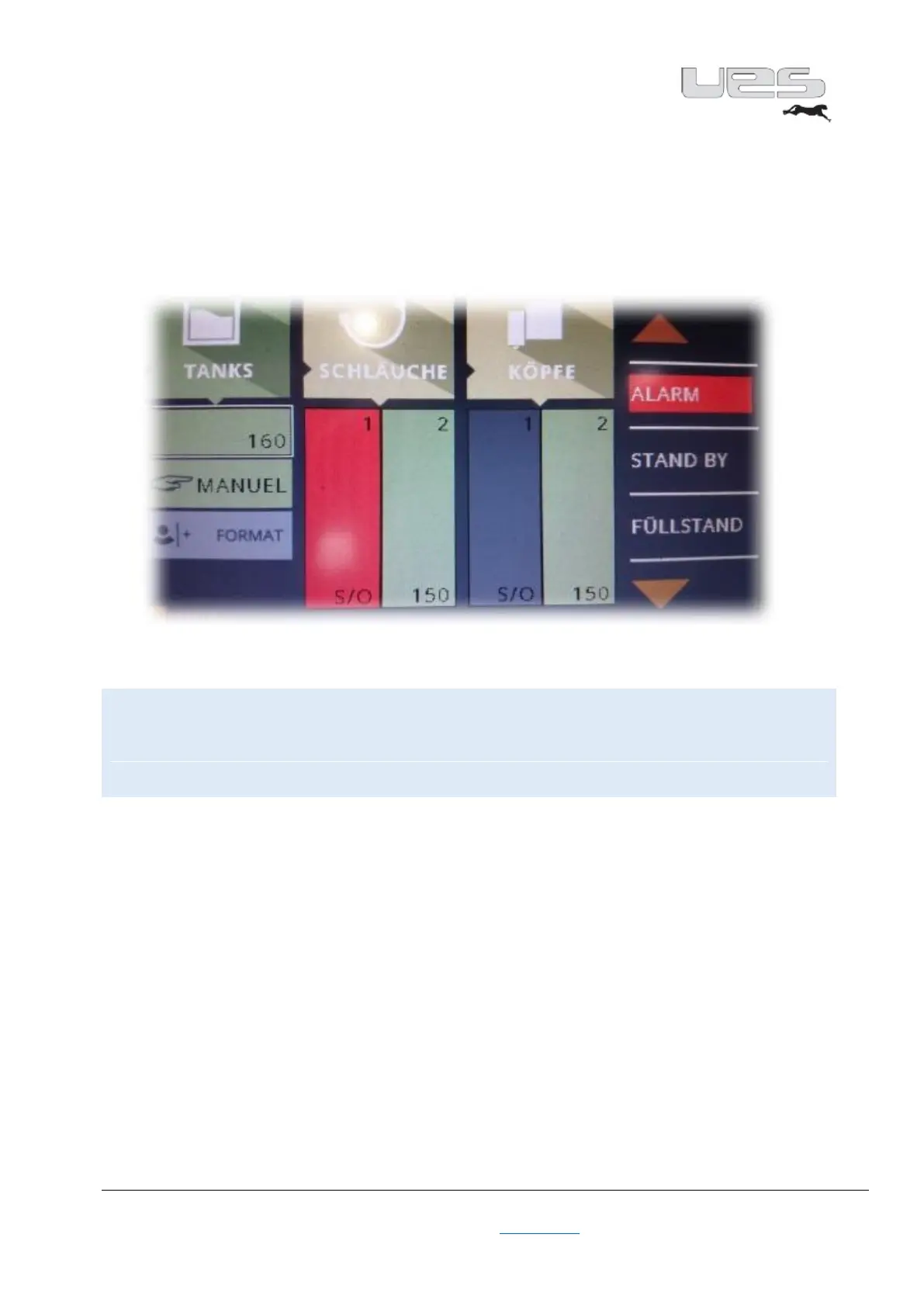
Through the menu, you will be informed about the current settings via our traffic light system. In the
heating phase, the corresponding fields are entered in yellow. The percentage of colouring of these fields
provides information on the heating progress. Once all the temperatures have been reached, these fields
are displayed in green. As soon as the ready signal is activated, the entire display switches to green.
You can therefore already see from a distance that your system is ready. If there is still a problem, the
corresponding area is displayed in red. Here, as well, the entire display will change after a few seconds
and turn red. This allows you to see from a distance that something is wrong.
Warning!
Never use sharp objects to adjust the touch panel. This could lead to irreparable damage.
Likewise, the display can be damaged if too much pressure is used when entering data.
Always keep the screen clean so that you can enter data without any problem.


 To Next Page