UHP SCPC MODEM
USER MANUAL, v3.2
© ROMANTIS 2015 11 www.uhp.net
2. CONFIGURATION
A computer used for configuration of UHP router should be configured for the same network as the router. By
default the router has 10.0.0.1XX IP-address (where XX are the last two digits of the router’s serial number) with
255.255.255.0 subnet mask. When connecting to the router the computer should be assigned an IP-address within
10.0.0.1 to 10.0.0.254 range with the exception of the router’s own IP-address.
The router can be accessed by typing its IP address 10.0.0.1XX in the web browser of the computer. If the
connection is correct a WEB-page of UHP router will be displayed.
2.1 Configuring IP Address
When connection between the router and computer is established the initial UHP IP-address should be reassigned
according to the required configuration. When connected to the WEB-interface follow these steps:
Go to a tab of Menu of commands: Advanced –> IP routing;
Choose Add IP Address in the Management and control panel;
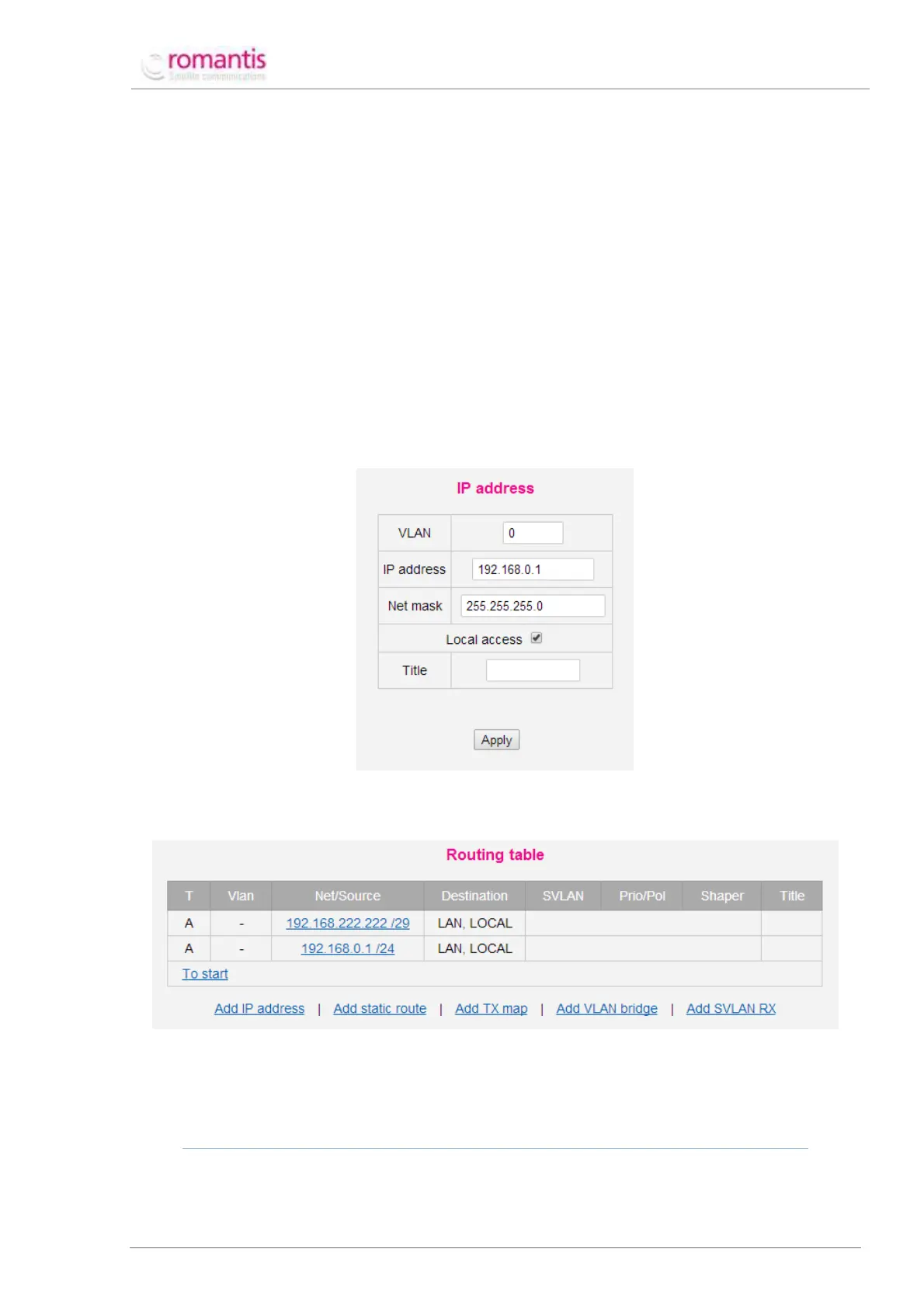
Enter the following fields and click Apply.
Figure 4 Assigning new IP address
After a new IP-address is assigned the routing table will appear as shown below (see Figure 5).
Figure 5 UHP routing table
To delete an unusable IP address choose the corresponding entry in the routing table and click Delete in the form
that will appear.
PLEASE CLICK SAVE CONFIG TO SAVE THE CHANGES IN THE CONTROL AND STATISTICS TREE
Similar IP configuration is required for the Station-2.



 To Next Page