UHP SCPC MODEM
USER MANUAL, v3.2
© ROMANTIS 2015 14 www.uhp.net
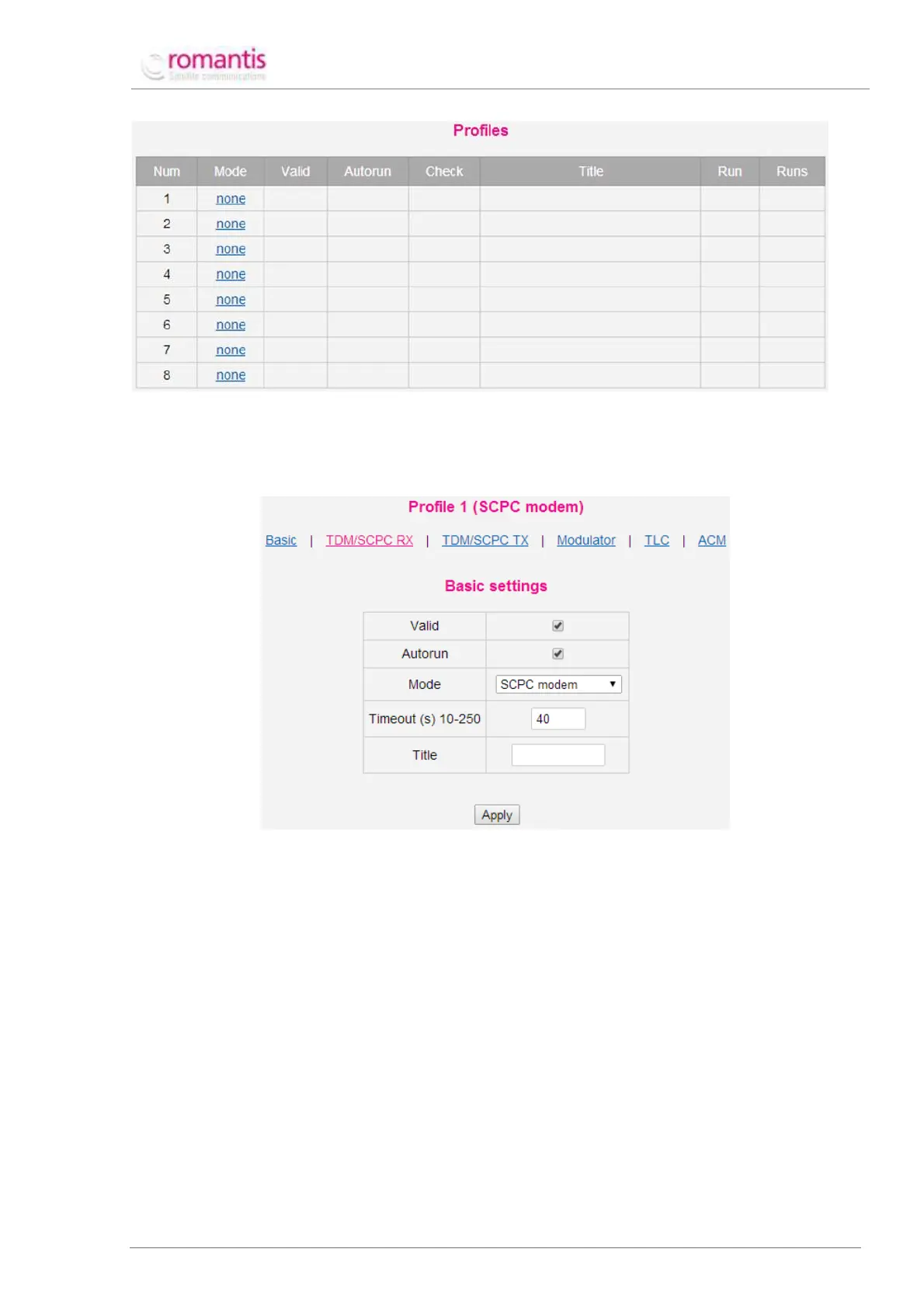
Figure 9 Profiles
Any of blank profiles (mode=”none”) can be used to create a new profile (see Figure 10).
2.3.1 SCPC modem Profile
Figure 10 Profile configuration
Define the following values to create a new profile:
Whether this profile is valid and can be used;
Specifies automatic profile activation. Several profiles can be marked as “Autorun” and the router
will consistently try to apply all profile marked as “Autorun” until it would establish a
communication;
UHP operation mode (SCPC modem);
Specifies the time period before the router switches to the next profile marked as “Autorun” if
current profile is unable to establish communication.
The following additional setting should be configured once the profile has been created:
Center frequencies for Receive and Transmit;
Symbol rates for Receive and Transmit.



 To Next Page