UHP SCPC MODEM
USER MANUAL, v3.2
© ROMANTIS 2015 17 www.uhp.net
2.3.5 Adaptive Modulation and Coding
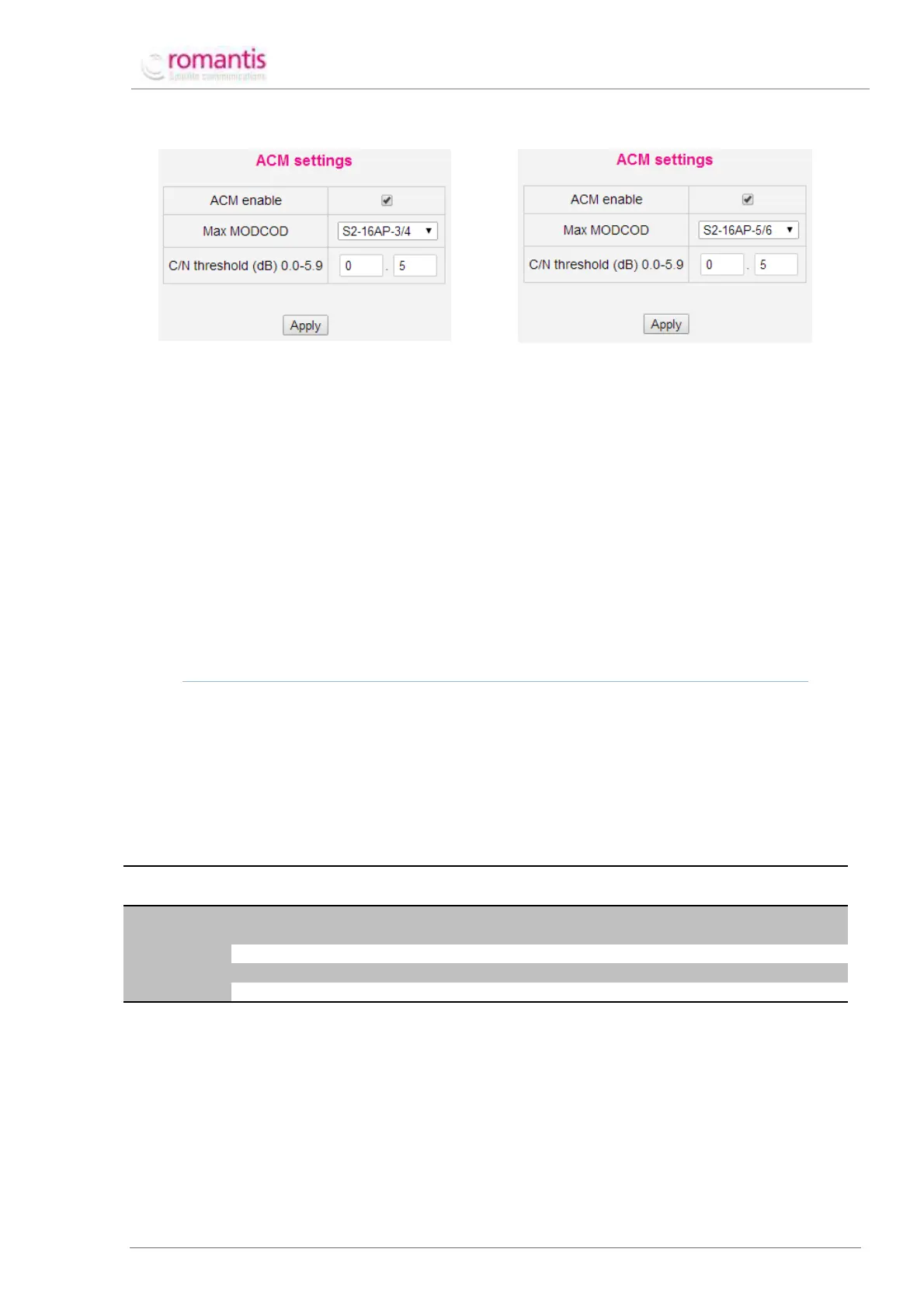
Figure 16 ACM settings of the Station-1
Figure 17 ACM settings of the Station-2
The ACM settings form allows activating and configuring Adaptive Coding and Modulation for each direction of the
SCPC channel. The following parameters should be configured:
• Select maximal MODCOD admissible for the Stations as per the Link Budget calculation;
• Set the ACM C/N threshold, which defines maximal C/N degradation compared to the nominal value
before modem switches to the next lower MODCOD scheme;
• Activate ACM for the respective direction of the SCPC channel by the ACM enable check-box.
Once respective form is configured it should be applied to take effect.
With active ACM mode Stations using TLC exchange protocols to retrieve information about quality of reception on
the remote end and dynamically adjust its transmission MODCOD ensuring maximal throughput with proper
quality of reception (depends on the actual whether conditions on the remote end).
TO USE ACM IT IS NECESSARY TO CONFIGURE TLC PROTOCOL (SEE SCPC PROTOCOL SETTINGS), BECAUSE THIS
PROTOCOL IS USED FOR INFORMATION EXCHANGE ABOUT C/N VALUES BETWEEN THE ROUTERS.
2.4 Routing
UHP routers use a special SVLAN protocol to transmit information via the satellite. According to SVLAN all IP
packets arriving at the modulator should have SVLAN tags complying with configured packets classification rules.
The following may be used for classification: sender’s/recipient’s IP-address, ToS and DSCP tags, VLAN tags,
protocol type and TCP/UDP port number. The recipient’s demodulator must be configured to receive the
information with previously assigned SVLAN tags.
Table 2 Routing Scheme with SVLANs
IP-traffic
Classification
Create default route to the network 192.168.1.0
with 255.255.255.0 mask via SVLAN 1
Allow traffic receipt from SVLAN 2
Create default route via SVLAN 2
Allow traffic receipt from SVLAN 1.
To create routing rules:
1. Go to Advanced –> IP routing in Menu of commands;
2. Click Add TX map on the Control panel to create the outgoing route;
3. Click Add SVLAN RX map on the Control panel to create the incoming route;
4. Click Add static route on the Control panel to create a route to the IP network outside UHP Ethernet-
interface.



 To Next Page