UHP SCPC MODEM
USER MANUAL, v3.2
© ROMANTIS 2015 26 www.uhp.net
4. CONFIGURATION USING OPT FILE
UHP router configuration can be saved as a binary file. This feature allows using the saved file for the following:
Back up a device configuration;
Optimize configuration of a large number of UHP routers. Optimization is achieved by creating a standard
configuration template. Such a template can be downloaded to all devices before they are sent to the
field. During commissioning of earth stations, the installer must enter/modify only a small number of
router settings to prepare it for operation.
Collect and upload the configurations of remote routers to address such issues as optimization of support,
quick configuration of remote devices, etc.
4.1 Save Configuration as a Binary File
A binary file containing a router configuration is saved by transmitting the configuration file from the router to a
TFTP server. It requires:
Router connection to TFTP server via IP network;
TFTP server’s IP-address shall be specified in the router;
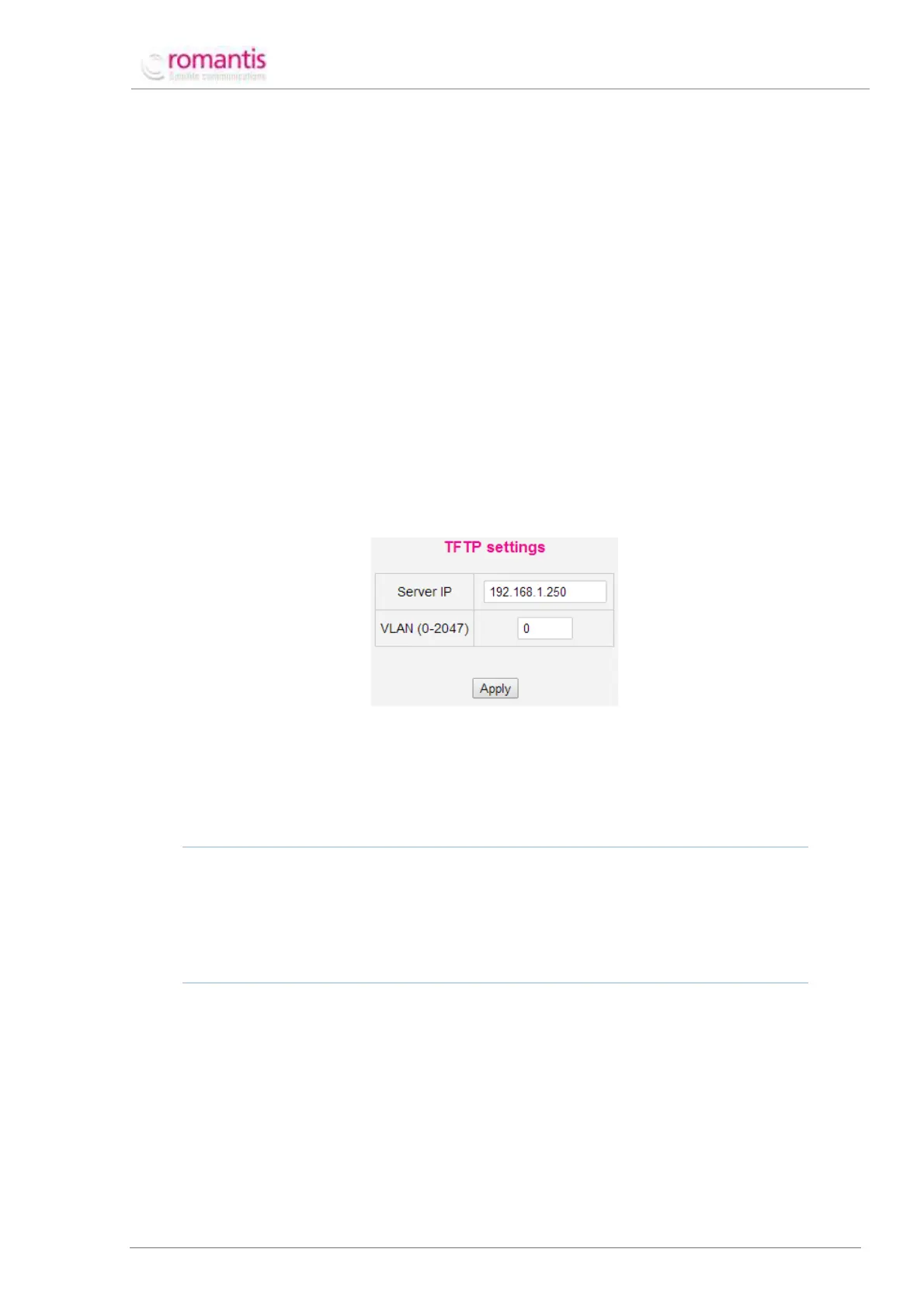
Go to Advanced –> IP protocols –> TFTP in the Menu of commands. Enter TFTP server’s IP address on the
Control panel (see Figure 29).
Figure 29 Configuration of TFTP server
Transmit the binary file to TFTP-server;
Go to Advanced –> System –> Save/load in the Menu of commands. Specify a name for configuration file
to be saved on TFTP-server. Click Load.
ONLY THE ROUTER CONFIGURATION THAT IS CURRENTLY ACTIVE CAN BE TRANSMITTED TO THE TFTP-SERVER.
If it is necessary to transmit the information contained in the memory bank inactive at the moment, select the
necessary bank in Flash section and click Load.
WARNING! CONFIGURATION FROM THE SELECTED MEMORY BANK WILL BE LOADED AS CURRENT. IN SUCH A CASE
ROUTER OPERATION MODE MAY CHANGE ACCORDING TO THE CONFIGURATION. THEREFORE SATELLITE CONNECTION
WITH THE ROUTER MAY BE LOST.
4.2 Binary File Configuration Load
A binary file containing router configuration is loaded by transmitting the configuration file from the TFTP server to
the router. It requires:
Router connection to TFTP-server via IP network;
TFTP server’s IP address must be specified on the router;
Go to Advanced –> IP protocols –> TFTP in the Menu of commands. Enter TFTP server’s IP address on the
Control panel (see Figure 29).
The binary file shall be transmitted to the router;
Go to Advanced –> System –> Save/load in the Menu of commands. Specify the name of the binary file



 To Next Page