UHP SCPC MODEM
USER MANUAL, v3.2
© ROMANTIS 2015 12 www.uhp.net
2.1.1 Configuring IP Address using Telnet Access
Telnet connection may be also used to assign a new IP address. Enter the following commands in the UHP
command line:
Terminal#ip address <new UHP_IP_address> <subnet mask>
Terminal#config save – saving changes
Example:
Terminal#ip address 192.168.0.1 255.255.255.0
Terminal#config save
UHP router supports assigning several IP addresses for Ethernet interface.
The following command is used to delete an IP-address:
Terminal#ip delete address <deleted_UHP_IP-address> <subnet mask>
Terminal#config save - saving changes
2.2 Site Setup
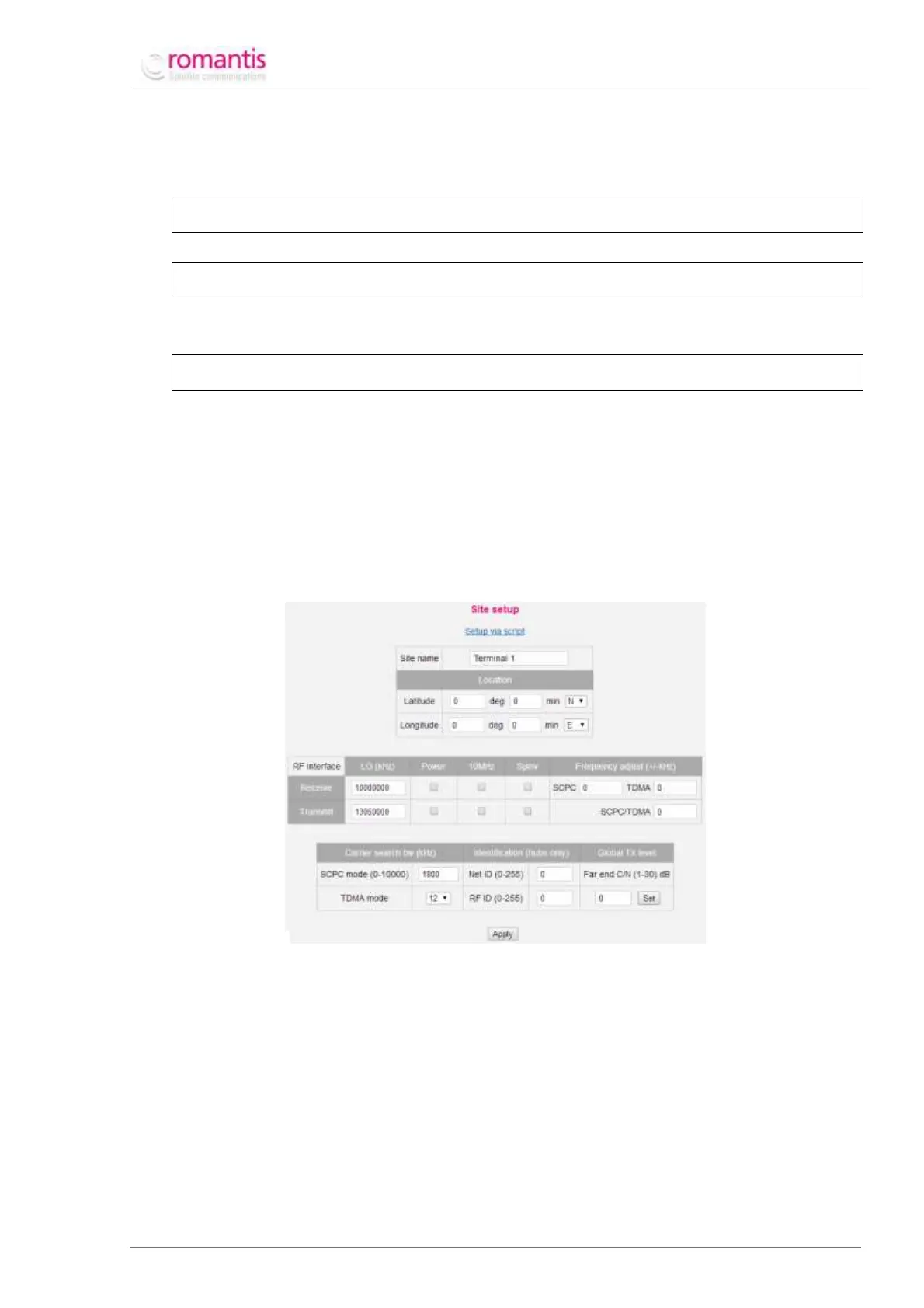
Site setup window (see Figure 6) is used to configure the following parameters:
Name of Station - this name will appear on the left side of the Status bar and in command line as a
command prompt (e.g. Station 1#);
Geographical location of Station - not used for SCPC;
RF interface – this defines RF parameters of the Station.
To open Site Setup settings select the appropriate item in the Menu of commands.
Figure 6 General configuration screen
Local oscillator frequency (LO - Local Oscillator) of LNB is usually shown on its label or in its
specification. Typical values for Ku-band are 10’000’000 or 9’750’000 kHz. This value is used
to calculate L-band receive frequency by subtracting LO from the RF receive frequency.
However if spectral inversion is enabled, the receive frequency should be subtracted from
the LO value. The value of L-band receive frequency is within 950’000 – 2’050’000 kHz. If LO
value in Profile settings is set as zero (by default) all receive frequencies in profiles should be
set in L-band;
Local oscillator of frequency is shown on the BUC label or in its specification. Typical values
for Ku-band are 13’050’000 or 12’800’000 kHz. This value is used to calculate L-band
transmit frequency by subtracting LO from the RF transmit frequency. However if spectral
inversion is enabled, the transmit frequency should be subtracted from the LO value. The



 To Next Page