70
Step 5: Complete your Request
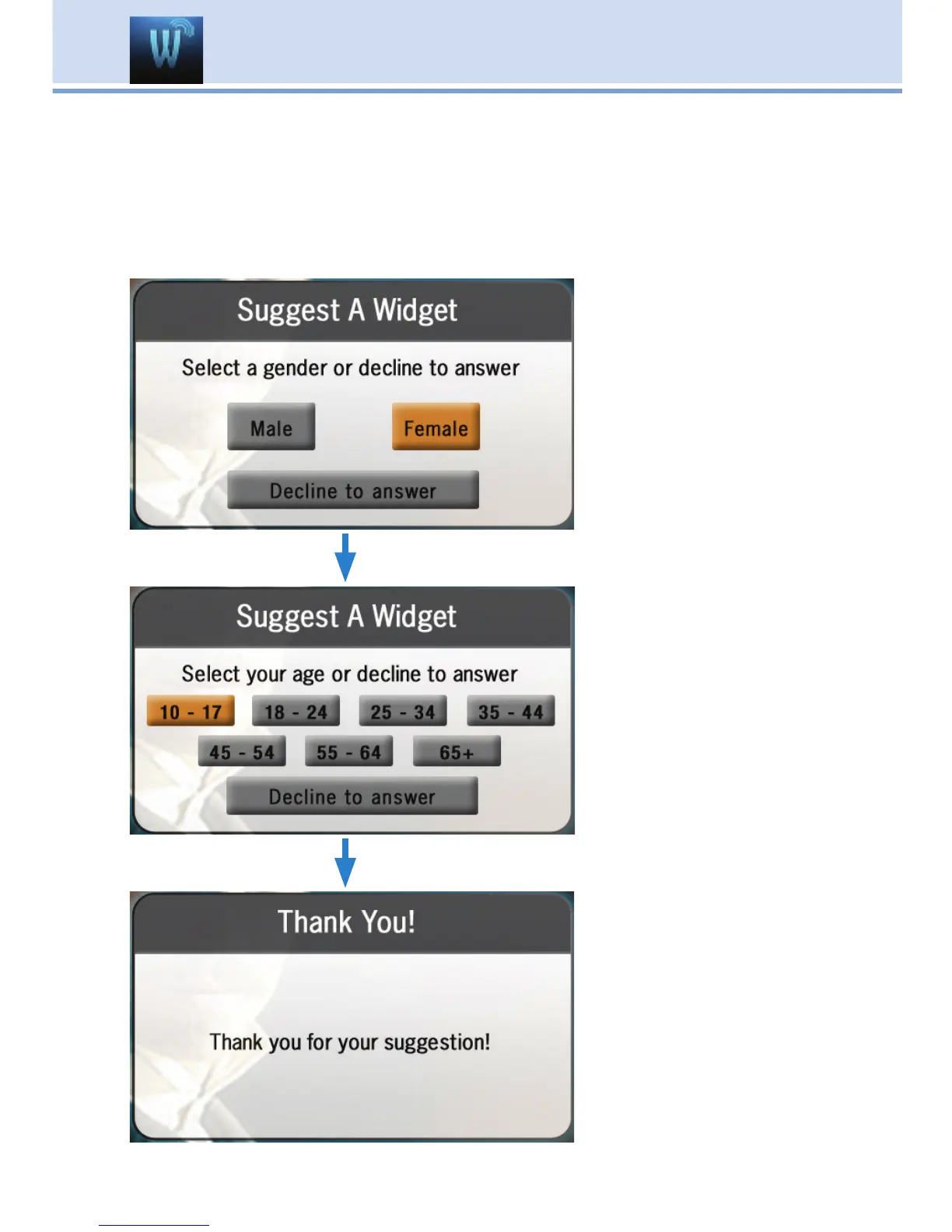
You will then be taken through two screens (as shown below) asking
you a little about yourself; one asking for your gender and another
asking for your age. Answering these is optional. Use the Arrow Keys to
highlight the answer you would like to give, then press OK. A Thank You
screen will then appear after the process is complete.
17 Widgets (Coming Soon)



 To Next Page