B1 User Manual
© 2022 All rights reserved, Unitree Robotics 14
Contact Charging Board Functions:
1) Model identification: The charging pile can identify the robot model, avoid the robot of different battery models
(voltage) to incorrectly connect the charging pile, and avoid the charging pile from supplying power to the unknown
model of the robot/battery/load.
2) Reverse plate protection: The charging plate does not distinguish between polarity, and the robot is compatible
with front and back recumbent.
3) Plate short-circuit protection: Triggered when the charging plate is short-circuited, the protection will cut off the
connection between the short-circuit plate and the charger/battery, and the charging will be automatically restored after
the short-circuit point is disconnected.
4) Plate jitter protection: When the charging plate is unreliable contact, the protection will cut off the connection
between the charger and the battery, avoid the plate ignition phenomenon caused by contact, and the robot can
automatically resume charging after getting up and lying down again.
5) Full charge circuit break protection: When the charging current < 1A, the charger is automatically disconnected
from the battery.
B1-Contact Charger Instruction:
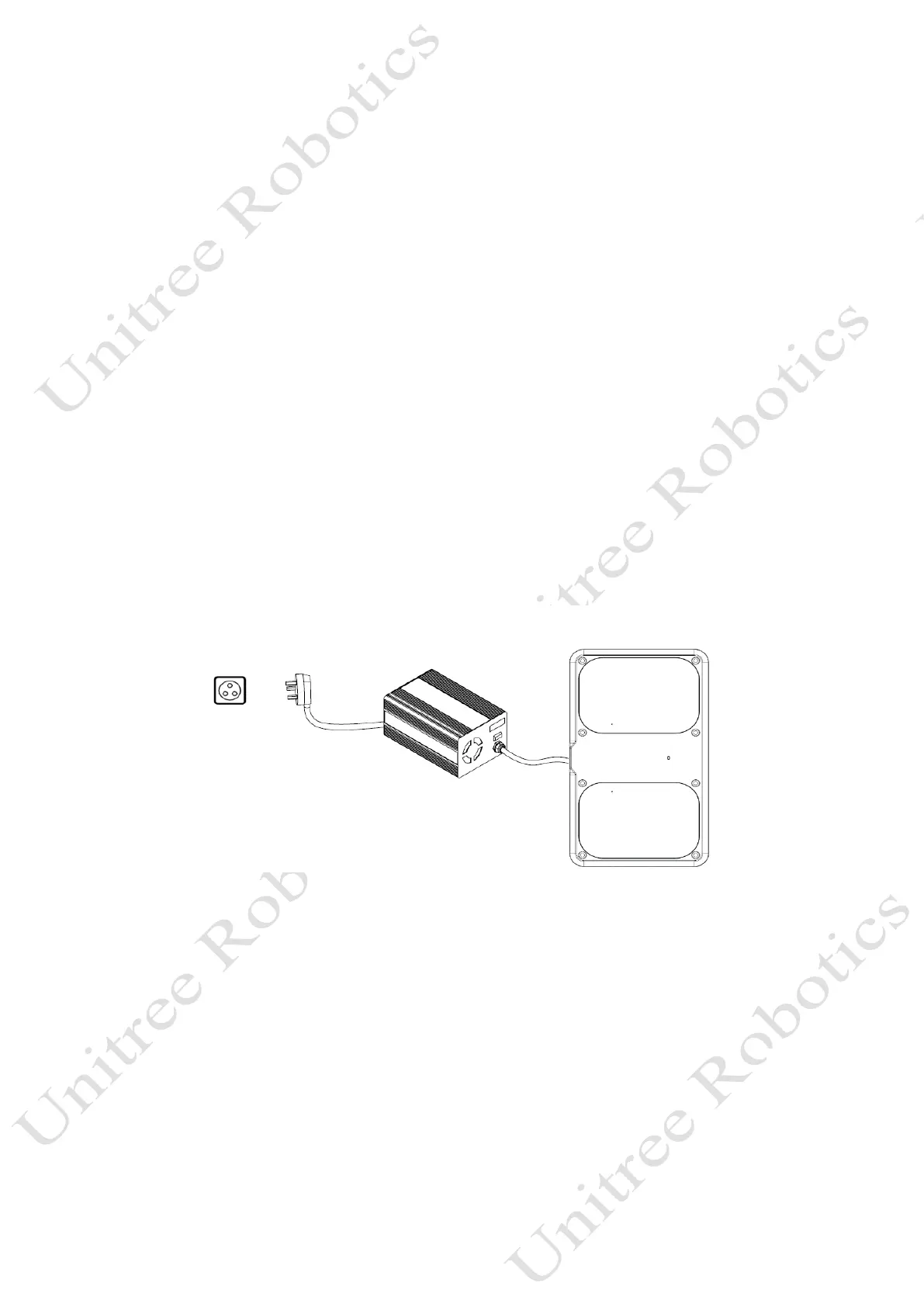
1) Preparation before charging: Place the B1-contact charger in the open room, first connect the lithium battery
charger to the input AC power supply, and then connect the contact charging board power interface, as shown in the
following figure.
2) Charging: When using the contact charger to charge, first use the remote control to control the robot to lie down,
so that the bottom 2 charging electrodes of the B1 robot are in contact with the charging plate 2 charging electrodes to
achieve charging, and the button on the lithium battery charger can switch between fast charging and slow charging.
When the charge is full, the charger is automatically disconnected from the battery.
Notes:
1) It is strictly forbidden to use a charger that is not provided by Unitree official for charging.
2) The ideal working environment temperature of B1-contact charger is 5°C-40°C, relative humidity≤95%, and
atmospheric pressure 70~106Kpa.
3) When using, please ensure that there are no water droplets on the surface and interface of the charger, and the
surrounding area is empty and barrier-free.
4) When using, moving, or charging, please be careful to charge the plug to avoid damage by external forces.
110-220V



 To Next Page