B1 User Manual
© 2022 All rights reserved, Unitree Robotics 29
Power on/Remote Control
After the robot completes the pre-boot inspection, and the pre-boot preparation requirements are placed, follow the
following steps to boot the machine: first press the power switch once, and then press the power switch for more than 4
seconds, you can turn on the battery (when the battery is on, the indicator light is green, and the indicator light shows the
current battery level). After the battery starts, wait for 2 minutes, the robot stands, the fuselage height is about 63cm,
parallel to the ground, that is, the robot is power on successfully.
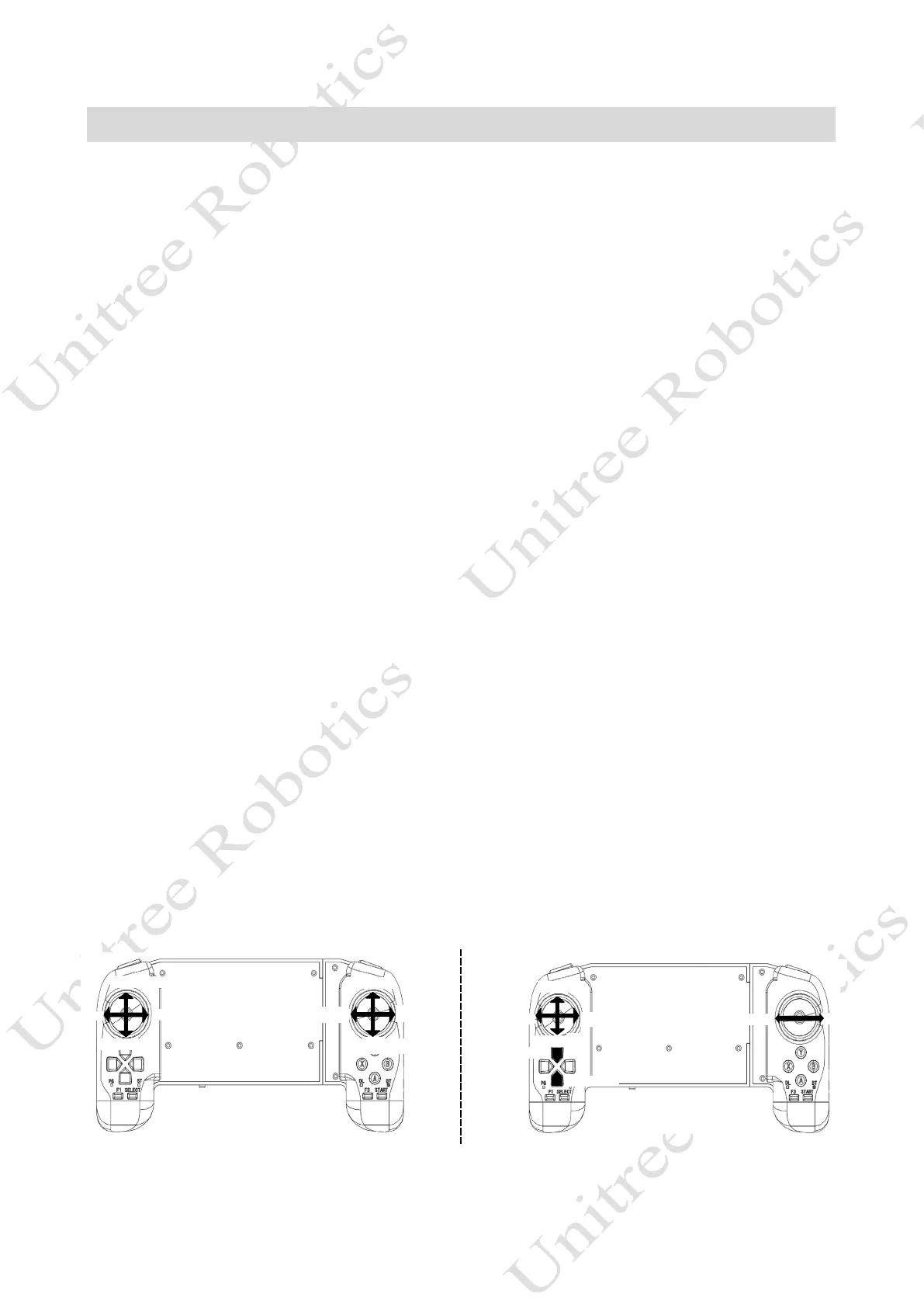
1) After powering on, the robot directly enters the ordinary walking mode, at this time you can push the joystick to
control the robot forward and backward, shift side to side, in-place turning, etc., if you do not push the joystick, it will
stop moving.
2) When the walking mode is stationary, press SELECT-> to enter a static standing state, at which point you can
control the position through the joystick.
3) In static standing state, press START-> into walking mode.
4) In ordinary walking state, press L2+START-> to switch obstacle mode. At this point, the joystick can be pushed
to control the robot to walk over obstacles and climb stairs, and if the joystick is not pushed, it will stop moving. Crossing
the obstacle walking mode by pressing L2+START can switch back to the normal walking mode.
5) In walking state, press R2+A-> switch to large load spacing to move. In this case, some extreme sports
performance will be sacrificed to reduce the heat generation of the fuselage motor, so that the load operation can be more
stable and reliable.
6) With large load spacing movement, press R2+B-> switch to normal spacing movement.
7) In any state, press L2+A-> to lock the robot and press START to unlock the robot.
8) After the robot locks, press L2+A The robot is in a lying state. (i.e., press L2+A 2 times, and the robot completes
locking - lying down)
9) Press L2+A to stand up in the lying state, currently the robot is in a locked state, press START to unlock the
robot. (That is, press L2+A 3 times, and the robot completes the locking-lying down-standing in turn)
10) In any state, L2+B-> damping state/low-power state, in which the robot will lie down and need to press L2+A
to make him stand up.
11) L1+L2: Lock the B1 remote control, in which case the remote control will not be able to control B1. Press
L1+L2 to control B1 again. This button requires B1 to be used with the Z1 robotic arm, and the remote control can be
switched to the control robotic arm.
Movement state gesture control
Body left roll
Body right roll
Body up
Body down
Head up
Head down
Look right
Look right
Forward
Move left
Move right
Backward
Rotate left
Rotate right
Body down
Body up



 To Next Page