B1 User Manual
© 2022 All rights reserved, Unitree Robotics 28
2) Body Placement
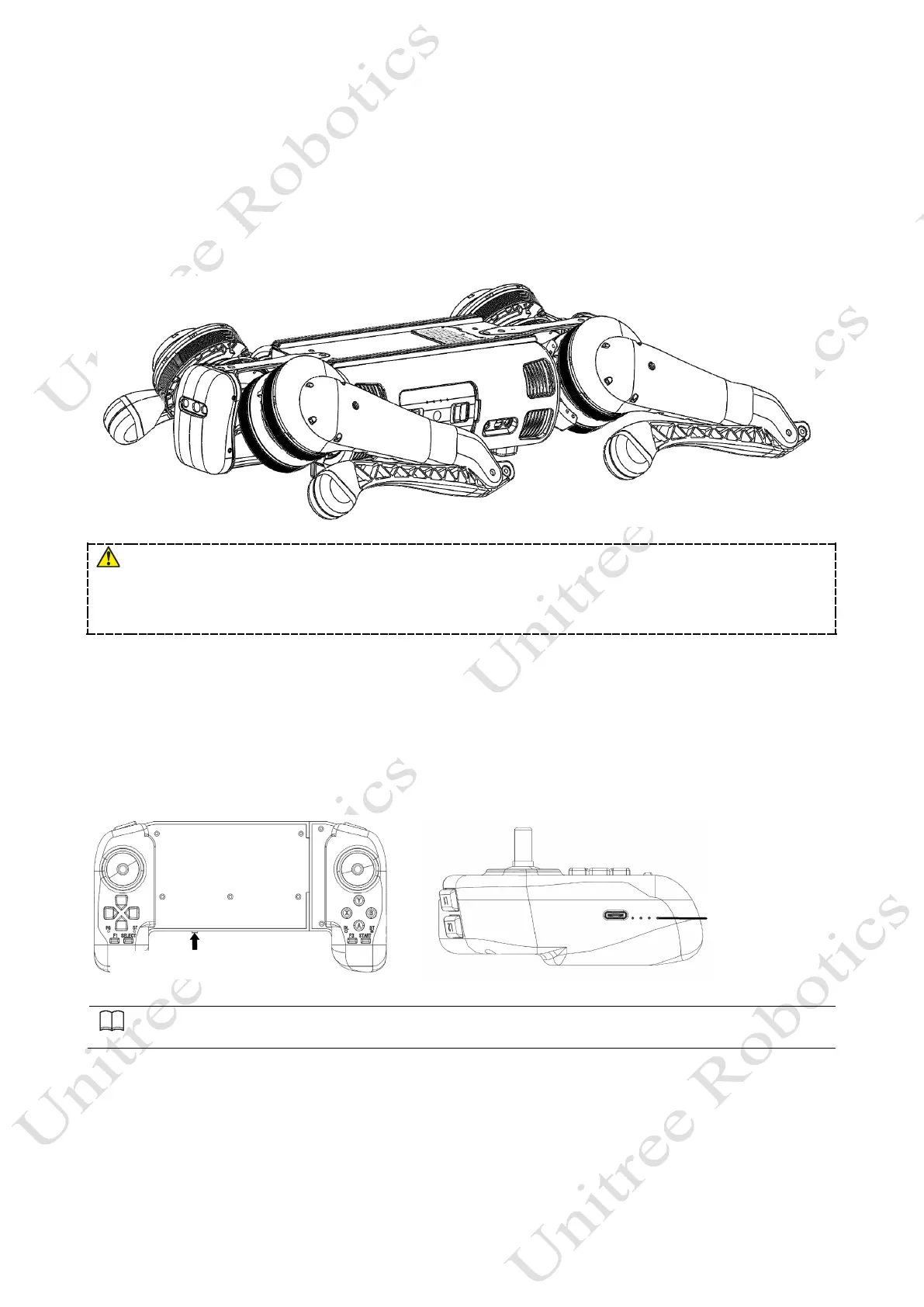
Horizontal type startup: please make sure that the robot dog is placed on a flat ground before startup and operation.
The belly support pad of the robot dog should be flat against the ground. The machine body should lie on the ground
horizontally without tilting. The legs of the robot dog should be fully retracted (as shown in the figure below). The four
knee joints and foot ends should be flat on the ground to ensure that neither the thighs nor the legs of the robot dog are
pressed by the machine body.
If the starting up fails, please check the placement of the body!
The thigh and the lower legs protruding outward or the lower legs being pressed inward may cause the robot dog to fail
to start up!
Be careful with your hands at the movement joints, be careful!
3) Connect the Remote Control Module
First, briefly press the power switch of the remote control once, and then long press the power switch for more than
2 seconds. The users can turn on the remote control when they hear "tick" ~”. The remote control corresponds to the data
transmission module of the robot dog one-to-one, and it can be connected automatically when it is turned on. All the data
transmission signal lights on the left side of the handle indicate that the connection is successful, and the remote control
can control the robot dog, as shown in the following figure:
Shortly press+ Long press
Automatic connection: Both the remote control and the robot are in the power-on state and the left digital signal light is
all on, which indicating that the connection is successful.



 To Next Page