B1 User Manual
© 2022 All rights reserved, Unitree Robotics 30
Do not press the push remote control stick during the boot of the robot.
When using the remote control to control the robot to move, gently push the rocker, and slowly increase the speed after
familiarizing with the operation.
For the description and operation of the remote control, please refer to the chapter of "Remote Control Basic Operation".
Do not touch the robot dog during exercise!
Please keep the robot under control in the users’ view and keep a safe distance of at least 2 meters from the robot while
using.
For the sake of reliability, please use it in an open and flat ground environment. When the robot walks on the terrain with
certain undulations or slopes, the users should reduce the walking speed of the robot and manipulate it carefully to avoid
tripping over obstacles.
The legged robots have certain requirements on the ground they walk on. Do not use the robot on surfaces with very little
friction, such as ice. Do not use the robot on soft ground, such as thick sponge ground. If it is used on a smooth ground, such
as glass, tiles, etc., please control the robot carefully and flexibly to avoid strenuous movements and reduce the walking
speed of the robot to prevent the robot from slipping and falling.
For other precautions, please be sure to read "Precautions for Operation" and "Safe Operation Guide".
Power off
Please make sure that the robot dog stands on a flat ground and the robot is in a static standing state before turning
it down, (the position of the robot body is in the initial state after startup and standing, the body is horizontal, the handle
is not operated, and the robot is in a static standing state).
Press the buttons L2+A twice, and the robot completes the joint locking and lying down actions in turn.
After the robot enters the lying state, press the power button briefly and then press the power button for 4 seconds
to shut down.
After shutdown, please place the positions of the thigh and lower legs and hip joints of the robot according to the
requirements of the chapter "Preparation before Power on" to prepare for the next startup.
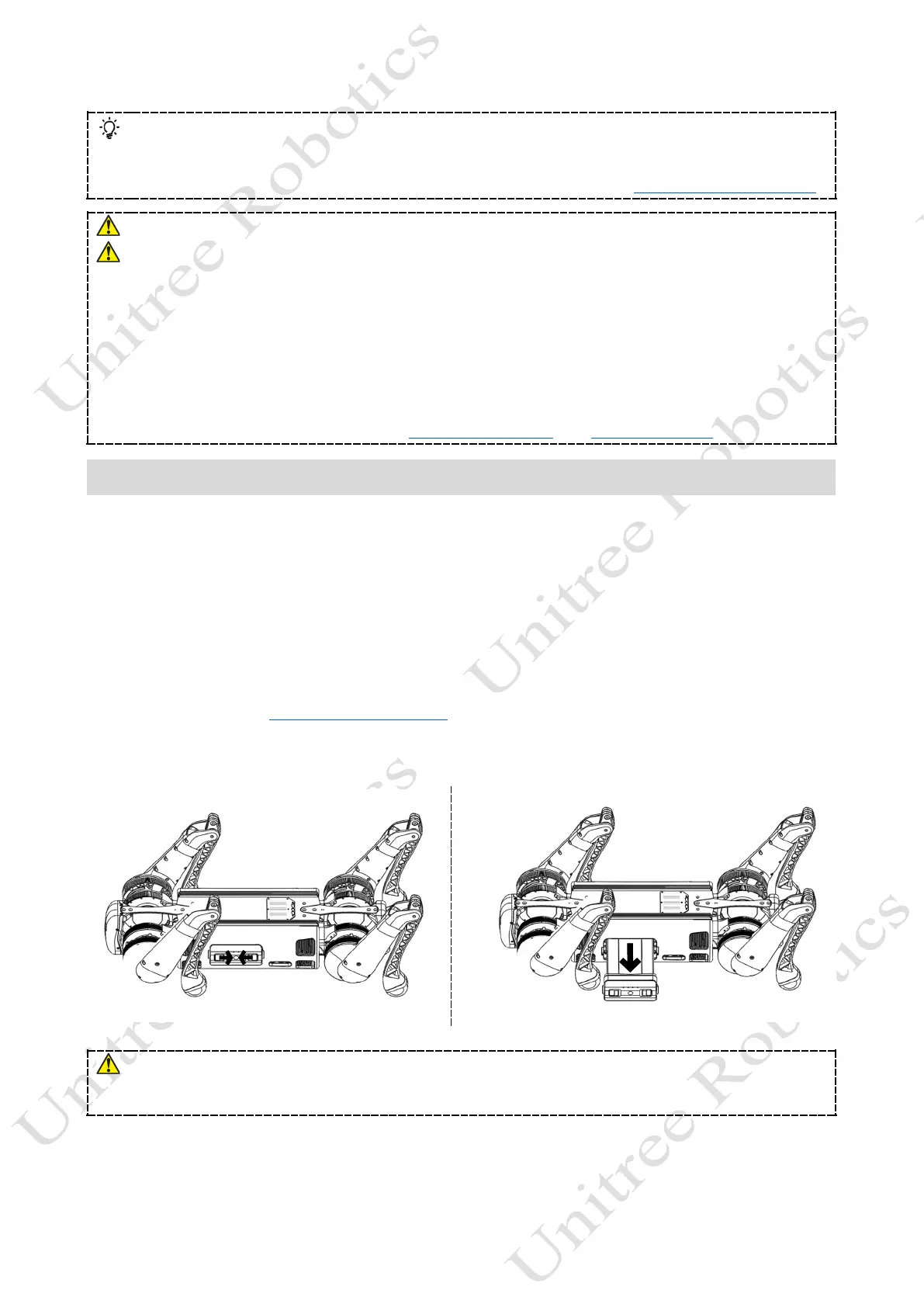
Take out the battery pack: press and hold the two buckles of the battery packs with hands and push it inward to pop
up the battery packs.
Please make sure that the robot turned off in a damping state, otherwise the robot will fall heavily on the ground after it
is turn down and powered off, which may cause damage to the robot body and certain potential hidden dangers!
Be careful to pinch your hands at the movement joints, please be careful!



 To Next Page