B1 User Manual
© 2022 All rights reserved, Unitree Robotics 21
Introduction
The remote control is part of the B1 remote control module, and the remote control handle has a installed digital
transmission module and a bluetooth module. The robot dog communicates with the remote control through the data
transmission module to achieve one-to-one correspondence, and remote control can be connected when the robot is on.
The robot dog can be manipulated to achieve stable and full control of 3-axis posture and 3-axis position when standing.
The users can manipulate the robot to move forward and backward, move left and right, spin turn and walk under certain
rules (straight line, circle, rectangle), etc. on flat ground, and can even climb or walk downstairs and slopes. The remote
control handle adopts a easy holding design, which makes the structure conform with ergonomic and feels more
comfortable.
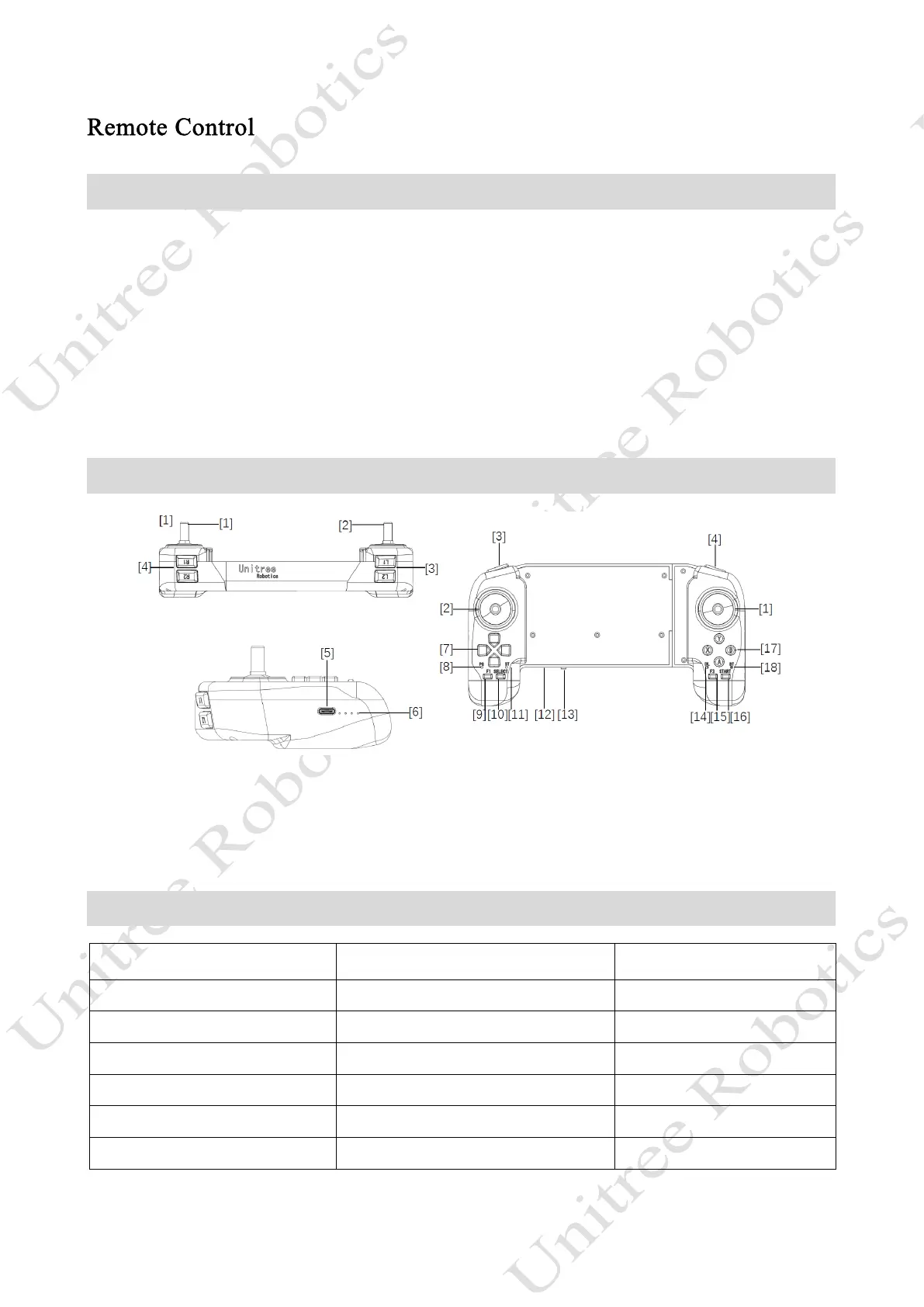
Parts Name
[5] Type C Charging Interface Type C
[6] Data Transmission Signal Light
[8]Power Connect Indicator
[9]F1 Left Rocker Calibration Key
[11]Charging Status Indicator
[12]Power Indicator Light
[14] Data Transmission Indicator Light
[15] F3 Right Rocker Calibration Key
[18] Bluetooth Signal Indicator Light
Technical Specifications
Charging Voltage 5.0V
Charging Current 2A
Lithium Battery Capacity 2500mAh
Communication Mode Data Transmission Module, Bluetooth
Running Time 4.5h
Remote Control Distance Above 100m Open Environment



 To Next Page